abductedPlatypus

LD 38

Photoshop Dither Brushes for Pixel Art

Hi,

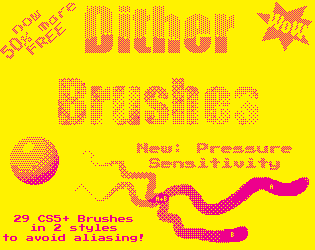
I just uploaded some Dithering Brushes for Photoshop CS5+ to itch.io (free, ofcourse).
I will be using them for making pixel art for my games made during LDJAM 38 which I will stream on my twitch channel. I couldn’t find a reason not to share these brushes, which I find really useful. And yes, I’m still one of those people who think that Photoshop is just that small bit easier to work with than most dedicated pixel art tools.

So if you are with me on that check them out.

abductedplatypus.itch.io
Example & Ad

This package contains common dithering patterns and brushes, created for Photoshop CS5 and later.

There is some logic in the design of these brushes. Which shows you that most dithers are made from others of lower density, and have the inverse of themselves. This will make sense when you see the names of the patterns and brushes.

Download from abductedPlatypus.itch.io, where I will also upload updated versions of this package.

Make note that to make good dithered art you should not rely on purely these brushes. It is mainly intended for quick ‘n dirty pixel art, that should be fine grained after your initial dithering. E.g. the 0.250 Alt patterns do not align well with the ABC pattern, however the 0.250 OA pattern amplifies (one kind of aliasing) itself. Also not all shifts are within this package (and brushes are not the solution for that either).*

A tip to help you with avoiding annoyances is to assign to each color either to OABC or DEFG brushes, this will make it easier to make dither with 3 or more colours.*

* If you don’t understand this text, please tryout the Brushes a bit first, it should make sense after trying them out for a bit.

Setup Photoshop
Make sure you disable anti-aliasing for your tools (checkboxes and dropdown for fonts). In preferences set your grid size to 16 with 4 sub-divisions or 1 with 1 sub-division and use pixels for all measures. And always use anti-aliasing. (This page seems to explain setting it up well.)

Also checkout this if you need “simple” dithering for backgrounds.

Remember Ludum Dare 10 Year Anniversary? "Tiny World"

So I had a good idea for all themes, besides just this one that one, nothing more than "LD23 clone" it reads. Which was my first LD and the game I finished wasn't finished and the idea wasn't that great either.

So its brainstorming time!

LD 39

GLOW

https://www.youtube.com/watch?v=lCwNCkhoV4c

My Compo Entry
Play it here: https://ldjam.com/events/ludum-dare/39/glow

WebGL version online!

For all of you who are too impatient to wait for my game to download and unzip (which is, if I can trust your awesome feedback so far, very understandable), I have uploaded a WebGL version. Which went surprisingly smooth.

It doesn't play nice with Safari (but what gamedev, besides me, uses that anyways), but Chrome works great!

Check it out:

https://ldjam.com/events/ludum-dare/39/glow/

Screen Shot 2017-07-31 at 02.56.24 copy.png

Post-Mortem (Part 1): Music - Tips and Tricks from/for an Audio Noob

I present to you the first entry in my Post-Mortem series. Why multiple, because I write them just before I go to bed. Especially this entry on Audio could be of interest to other Compo participants because this strategy worked out perfectly.

Personal Challenges

The main purpose for me to participate in Game Jams is to challenge myself and learn something new. Usually this involves things like: "Multiplayer", "Custom Hardware" or "New Art Style". Always trying something new to see how people interact with mechanics, UI elements and Always with mixed results, but always improving me as a (hobbyist) game developer. Additionally this helps to be a bit more creative, or at the very least focus creativity a bit more and come up with a great idea faster. Both learning and being creative are fun (I would even argue that learning is creativity). This time it was "Audio is not an afterthought".

Matching the music with the game

ishot-170729063616000001.jpg

Something that I think is the hardest part of making music, is having music that matches the game and it's mood. So naturally the first thing I did when I came up with the idea is setup the mood. No final art, just creating a style I would be happy with. I felt this was important for creating the music, which was not going to be an afterthought. During deciding the art style I listened to a lot of game soundtracks for inspiration of the music to the art.

Garageband

ishot-170729153405000001.jpg

Since I have never composed enjoyable music, I spent the entire Friday learning how to use the program, and get a feel for the many instruments it contains and a bit of music theory (I don't have a free resource for this, but search for things like Scales, Timbre and Tempo). Luckily I have an iPad which comes with a free copy of GarageBand. It allows me to make music with less static keyboard press speeds (velocity) and change and record parameters while rotating the buttons. Also, and many audio tools have this nowadays, it is possible to play using a set scale. This is very important to get sounds sound well together. (It is not the only way, but it certainly helps) E.g. A Major Blues scale or a Pentatonic scale. There is a lot of ambient sounds, 80s sounds and even a pretty versatile Chiptune style Square Wave. What makes GarageBand even better is that it syncs up with any GarageBand for Mac project, which made doing the final tweaks a breeze. If you don't have a setup like this, there is a ton of other music programs you could check out. Although I didn't finalise anything, during the jam I composed an entire track!

Dynamic Music and the Unity Audio Mixer

ishot-170729233631000001.jpg

What I also never touched is the Audio Mixer included in Unity. I knew that it is great for dynamic music, so I decided I wanted to do that too. Unfortunately I didn't have time for that on Friday. So in spirit of my previous entries, I learned this on the go. It was not entirely straightforward, but it seems Unity is doing it's best to optimise so that's great! For example you have to expose parameters explicitly, and any changes you make during play are saved. But in the end it was pretty easy and it took me only a couple of minutes to add music changes to trigger areas. Which would mean I could switch separate music tracks during game play. More specifically; noise would fade out when out of danger, and the soothing bells would be replaced by more aggressive alternating notes (arpeggios) when nearing enemies.

Sound Effects

While music is great, without SFX a game feels very dull. So I needed to come up with some sound effects. Since the game is about emitting bubbles a bubbling sound was required. Luckily such sounds can be found easily on the internet, like freesound.org. (Watch the licenses though). Of course you can't just put that in your entry, (it's against the Compo rules and it wouldn't sound right). So I used Reaper for tweaking the sound, making it loopable and reducing recording noises. Finally I needed some pickup sounds. Usually I would just bootup BFXR and generate some sounds. But I learned that it doesn't work very well when you have a bit more decent music. So I booted backup GarageBand and searched for some matching sounds, while running the music I made in the background. It turned out pretty atmospheric.

Results

I'm pretty happy with what I was able to create knowing it was my first time doing something like that properly. And, even better, it seems I'm not the only one!

Great you've got plenty of Ratings, now make sure you rated at least 20

I understand that rating takes time, but please rate at least 20 games as well! If everyone does that ALL games would be rated*. (And if all games are rated your potential victory gets much sweeter)

Screen Shot 2017-08-08 at 19.15.59 copy.png That number should be >20.

P.S. That is my page, working on it as you read!

*best-case, I'm aware, so rate those in the danger zone!

Post-Mortem (Part 2): Quick, Polished Design - Tips, Tricks

Welcome to the second entry in GLOWs Post-Mortem series. I've analysed my workflow and it boils down to two tips. People commented that the "immersion" of "the little world" I made was really great, and that they would love to come back. So this entry is about how I did quick design that has a certain degree of "very polished". While it is very simple on purpose (WASD only) has no text or explanation in the game itself, making level design the only way of communication to the user. I will first explain to you how I designed the world, then I will give you some examples of how it worked out: The good, the bad, and, sure why not, the ugly.

A relink on my article on Audio (from/for noobs) was summoned. So check it here.

The Good

Level design for Game Jams, especially during the ones that are over in the blink of an eye like LD, can be quite challenging if the approach is not very well prepared. However I learned that it is quite possible when you use the right approach, the hard way though. I think I did it with two main thinks I could describe as: 1. Teach as you go 2. Meaningfully Reuse

These two will dictate that you find a process that works great for you. Finding a great workflow is key. It speeds everything up, and forces you to think your design through at every step, while KISSing (Keeping It Simple, Stupid). Even if, like me, you always try to go with completely different art styles, game genres and team compositions. Right between coming up with your idea and actually starting you should define which tools you are going to use, and design a workflow. Last week for me this was picking Illustrator, which I never used in game development before and getting it in Unity (Illustrator->Photoshop->Unity). Idem for GarageBand (GB4iPad->GB4macOS->Unity).

Teach as you go

You are getting a PhD in your own game, you discovered its laws and how they all work together, what's there to teach yourself? Well, getting a PhD is about learning, discovery, what elements will work together. Getting a PhD is also about explaining your findings to others. For each law, and interaction between them think of a way to explain it to someone who doesn't know anything about your world. While you might feel that that is the most important rule in game design, it is certainly something not getting enough care when you are in a rush. So, as you explore the possibilities of your discovered laws, think of ways to show others how they work, and make a level on how you would explain this. Make puzzles like you would make slides for a presentation, just keep in mind that there is no time for questions. If you do it this way, you automatically create some sort of workflow, one based on exploration that helps you generate levels.

Meaningfully Reuse

Only slightly modify the assets you have, don't make new ones. Rotate, scale, skew, warp your sprites, it will look differently. Making a grid based game? Add some detail sprites, which you randomly place of others, don't make ten by hand, just do some simple but clever programming and maybe get hundreds. This also goes for music, just do a quick reorder your notes to quickly make it more interesting, lower your a few octaves and poof a bass line. And even designed gameplay elements, e.g. simple mixing and change the distance between others.

Of course it should be meaningful. Does it make sense? Well, I think this can be answered with the previous tip: If you think you can teach it, it probably makes sense (or its just plain funny) and thus meaningful. Does it make sense to the player to find this plant in this area?

Some things are not obliviously things that can be meaningful. E.g. what colour schemes work, what kind of instruments sound well together. I think things like that boil down to spectra. Colours convey meaning, so thats definitely meaningful. Colour schemes should be well spread-out, but still have some connection to each other, e.g. different colour, same brightness or vice versa. There I think meaning comes from the relation between the colours. Similarly this works for audio. Does it make sense to make this sound when you hit something or pick up that orb. Does this bass line add meaning to the other instruments? I think those are questions that you can ask yourself to make even such abstract choices easier.

For programming this is a tad different: programming at its core, especially Object Oriented is reusing all the way. My tip here is, to embrace simple copy-pasting of code, its only 48 hours. Keep it simple by not over-engineering your game. And in this timeframe you should be able to memorize where you reused code when resolving bugs.

Don't feel like slightly modifying it? Just reuse it. Then mutate it a bit. (e.g. different distance between other elements, increased speed, different size) Especially if are you stuck with design, art, music, programming? The player will recognise it, and know what to do. This is actually a clever core mechanic that will test if the player learned what you want them to learn.

If you get stuck and depleted your resources, go to you stack of brilliant ideas and pick one. Then generate some new ideas and mix it with the others.

Again, tips for your workflow; don't overthink things, it will make you stuck. You don't have time for it and it is not required. Just make sure you teach each element and make sure it's meaningful. (I'm open for alternatives to the term 'meaningful', I'm not 100% happy with the word.)

Examples

Teach as you go

collect.gif The Good Coffee Beans (my preferred of many names, thanks @timbeaudet). Coffee Beans have the same color as the player's light. In addition they are spread around like breadcrumbs showing the path you can move. After picking them up the players light get's brigher. When picked up they emit a chime in the scale of the music. This is the core mechanic of the game, so I am really happy it worked out really well. They teach how light affects the player.

The Bad Switches, Jellyfish and Evil Fish, all initially green are effected by the good color emitted by your bubbles. But it turned out it takes too many bubbles to show the effect of the bubbles. There is some ambiguity in the color green. Fish and Jellyfish deal damage when touched, while the Switches do not. Also green rocks cannot be affected by the bubbles but only deal damage, mixing in 2 different meanings to the color, that are mixed between the enemy type (In binary: Fish:11, Switches:10, Rocks:01). Amiguity is very bad! (Especially since I was aware of it but thought "Ah, who's gonna have problems with that". Rookie "PhD" mistake.).

The Ugly I personally love the movement in my game, to me it really feels like you are swimming through the water; floaty with a very soft gravity. However the way I introduced it can cause many problems. Firstly there is a short animation at the beginning that is supposed to show the three icons that should be collected. However, during this time the player movment is disabled. Because of this being disabled players are focussing on trying to figure out how to move during this animation, often ignoreing the entire animation explaining the goal of the game. A second problem is that the fish rotates towards the direction you are steering in. However if you move to the opposite direction there is no single shortest rotation so the fish just flips, making it harder how the movement actually works. People will figure it out in the end, but it's a very ugly way of teaching.

Meaningfully Reuse

Screen Shot 2017-08-08 at 20.56.57 copy.png The Good (from Bad) Initially I was trying to make my level from specially crafted blocks. Being afraid that people might notic too many repititions. Luckily I quickly changed my mind. (I still made about 20 different building blocks, but 50% of the entire game is made from one single rock). No one noticed and allowed me to make a full "immersive" world in only a couple of hours. Ofcourse I did make some simple changes to some of the same rocks, but that was just quick reshaping for the level design. The rocks that can easily be reused have more meaning (wall, rock,

The Ugly The code for all bubble absorbers is practically the same. On touch: kill bubble, change color and a conditional reaction. Instead of nicely engineering this I just copy-pasted the code. This appreoach works fast and pretty good. Forces me to refactor (actually fully rewrite) most code if I continue. And since this game is so small, modifying all pieces of the code was easy with more quick copy-pastas. Ugly, but gets the job done quickly during a jam.

Final words

I hope you learned something from my approach and perhaps it can be benifcial for your workflow too. I will be doing a few more of these articles, and I will be highlighting some game clever Ludum Dare designs as GIFs on twitter. I only have small hand full of followers, so if you liked it (which is safe to assume; you are reading an obvious shameless plug), want more insights and want to make my day, follow me there: https://twitter.com/abductypus
Post-Mortem (Part 3): Post-Compo - Backlog, Feedback & Observations

Welcome to the third post in GLOWs Post-Mortem series. I was asked to relink previous entries; find one on Audio here and one one workflow here. This one is about getting backlogs, feedback and observations and implementing it. I promise to keep this one a bit shorter.

Backlog

There's always things you would love to implement, but you don't have the time for. While I think my schedule is was pretty great, I (intentionally) didn't account for technical difficulties, so I could push the game to it's limits if everything went great.

What I wanted to implement was the follow: - Animations - I only had time for some sine waves and linear movement implemented by code - A in-game menu - Volume levels are quite dynamic - An enemy - Its art didn't fit the rest, and his mechanics (though I spent a lot of time on it) weren't fun - A slightly less random story - Just some icons at the start were shown and faded out directly afterwards. The bug had to collect them. Icons inspired by the icons on the menu bar. - Proper respawn - I just did a reset position of the player, missing resetting the health pickups. It was still possible, but much harder without them. - A better health indicator - The rings on the bugs back were intended as a health bar. But instead I went with a fading pulse.

Feedback

The main feedback I got is that people didn't like the controls. Some people even seemed to hate them passionately (What!?! I love the controls, they feel exactly the way I wanted, matching the environment and giving a challenge). I always forget that controls are very personal, so it's better to stay close to standards set by similar more widely known games.

It was not clear to go back to the start after collection the three Icons. (I made a clear animation to explain it, how could you have missed it?!?) This was a quick implementation to add some story and add some achievable goals. Even coming up with this weak idea proved a challenge.

Most of the other feedback for improvement was in line with my backlog, so that was great.

Observations

A few Twitchers played my game on their streams. While they "I can't really tell you what's bad about this game." But it was still clear that there were some difficulties that the player faced. "I have no idea where to go." while I knew there were plenty of other areas to go to. Or "I don't like the controls, but they do make sense in the water, so they are good" In fact they are bad, and I should find another way to get them to feel good. And stuff they don't know. They went the wrong direction (which is not necessarily bad), but they died (still not bad), went the wrong way (okay, you didn't like the area) and totally forgot about the area (ah, that's a problem). And almost everyone I saw playing it did the same. There's some room for improvement, right there.

Changes

ezgif-4-0f0437b3a1.gif - I added some animations. I dissected each monster, put them back to gather part by part and moved them around like a puppet. - I added an in game menu. I hate making UIs :( - I redid the art for the enemy, and slightly changed his behaviour. And I added him (although he was the first enemy I designed). He's in the green area. (Bottom-left one in the gif) - I added some story. A bit cliché, especially since its in an ocean, but I think it's an improvement. - Proper respawn, I made sure the game didn't become harder after dying.

Kapture 2017-08-13 at 17.09.00.gif Kapture 2017-08-13 at 17.07.55.gif

  • I added the health indicator, I really like how it plays out. (Its always great when Ideas in your head just work like you hoped they would) (See images top:before bottom:after)
  • I tweaked lighting a bit more. Navigating should be a tiny bit easier, and the contrast is a bit larger. (See images top:before bottom:after)
  • I changed my beloved controls. They are still close enough to what I wanted, but it might not be enough.
  • I redid some level guiding for less getting lost.

I think that's it. The list is much shorter than I thought, so I think I made a lot of progress after the compo.

Did it work?

I have no idea. I have yet to get feedback on the new version, but I have asked some people to play and record it, and optionally give some feedback. The process repeats: Check out the Post-Compo version here.

GLOW - Timelapse

I just uploaded a timelapse of GLOW. Check it out.

https://www.youtube.com/watch?v=4EdILENQbA8

4 days left to rescue some games *

There are still many games without 20 ratings.
Why should you rate those games? Their creators don't rate back.
1. First of all, if more games get a rating, your ranking will have more meaning. (You came in 63rd out of 1000 sounds better than 63rd out of 500, no?) 2. Giving feedback to those who need it. They will learn, and I think thats what Ludum Dare is really about. Comes with free Karma. 3. There are some hidden gems. (But they are running out, quickly find them before someone else does!) 4. Admittedly I got most reviews before rating any games, I got a bunch of people rating back, even from the ones who hardly rated other games.

Find games to rescue here:
http://feedback.ld.intricati.com/?event=32802&sorting=received
(At the time of writing there are 14 games without any feedback - not even a "download link doesn't work")

There are other groups of people that rarely get any ratings. For example this list of 16 VR games.
http://feedback.ld.intricati.com/?event=32802&platforms=vrgames&sorting=received
There's also a hand full of board games
http://feedback.ld.intricati.com/?event=32802&platforms=board&sorting=received

Thank you for the amazing feedback!

As my final post I would like to share my appreciation for the feedback I received. All directly quoted from the LDJAM game page.

The following comment really sums up the overall feedback really well:

The dark mood was great; Art style, music and sfx really did the job.

Some people gave me very extensive reviews, which I have shortened "a bit":

Wow! Just Wow… That game is amazing! One simplistic mechanics bring 3 different challenges, that are welll telegraphed to the player. [...]Anyway - this is a perfect scone for me!

Hmm, I like scones.

Some people do the much appreciated overreaction:

WOW! One of the best entries I’ve played in any LD. 87eb.gif

Yes, that image was part of it too.

And apparently, although my game is rather niche, even people that weren't the target audience seem to like it:

Normally I’m having trouble getting into “artsy” games, but this one grabbed me from the beginning!

Not everyone seemed to have like the movement:

I’m not sure I have the patience to navigate through those long, tight, green corridors with the loose controls, but I totally get how the controls are part of the aesthetic that you have going on here.

But my carefully fine grained movement, is also liked :heart:

Favourite part is the movement. It’s just fun and it fits the character perfect.

I sneaked in a quote from a gamedev streamer on Twitch:

Was this made in 48 hours? _ I'm quitting game dev._ -QaziTV

And finally, mainly streamers, but also some comments. People asking if I will continue this game.

Like you could build up a whole world around that little spider dude as he floats and drifts from place to point.

I'm not sure yet, but there's plenty of ideas.

If you're curious and haven't played it yet:

You can play it here

Also, recently people have shown interest in the source code, and this being a Compo entry, you can download under the same link.

Go vote for these "almost there" games and get 'em ranked!

Old Post, new one on top

For your convenience; here are some games between 10 and 20 votes. I think together we can give them their last few votes to get a ranking! All with HTML5 builds, all tested and working. Go rate them!

Please check if the game has 20 votes already, so we can be an efficient machine and rank as many as possible!

Round 1 1. Achievement Get! 2. Achievement Get! 3. Achievement Get! 4. https://ldjam.com/events/ludum-dare/39/blackout-defense (3 needed) 5. https://ldjam.com/events/ludum-dare/39/spaceship-rescue (4 needed) 6. https://ldjam.com/events/ludum-dare/39/i-have-no-spoons-and-i-must-survive-in-a-capitalist-society (4 needed) 7. https://ldjam.com/events/ludum-dare/39/turtle-jam (2 needed) 8. https://ldjam.com/events/ludum-dare/39/mystic-power (4 needed) 9. https://ldjam.com/events/ludum-dare/39/voyage-of-the-indefatigable (5 needed) 10. https://ldjam.com/events/ludum-dare/39/action-power-robot (7 needed)

Round 2 1. Achievement Get! 2. https://ldjam.com/events/ludum-dare/39/carrot-labyrinth (5 needed) 3. https://ldjam.com/events/ludum-dare/39/powerrungame (5 needed)

Successful Missions: 4

Last update 15:22 GMT

I'll update this post with more when games reached their required 20 votes. Or create a new post when this post drops off the main page. I picked these randomly. Is your game almost at 20 votes? Add them in the comments and I'll update this post!

Go vote for these "almost there" games and get 'em ranked!

Newer updated version above!

For your convenience; here are some games between 10 and 20 votes. I think together we can give them their last few votes to get a ranking! All with HTML5 builds, all tested and working. Go rate them!

Please check if the game has 20 votes already, so we can be an efficient machine and rank as many as possible!

Round 1 Chapter Complete!

Round 2 1. Achievement Get! 2. Achievement Get! 3. Achievement Get! 4. https://ldjam.com/events/ludum-dare/39/night-shift-1 (6 needed) 5. Pizza Get! 6. https://ldjam.com/events/ludum-dare/39/nuclear-dash (4 needed) 7. https://ldjam.com/events/ludum-dare/39/ld-39-cyborg-mattness (5 needed) 8. Achievement Get! 9. https://ldjam.com/events/ludum-dare/39/captain-quark-and-the-search-for-more-power ( 4 needed) 10. https://ldjam.com/events/ludum-dare/39/my-dear-battery (8 needed)

Round 3 1. https://ldjam.com/events/ludum-dare/39/nightfall (7 needed) 2. https://ldjam.com/events/ludum-dare/39/find-out-yourself (8 needed) 3. https://ldjam.com/events/ludum-dare/39/running-from-power-2 (8 needed) 4. Bacon Get! 5. https://ldjam.com/events/ludum-dare/39/zombie-rush (2 needed, no WebGL)

Successful Missions: 16

Last update 20:15GMT

(x needed) are quick approximates (if you opt out from several categories they only count as n/8 points).

I'll update this post with more when games reached their required 20 votes. Or create a new post when this post drops off the main page. I picked these randomly. Is your game almost at 20 votes? Add them in the comments and I'll update this post!

You might need to cache-clear-refresh your browser to see updated versions of this post.

Go vote for these "almost there" games and get 'em ranked!

3rd and latest post!

For your convenience; here are some games between 10 and 20 votes. I think together we can give them their last few votes to get a ranking! All with HTML5 builds, all tested and working. Go rate them!

Please check if the game has 20 votes already, so we can be an efficient machine and rank as many as possible!

Round 1 Chapter Complete!

Round 2 1. Achievement Get! 2. Sauerkraut Get! 3. Bacon Get! 4. https://ldjam.com/events/ludum-dare/39/night-shift-1 (5 needed, no WebGL - oops) 5. Pizza Get! 6. French Fries Get! 7. Liquorice Get! 8. Smoked Sausage Get! 9. Sushi Get! 10. Hummus Get!

Round 3 1. Long Island Iced Tea Get! 2. India Pale Ale Get! 3. Water Get! 4. Four Roses Get! 5. Macallan Get! 6. Ginger Ae Get! 7. Ristretto Get! 8. Gin&Tonic Get! 9. Martini Get! 10. https://ldjam.com/events/ludum-dare/39/the-last-question-1 (9 needed)

Successful Missions: 28

Last and final update 01:00GMT

(x needed) are quick approximates (if you opt out from several categories they only count as n/8 points).

I'll update this post with more when games reached their required 20 votes. Or create a new post when this post drops off the main page. I picked these randomly. Is your game almost at 20 votes? Add them in the comments and I'll update this post!

You might need to cache-clear-refresh your browser to see updated versions of this post.

I'm off to bed soon, will do one or two more updates.

Last 5 Hours, here are some games to rescue

New post above!

For your convenience; here are some games between 10 and 20 votes. I think together we can give them their last few votes to get a ranking! All with HTML5 or multi-platform builds. Go rate them!

Please check if the game has 20 votes already, so we can be an efficient machine and rank as many as possible!

Round 1 Chapter Complete!

Round 2 Chapter Complete!

Round 3 1. Long Island Iced Tea Get! 2. India Pale Ale Get! 3. Water Get! 4. Four Roses Get! 5. Macallan Get! 6. Ginger Ae Get! 7. Ristretto Get! 8. Gin&Tonic Get! 9. Martini Get! 10. https://ldjam.com/events/ludum-dare/39/the-last-question-1 (3 needed, oops reqs macOS, Download and with --allow-file-access)

Round 4 1. USS Enterprise Get! 2. Tardis Get! 3. Axiom Get! 4. Icarus Get! 5. https://ldjam.com/events/ludum-dare/39/solaris-dying-sun (2needed, no macOS) 6. https://ldjam.com/events/ludum-dare/39/cyborg-apocalipse (2 needed, no linux) 7. Death Star Get! 8. https://ldjam.com/events/ludum-dare/39/balance (2 needed, no linux) 9. https://ldjam.com/events/ludum-dare/39/power-hamstro-a-hamster-point-and-click-adventure (6 needed, HTML5 available) 10. https://ldjam.com/events/ludum-dare/39/dont-go-flat (4 needed, HTML5 available)

Round 5 1. https://ldjam.com/events/ludum-dare/39/the-last-ship (7 needed, HTML5 available) 2. https://ldjam.com/events/ludum-dare/39/inefficiency (7 needed, no macOS) 3. https://ldjam.com/events/ludum-dare/39/powerless-professor (9 needed) 4. https://ldjam.com/events/ludum-dare/39/assault-and-batteries (9 needed) 5. https://ldjam.com/events/ludum-dare/39/lost-light (4 needed, HTML5 available) 6. https://ldjam.com/events/ludum-dare/39/staminaaid (6 needed, HTML5 available) 7. https://ldjam.com/events/ludum-dare/39/robotilab (7 needed, Java jar) 8. https://ldjam.com/events/ludum-dare/39/not-enough-cat-lives (8 needed) 9. https://ldjam.com/events/ludum-dare/39/intercontinental-birdsman-competition-2018 (8 needed) 10. https://ldjam.com/events/ludum-dare/39/power-running-youd-better-go-get-it (8 needed)

Successful Missions: 34

Last update 13:00GMT

(x needed) are quick approximates (if you opt out from several categories they only count as n/8 points).

I'll update this post with more when games reached their required 20 votes. Or create a new post when this post drops off the main page. Is your game almost at 20 votes? Add them in the comments and I'll update this post!

You might need to cache-clear-refresh your browser to see updated versions of this post.

2 Hours left to get more ranked!

5th and last post. Also check @belga54 's post (he's taking over if this one falls off before the end of the jam)!

For your convenience; here are some games between 10 and 20 votes. I think together we can give them their last few votes to get a ranking! All with HTML5 or multi-platform builds. Go rate them!

Please check if the game has 20 votes already, so we can be an efficient machine and rank as many as possible!

Round 1 Chapter Complete!

Round 2 Chapter Complete!

Round 3 Chapter Complete!

Round 4 1. USS Enterprise Get! 2. Tardis Get! 3. Axiom Get! 4. Icarus Get! 5. Endurance Get! 6. Serenity Get! 7. Death Star Get! 8. Bebop Get! 9. Prometheus Get! 10. Discovery One Get!

Round 5 1. Lich King Get! 2. https://ldjam.com/events/ludum-dare/39/inefficiency (7 needed, no macOS) 3. https://ldjam.com/events/ludum-dare/39/powerless-professor (9 needed) 4. https://ldjam.com/events/ludum-dare/39/assault-and-batteries (9 needed) 5. Mother Brain Get! 6. Dr. Breen Get! 7. https://ldjam.com/events/ludum-dare/39/robotilab (1 needed, Java jar) 8. https://ldjam.com/events/ludum-dare/39/not-enough-cat-lives (6 needed) 9. Dr. Fetus Get! 10. https://ldjam.com/events/ludum-dare/39/power-running-youd-better-go-get-it (7 needed)

Successful Missions: 40

Last update 14:45GMT

(x needed) are quick approximates (if you opt out from several categories they only count as n/8 points).

I'll update this post with more when games reached their required 20 votes. Or create a new post when this post drops off the main page. Is your game almost at 20 votes? Add them in the comments and I'll update this post!

You might need to cache-clear-refresh your browser to see updated versions of this post.

LD 40

30 Minute Music Tutorial for Music Noobs (like me)

There’s a lot of people asking about how to make music without the know how or experience. To me it boiled down to two main problems:
1. The programs are insanely hard to understand.
2. Making music sound good is even harder.

But last LD I ended up top 10 in audio, it was my second time making music for a game. Back then I wrote an article, but it was mostly a post mortem. Now I present you a way (not the way) based on what worked out pretty good for me last time. It is a really methodic way, so it’s kind of hard to screw up. I will not explain all terms, you can google them, but I think most should be high school basics in most countries.

An example piece I just finished in 30 minutes is this.

Let’s-a-go!

  1. Use a music application that forces you to use scales. Scales make sure notes don’t sound all too bad and match together. It will slightly limit you, but will make it easier to use as well. You probably have seen it in classical pieces; the "Prelude in C Major" stuff. For an easy cross-platform tool with this functionality I suggest Bosca Ceoil (BC) by indie legend Terry Cavanagh. I learned this program during writing this tutorial, so it’s pretty easy. I will not go into details on how to use this program, the tool’s page explains how it works. I will show some images of the program. Screen Shot 2017-11-25 at 14.17.52.png
  2. Begin with playing music that match the style you are going for before you start making music. I listened the first few hours of LD39 to the Hyper Light Drifter OST, while making art for my game.
  3. Start out with a drum loop. Slow bass drum goes first, then some extra repetitive beat using a snare, and finally make a few hi-hats that break your loop a bit. I use chiptunes here because they are supposed to sound static, which is what synthesised music automatically sounds like and it’s very much accepted in this community. Make sure the beat’s tempo is close to your reference music, since changing it later will be either hard or will not give you the results you like. In BC you should make sure all drums are on about the same pitch, and your bass drum is not too low or high. Also you might want to lower the volume of both the snare and hi-hats. You can do both the pitch and volume later during the process in BC. Screen Shot 2017-11-25 at 14.22.33.png Screen Shot 2017-11-25 at 14.22.49.png Screen Shot 2017-11-25 at 14.22.59.png
  4. Now lets make a bass, it will lead the melody of the rest of your song. Make sure you pick a nice scale, you will have stick to it for the rest of your song. Easy scales are major or blues, but check which one sounds a bit like your reference material. Remember you don’t have to (shouldn’t) copy anything, just the general tempo and feel. In general bass notes are long and smooth, and fall into the background. However don’t stick just to one note length, it will get old soon. Bass should be a low octave, around 3 or 4. Sometimes it’s good to use the low pass filter to put it a bit more in the background, with less higher frequencies and mainly low ones, if you feel it is taking up too much space, you can do this later as well. As you work, it is good to layer all different instruments you intent to use at the same time so you hear how it will sound together. But do not forget to also listen to your sections solo. Rule of the thumb: don’t make it overly complex, complexity comes from layering your instruments. Screen Shot 2017-11-25 at 14.24.05.png
  5. Then add some chords and/or arpeggios. Chords are two or more notes, often close to each other (like A and C# in the same octave) played at the same time. Arpeggios are two or more notes in rapid succession. The latter is often used in chiptunes (often due to hardware limitations). When using a scale, its very easy to just pick a note interval and repeat that for all arpeggios/chords, using a different base (not bass) note. Loosely follow what you did for your bass line. That is, the first note of your arpeggio line should roughly be the same note on the start of each bass note. However make sure to break away from it often enough because it will sound boring otherwise, I usually do this at the end. But it is an easy trick to match the first note of each section the same, to give the listener some handhold on where your music is heading.) I usually use a mid range for chords and arpeggios, this is around the 7th octave. In the example I use the arpeggio technique. Screen Shot 2017-11-25 at 14.24.19.png
  6. Then add some higher notes. I like to keep it simple, especially when using arpeggios in the mid as they can be quite space filling already. Use some notes that are higher pitched, around the 9th octave. Screen Shot 2017-11-25 at 14.24.31.png
  7. Now let’s make some variations on at least the high and mid ranges, and perhaps the bass. If you made some complex stuff, make it less complex, if you made simple stuff make it more complex. (Make sure you copy your composition, and don’t overwrite it, as we will use it in the next step.) If you wish to change the bass melody, make sure you redo the mid and high sections as well to match this, it might still sound good but it’s harder to tweak. You can do this as much as you want, and it will help to make your song less repetitive. I made them both simpler in the example. Screen Shot 2017-11-25 at 14.23.41.png Screen Shot 2017-11-25 at 14.23.24.png
  8. You probably have about 20 seconds of lead sound. Thats quite short, isn’t it? We can make it longer, just repeat it, and disable some of the element. Just disabling any of your drums or bass line for a bar will make it noticeably different. Use this to build up your song, probably at a slow pace, depending on what your reference material is. Start out with one instrument plus one or two drum loops. Screen Shot 2017-11-25 at 14.25.00.png
  9. Listen to your music for quite some time on loop while working on your entry, it will help you find flaws, but also help getting the art and feel sync up nicely. Also let other people listen to it. Just make sure you don’t throw everything away because “it sucks”, a rule that works for most parts of a Ludum Dare.

Must-Read Tips

  1. Use speakers/headphones/plugs that have a good range. Anything below 30$ is probably not good enough. If you don’t use that anyone with better speakers might hear mistakes outside of the frequency range you have on your speakers.
  2. Learning some music theory will help, I recommend Dave Conservatoire. It goes way beyond what I describe in this article, but it will take some time to learn.
  3. When you are done you can tweak/change your instruments, slightly move your notes and experiment a bit more to make it a bit more unique.
  4. Having a part really stand out in your music helps people remember the music. It will also make it quicker to see the repetitions in the music. You can do this by making a “break”. Fade out some instruments and emphasise on one melody. (You can play it with multiple instruments).
  5. Practice the tool for a few hours before Ludum Dare and make a musical piece and find out what the hard pieces are. Think of a game to make it for so you can check if it fits (maybe one of your previous LD entries).
  6. Like a lot of musical applications, when everything fails: there’s a panic button.
  7. Sound effects might be more important than music. Like a lot of people I like bfxr when using chip sounds. And FreeSound.org + Reaper otherwise. Check your open source licenses.
  8. I love Reaper (over Audacity) for my final audio edits. It has a free very long trial, but it's cheap.

You can find what I made to test my methodic approach with Boscal Ceoil here, and the .ceol files here. It’s not a master piece, but it’s alright and gives me the “I made this in 30 minutes” bragging rights. Feel free to download it and use it as reference. (Released under CC0)

Picking Instruments

Small and quick addition regarding picking instruments. Check the name first, if it says high-hat or snare, its a drum's high hat or snare. Bass can be either a bass drum or a sustained bass note, so check that! Some notes fade out over time, while others (notably pads) are notes that change how they sound slightly over time, and are made for multi-second long notes. Rule of the Thumb: Does this sound like the instrument I want to use it for? Press a few different notes an in different octaves at different lengths and listen to it.

Good Luck!

I hope this helped you a bit in making a better game, with music! I wanted to explain a lot more, but I think (hope) this is both short and helps most of the people that are clueless about music. I hope the project files make it easier to get, if not, don’t hesitate to ask!

If you used this guide let me hear what you made on Twitter: @abductypus or in the comments below. If you liked it and have an urge to repay me, follow me or play my game after the LD40 weekend.

LD 41

Ich suis þátt

It doesn't really work that well mixing those languages. I do still want to make a game about language, preferably procedural. Let's hope for a theme that helps with that.

If not, I'm open to anything. I installed my vector and pixel tools, but also my 3D and Voxel tools. My mainstream engine, my cute (yet arguably completer) engine and my non-existent engine are here too. I'm also derusting my sound editor and DAW. And my beast IDE, but also her little brother, on both the rivalling OS's are ready.

For the record, the tools I meant are respectively: Illustrator, Aseprite, Blender, MagicaVoxel, Unity, PICO-8, cl.exe/node.js, Reaper, GarageBand, Visual Studio and VS Code, MacOS and Windows 10.

So yes: "I'm in."

Best of luck to all of you, may the best game-devs have the most fun!

I forgot to upload this yesterday...

I guess I was afraid someone stole my precious ideas. That, or I was playing Overwatch and I forgot about it being rendered. (That's what you get for using gifs in 2018) test.gif

It has graphics now, also some actual puzzles. There's so many ways to break the game here :(

It's a matter of perspective

This is what my game turned into. Not quite what I had in mind. But sure worth the effort.

Check it out:

https://ldjam.com/events/ludum-dare/41/the-imaginary-room

final.gif