Photoshop Dither Brushes for Pixel Art
Hi,
I just uploaded some Dithering Brushes for Photoshop CS5+ to itch.io (free, ofcourse).
I will be using them for making pixel art for my games made during LDJAM 38 which I will stream on my twitch channel. I couldn’t find a reason not to share these brushes, which I find really useful. And yes, I’m still one of those people who think that Photoshop is just that small bit easier to work with than most dedicated pixel art tools.
So if you are with me on that check them out.
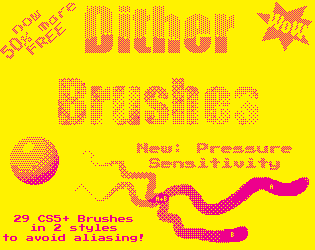
This package contains common dithering patterns and brushes, created for Photoshop CS5 and later.
There is some logic in the design of these brushes. Which shows you that most dithers are made from others of lower density, and have the inverse of themselves. This will make sense when you see the names of the patterns and brushes.
Download from abductedPlatypus.itch.io, where I will also upload updated versions of this package.
Make note that to make good dithered art you should not rely on purely these brushes. It is mainly intended for quick ‘n dirty pixel art, that should be fine grained after your initial dithering. E.g. the 0.250 Alt patterns do not align well with the ABC pattern, however the 0.250 OA pattern amplifies (one kind of aliasing) itself. Also not all shifts are within this package (and brushes are not the solution for that either).*
A tip to help you with avoiding annoyances is to assign to each color either to OABC or DEFG brushes, this will make it easier to make dither with 3 or more colours.*
* If you don’t understand this text, please tryout the Brushes a bit first, it should make sense after trying them out for a bit.
Setup Photoshop
Make sure you disable anti-aliasing for your tools (checkboxes and dropdown for fonts). In preferences set your grid size to 16 with 4 sub-divisions or 1 with 1 sub-division and use pixels for all measures. And always use anti-aliasing. (This page seems to explain setting it up well.)Also checkout this if you need “simple” dithering for backgrounds.