LD14 April 17–20, 2009

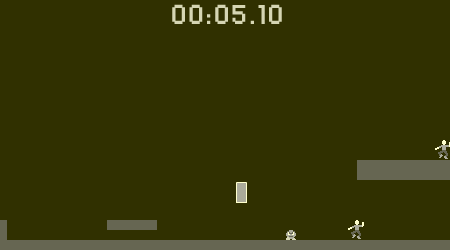
Bunny Press timelapse

On youtube!

Also, I changed the applet version to allow resetting the level with escape or backspace, but that is NOT the competition version of the game. A link to the competition version is provided on the website.
It’s a shame I forgot to add this during the competition, as it’s fairly easy to get stuck.. :-\

Tags: timelapse

Deathbeam patch

I’ve uploaded a patched version of Deathbeam! It offers a big performance boost, rendering and collision fixes, and tweaked scoring. After I released it I found that it got horribly chuggy on pretty much any computer but the one I developed on (except when I was in OS X… weird).

This should not be considered for voting, of course!

You can get it here:
Windows: deathbeam_p3_win32oo.zip Mac: deathbeam_p3_osx.zip

And Python source is here. If you go that route, I recommend running it with python -OO deathbeam.py.

Stuck?

The story of arcticum

A good week-end that was. I am pretty satisfied with what I came up with.
Here comes a (rather long) reflexion about the process of creation.


The theme
Advancing wall of whaa? It is a classic, it was tough finding something original. I tried to mindmap my brainstorming around the theme, but it only confused me more with thhe possibilities. One continuous wall/many separate elements. Rectilign/soft-shaped. You’re the wall/the wall is the enemy. Possible actions again the wall (ie gameplays): run away, slow it down, destroy or damage it, protect yourself, go through it, push it back… After a walk to see the sunrise (woah it’d been ages since I woke up so early that I could see the sunrise…) I had narrowed down to three main ideas. A classic sidescroller where a bunny is chased by a wally cloud of darkness. A space-sim where you control a band of space pirates and have to use linked ships (as a “wall”) to take over other ships and planets. Or (as the sea outside is still frozen) a thing with ice that threatens an island.

I discarded the first one because it implied a lot of content to create, and possibly level design (or randomly generated levels, which might be difficult to make interesting). I discarded the second one (although it would have allowed me to use my cool glowy vector graphics script) because it would have needed too much AI, and I was really not sure of what control scheme to use. And a classic STR “click to select and order” seemed daunting to code. So seals and bears and moving ice. The fact that the wall is not a frontier, but the side of solid matter seemed original enough.

The game mechanics
The base principal was simple: advancing ice, make it melt as it gets closer. Surely I was counting on the “cool, fireballs!” effect, but I’m not sure how fun that is. With the boni it makes it a bit challenging, because the only way to get them is to use the fireballs. If you concentrate too much on getting a bonus, you let the ice get dangerously close, and vice versa: if you just keep melting ice, you never get any bonus.
Here is the important thing: you don’t need the boni, since melting ice is enough to keep you safe. The goal of the game would then be to survive as long as possible.
It took me a while to realise that this was not enough (well my mind was busy with broken geometrics algorithms…) So I needed a winning condition, to do something else than just clicking on some ice forever. Having no time to implement anything radically new (and having no other idea anyway) I just made special boni, that you collect. They are more rare, and you need one of each to complete the game. I made up the pretext later.

The “play until you die” type of game is not my favorite. It seems too “easy” from the designer. Like they didn’t even bother. I think the winning condition turns a toy (even if it’s a complex simulation) into a game: there is another goal than just playing the game per se.

The technology
Deformable wall meant I was in for a treat. Good thing I like geometry. The wall is simply modeled by a sequence of points. It’s not even a closed line, the ends are just outside the screen. This is OK conceptualy, but it made things more complex later on. Especially for the drawing. The two big difficulties were:
– the vertical faces. They needed to be drawn in the correct order, of course (far first, close last). But it requires to deal with a lot of special cases. The algorithm makes a lot of assumptions (notably, the line shouldn’t self intersect).
– the ice top. I thought “easy, just close the line somewhere outside the screen, and call love.polygon()” Myeah right. OpenGL can draw correctly only convex polygons. There was a big moment of panic when I realised the whole game could be ruined by such an stupid thing. I though of doing it otherwise, like abandoning the neat regular side and “paint” the area with sprites. But someone on IRC told me tesselation was not too hard to implement and should take an hour or so. It took a bit more, but I got it running, with the help of mighty google. Then when you think it’s over, you have to revise the algorithm several times for stupid reasons like counter-clockwise polygons and stuff. Also, the tesselation take time (O(N^3) algorithm. Had no time to optimise), so I had to make sure it was computed only when necessary.
By the way, known bug: when the line intersects itself, the polygon is not simple anymore (it’s crossed), and the algo fails. But I tried to optimize the blast radii so that it doesn’t happen too often. I’m proud I managed to avoid losing more time on that.

Add isometric projection on top of that, and you find yourself converting coordinates between screen space and game space all the time. But I like how it worked out. I think it was worth it.

Löve’s particules are full of awesome. Instant fireball gratification. Well, almost instant.

Also, Lua, I’m loving it more and more. Everything is so easy. People criticize its lack of features. I think it’s what makes it so good. Instead of using a specific method of a specific container class for each different purpose, here you can just call the same thing all the time. table.insert, table.remove. Doing things “myself” with just two functions makes me work faster than having to check a class’ interface documentation.

The graphics
All the ice is vector graphics, which is quite easy (once you managed to compute some coordinates). Compute a color depending on an angle, call drawing functions.
The sprites, well. Harder to make. Half was made solely in Inkscape (the boni, the seal island). The rest was handdrawn, photographied, and used a model in Gimp. Working at high resolution slightly masks the horrible mouse drawing. It still took a lot of time.
Also, so much time that I couldn’t draw the bears, while I had them coded. They random walk and stay away from the border of the ice. It’s useless, but it gives life to the game. The seals do the same and random walk while staying close to the center. I didn’t bother to draw them in the z-order by the way, so they might be buggy.

The sound
Sound effects in sfxr. Three clicks, hop, done. It was too late to be more creative.
The music was tracked in Milkytracker, in the XM format. On my computer the render done by Löve (so SDL_mixer) isn’t really nice, but I hope it’s only a problem of performance. Making the music was fun. Heavy use of repetition. Modules for the win.

The wonders of time managment
Here in Europe it started saturday morning at 6. I think it’s close to the optimal solution.
If you sleep before theme announcement, then you have the full saturday with full energy to code. Then a small night sleep, and another full day of awesome, barely tired. And of course you make the final rush last until the deadline.
It’s only 5-7 hours of sleep over compo time, but you’re still at best performance (except in the last hour, where panic makes you slightly unconfortable…).

Compare with starting friday evening: theme announcement, excitement, starting coding, w00ps, it’s 7 in the morning already. Well too late to sleep. Then you continue during saturday, but you lack of sleep makes you do crap. Maybe you consider a nap, and wake up 10 hours later. w00ps.
I mean, if you try the normal sleep schedule, it has two nights on compo time. If you want to skip one, better if it’s at the end.

In total I worked 36h on the game. It has about twice as many lines of code than my previous entry. You can see on this bzawesome graph the repartition of time among categories of tasks. The major time eater was making 3D in vector graphics. I mean, it was so cool to code, but that’s what 3D engines are for.

The conclusion
Ludumdare is hard. Because you have to complete a chalenging technical task (programming) while making sure that the game will be interesting. Programming is easy. It just takes time. Finding a good concept is hard. It doesn’t take time, it takes imagination, cleverness, genius for some. I have absolutely no idea how fun is my game. None whatsoever. What I’m sure of is the performance of my tesselation algorithm, the quality of my vector library, or the extent of their suckiness.
I may know some programming, and some math, it doesn’t make me a good game designer. Actually I realise I don’t play that much. I find most games boring. I’m looking forward to the day when I’ll have an idea and think “Wow, *i* would love to play that game”. That day, I’ll feel like a game designer. In the meantime I’ll train for the developing part, to be competent when I’ll need it.

I’m happy that I managed to make a complete game. From the three ideas I had, this was probably the simplest, gameplaywise. And this is how it should be. Simple means better chances to implement it correctly and have an enjoyable game. I hope.


It was pleasure being around the IRC playing with old memes and following people’s progress. Grade wisely.

See you all next time!

Tags: postmortem

Comments

Simon
22. Apr 2009 · 18:46 UTC
Very interesting post-mortem. Thanks!
23. Apr 2009 · 15:27 UTC
Very insightful :)

Wallcraft Update

http://gamejolt.com/games/wallcraft/files/wallcraft/download/65/92/


Changed a couple things that some people in my web design class mentioned.

  • Icons over buildings different colored to make it easier to tell them apart
  • You can now pause by hitting escape
  • Slightly changed the cloud sprite because it was bugging me. 😛
  • Fixed a glitch where holding both arrow keys down would make things move really fast.
  • Magic has a little effect when it hits something and can also very slightly slow the wall.

 The feedback was surprisingly good considering I didn’t even enjoy my own game all that much. People in my web design class gathered around my computer attempting to beat the high score of this one guy who somehow managed to get 2995 points. No one could beat it, and then he beat it again getting 3018 points.

And then, someone on Gamejolt rated my game 1 out of 5. Now, normally I wouldn’t mind (much), but whoever gave the rating didn’t leave a comment with it, which is fine with sites with thousands of people rating every day, but that 1 is my only rating so far, and he didn’t even bother to say why he so disliked my 2 days work. 

Ok, mini rant done. He probably just thought it wasn’t fun, any way… isn’t that why you normally dislike a game?

Oh, am I supposed to say, like, “This patch should not be taken into account when voting yadda yadda yadda,” or something? If so, than the read inside the previous quotes.

Comments

Radix
21. Apr 2009 · 08:14 UTC
Don’t sweat a single bad vote, people only really care about written comments/reviews anyway.

I noticed your description on Gamejolt assumes that people know what LD is, though. If you’re really bothered by it maybe you could update it to mention that the game was only made for a 48-hour compo.

Thanks to allefant: Windows version is done!

http://www.ludumdare.com/compo/2009/04/18/i-hereby-dub-the-spacewalls-final-entry/

Thanks once again!

Comments if it doesn’t work, but it ought to since it does on my machine! 😉 (Fingers x’d.)

Torrent! (for Windows)

I want to tell you a story, a story about something I hate.

“But why,” you ask, “would we want to hear your story?”

I’ll tell you why: do you know what I hate? I hate free hosting services. And so, instead of my daily dose of self-flagellation I decided to download all of the windows-playable LD 14 games, many of which were hosted on places like 2share, rapidshare, getdropbox, etc. This was painful.

But, like any other zealot who has recently undergone such a rugged purificaiton, I have Good News! Instead of jumping through these hoops yourself, you can instead download this:

Torrent of Windows Binaries!

There. Now I’ve taken away your excuse; you have to vote! And, once you’ve voted, please (please!) take the time to seed this for a week or so. I’m only one man, and, more importantly, I’m only one man with a single DSL connection.

*note: Where possible I’ve included whatever each participant marked as “download for windows” or similar. If a downloadable Java or Flash version was provided, I included that instead of the online version. Where no windows binary was available, I included the source code if it was in a language that (might) run on Windows (i.e. python+pygame, Löve, etc.).

**note: Missing from this torrent are: secret_knitter (broken download link), winferno (broken download link), increpare (OS X only), GBGames (Linux only), and eugman (*nix only). Please remember to look these games up and find a way to play them!

***note: URLs for Flash games hosted online but not linked for download are listed in the file “Links to Online Games.html”.

Tags: LD14 - Advancing Wall of Doom, torrent

Comments

20. Apr 2009 · 16:55 UTC
You, Doches, are a true hero. I salute you.
crux
20. Apr 2009 · 16:58 UTC
Awesome! I assume I was too late with my windows version to make the cut & I imagine I’m not the only one… will you be updating this by any chance? :)
20. Apr 2009 · 17:12 UTC
Crux: Alas! I did include your pygame sources, though. I wasn’t planning on updating it, though I may if no one does a more complete binary torrent in a week or so. This one is a little premature; people haven’t had time to finish ports and what-have-you.
20. Apr 2009 · 18:04 UTC
0rel: I didn’t include you because you had a playable Flash version online, but not in downloadable form. I did include a link to that version, in the file “Links to Online Games.html” — which I should probable make a note of.
crux
20. Apr 2009 · 18:05 UTC
No worries, Doches =) Thanks for putting this together!
0rel
20. Apr 2009 · 18:43 UTC
ah okay, that’s fine… just didn’t see it. – currently testing some of the entries, it’s great to have them all together… such amazing load of content, created in just 2 days…. total crazyness =)
athanazio
20. Apr 2009 · 21:53 UTC
me /salute Doches

me /bow Doches
20. Apr 2009 · 22:51 UTC
Downloading now, thank ye sir!
5parrowhawk
20. Apr 2009 · 23:00 UTC
Thanks, Doches! This is awfully convenient.
Radix
21. Apr 2009 · 00:16 UTC
I’m behind the Great Firewall and can’t get to most free filehosts at all, so this is great. It’s just too bad I have to wait for the whole archive to finish.
21. Apr 2009 · 01:41 UTC
0rel: Crap!
secret_knitter
21. Apr 2009 · 18:12 UTC
Secret_knitter apologizes for posting a bad link.
24. Apr 2009 · 01:59 UTC
Doches, no worries on my side! Though Hope is not really an entry, since I posted it after the deadline here. I’ll make it more clear in my post, so no one else makes the mistake.
shawn
17. May 2009 · 12:15 UTC
the link for the torrent is broken

Video for the crashing people

Here’s a little bit of video from the final build, since so many seem to not be able to run it. I tried running this on the various machines I have at my disposal, and they all ran it fine. So i’ll chalk the crashes up to people missing .NET/XNA binaries. Nothing new there :)

Video, lookie!

Locustats and timelapse

Time for timelapse http://www.youtube.com/watch?v=HLFC40lIRA4&fmt=22

and some statistics. This graph shows the frequency of programs I used during the compo:

Tags: statistics, timelapse, video

Comments

20. Apr 2009 · 17:06 UTC
Ok, wow. My internal stats monkey, the one who eats raw numbers and excretes useless data, is ludicrously happy right now. Such a cool idea. How did you keep track, by the way?
20. Apr 2009 · 17:24 UTC
I wrote a simple program for it :)

Evacuation – Bugfixes

In my game I had some problems with gosu’s rendering of tiled graphics. jlnr was so kind as to quickly fix some bugs, so here is my updated LD14 entry:

Download: Evacuation v1.01 (Windows binary + Ruby source code)

Bugfixes include:

  • background and road tiling
  • bunkers no longer getting placed under houses so villagers can’t enter
  • sound glitch when game is won

Bummer, too late for the binaries torrent :(

Tags: bugfix, gosu, post-mortem, ruby

Comments

21. Apr 2009 · 00:10 UTC
I liked the first version so much, I downloaded this :)

tombed update

here‘s a version of tombed with two little changes: the blur is gone and the Z key and spacebar can be used instead of shift.

Tags: post-final

timelapse

Youtube is kinda being strange with it, but here it is anyway :)

Tags: timelapse

Who would have thought…

…that the real Advancing Wall of Doom would be the 121 entries to attempt to rate and leave feedback on in 2 weeks!

As I was thinking about how to schedule this into the next two weeks I thought up some rough stats based on how past compo playing/rating has gone:

  • You should play and rate 8.6 games per day of the two weeks if you want to hit the deadline.
  • If you assume an  average handling time per game of 3 minutes you are looking at 6 hours of just getting the games to the point where you are playing them.
  • If you assume an average playing time per game of 2 minutes you are looking at 4 hours of total play time to get through all the entries.
  • Given the average handling and playing times above you could earmark about 45 minutes of LD time per day for two weeks to finish on time.

Phew.. well, I better get cracking.  I must admit I haven’t had much of a chance to play more than a few so far.  The rating and feedback is so important though.  I know I really appreciate the time people put into playing and leaving thoughts on my game so I try and do the same.

Great compo everyone!  I can’t wait to see what everyone created…

Tags: doom, feedback, omg, ratings, record, stats

Tit for tat. How does that sound?

Ok, there are soo many entries. Here is my pledge: I will try to rate,at minimum, as many games as I get ratings. So right now I’ve been rated twice and I’ve rated 3 games. There’s no way I’m going to get to everything but I think this way I won’t feel guilty about being a vote drain. Of course my game only runs on *nix so that limits how many ratings I can get anyways.

Comments

Radix
21. Apr 2009 · 00:04 UTC
I was planning to do the same. I’ve got this week off work though so I’ll probably end up doing a lot more.
sol_hsa
21. Apr 2009 · 00:53 UTC
My technique for rating is:

1. Play all games.

2. Play all games again, giving ratings.
21. Apr 2009 · 03:58 UTC
I’m going to play every game and write a comment to every one.
hroon
21. Apr 2009 · 13:15 UTC
I’ll start rating when I played all entries, which might take a while – I have planed next saturday for this. Otherwise I would never be able to bring myself to give the top rating in any category, because there could be something even better down the line :)
Osgeld
21. Apr 2009 · 17:16 UTC
Im making a list of *nix games, im doing the windows ones first cause i cant stand being in windows much, then ill go back and do the python / nix games

extreMine

extreMine

Yet another mutant  mine game.

There’s nothing different from a normal one, except the boundaries keep getting shrinked during playing, and you can detonate the mine.

(I’d love to tweak it some more,  but I really have to get a sleep…)

Engine: BlitzMax (http://www.blitzbasic.com)

Tools: Photoshop,   DrPetter’s sfxr

Downloads:

Windows binary: http://www.indie-g.com/extremine.zip

Source & Resource: http://www.indie-g.com/extreminesrc.zip

Sorry for not giving explaination.

The gameplay is actually quite different from old minegame. In fact, you don’t have to find out all mines.
What you do in this game is:

1.  left Click to open tile. If it’s a mine, it explodes and hurt your HP.

2.  right Click to MARK/UnMark known mines. You can also Drag with Right Mouse Button to mark tiles continously.
Marker number is limited. When you mark some tile, your marker number decreases. When you unmark, it will recover.

3.  leftClick/midClick on the tile around which there are right number of marks.    This action will open all the 8 tiles around.  At this point:
* The right marked mine will explode without hurting you.
* The wrong marked mine will explode and hurt you.
*If there is no wrong mark, your marker number will get recovered plus some bonus.

4.  When all mines get cleared or marked, you win.

5.  When there’s no empty tile remaining, you lose.

6.  When HP is 0, you lose.  (For 5 times wrong explosion)

7. Mines which is in shrinked tile will try to move inside. But if it’s marked it will explode (marker will not recover).

Good luck, Good morning, and Good night to everyone.
Happy LDing.

Tags: final

Faking artistic competence?

Fellow LDers,

I can barely draw a circle, let alone cool monster or robot sprites. I’d like my next LD entry to involve real artwork, rather than just letters and geometric shapes. I don’t expect to ever see my creations hanging on a wall in a museum. But if I need a trash can in my game, I’d like to be able to spend a couple hours in a paint app and end up with something that looks like a trash can, rather than a gray rectangle with vertical lines.

Do any of you know of books or websites whose specific goal is to teach geek coders how to draw simple iconic artwork? If so, I’d appreciate your recommendation.

By the way, if you believe this is an unattainable goal (“it’s a gift — either you have it or you don’t”), or that I’m asking the wrong question, I’d still appreciate hearing what you have to say. I know that people who don’t have the “gift” of computer programming are nonetheless competent professional software developers after being taught how to program, so I hope the same is true with art.

Please help me learn how to learn (or maybe just fake) artistic competence!

Comments

21. Apr 2009 · 00:44 UTC
One of the most wisest pieces of knowledge told to me by my fifth grade teacher was that if you try to make something look straight, people will see the crookedness. But if you make it crooked on purpose, no one notice there is anything is wrong.
sol_hsa
21. Apr 2009 · 00:58 UTC
I’m not claiming to be an artist by any scale, but here’s my few hints.
5parrowhawk
21. Apr 2009 · 01:15 UTC
Light-sourcing works wonders, and doesn’t require much artistic skill. If you’ve ever worked with 3D before, it should be intuitive.
21. Apr 2009 · 05:00 UTC
Yeah, I don’t buy in to the “gift” angle. But like anything, it takes work. Doing it (crappy results and all), and looking at stuff (trying to understand it) is how you get better. Pick up a sketchbook, grab a pencil, and start doing.
21. Apr 2009 · 07:46 UTC
I firmly believe that anyone can learn to draw just like any other skill out there. I think a lot comes down to the fact that we tend to spend more time on things that we like to do or have found a drive for or that our parents may have noticed and encouraged from a young age. This time spent practicing builds our skills over time.
21. Apr 2009 · 07:49 UTC
Oh yeah.. the title of this post reminded me of a great quip:
0rel
21. Apr 2009 · 07:54 UTC
some lazy, but fun techniques using free graphics software could help, maybe:
0rel
21. Apr 2009 · 07:55 UTC
oops
0rel
21. Apr 2009 · 08:51 UTC
(hmm, other post wasn’t display. markup errors or something…)
21. Apr 2009 · 09:27 UTC
My suggestion is a little expensive… Forget about drawing with the mouse and get yourself a graphics tablet. I bought the smallest Intuos3 tablet from Wacom on Ebay for a little over $100. Using it in the GIMP, it lets me create my own smooth style. That alone is all I needed to make art that looks (nearly) as good as production indie titles. Of course, the Linux drivers aren’t so hot… grrr…
robot_guy
21. Apr 2009 · 09:39 UTC
If you’re more a programmer than a drawer and you have a reasonable grasp on the way shapes can be put together but can’t actually put them down on paper (or screen) you could go the route that I went and use PovRay. This is a 3D rendering tool that uses a text description rather than a GUI tool to describe the objects / image and therefore I feel fits better with people that program rather than draw.
Hempuli
21. Apr 2009 · 11:08 UTC
It annoys me that I can’t draw on computer like I draw on paper. Tablets aren’t very good imitations, sadly. :(
sowbug
21. Apr 2009 · 14:09 UTC
Hey everyone,
jovoc
21. Apr 2009 · 15:00 UTC
Thanks! Glad you liked the article. And I know what you mean about people whose brilliant doodles look effortless — but you find out that’s really because they’ve been doodling since they could hold a crayon.
ArmchairArmada
21. Apr 2009 · 19:06 UTC
I have always been an ok artist, but recently I discovered a few simple principles that have helped me to grow a little. Here they are:

* Don’t worry about technique. How you’re creating the art does not matter as much as what it looks like.

* Don’t worry about being messy. Draw quick and rough with the forms, proportions, and perspectives of the drawing in mind. Lines can be cleaned up later on a computer, with a light-table, or, if the rough drawing is light, on the same page.

* Don’t think, feel. Does what you are drawing feel right when you look at it? Does it provoke the emotional reaction you are trying to achieve?

* Be progressive. Only a few artists can go directly from a blank page to an awesome drawing. Instead, gradually make changes bringing a drawing closer and closer to being visually appealing.

* Stay in motion. Do not focus too deeply on any one part of the page. If you go in close to try to draw ‘the perfect hand,’ for example, you might find that it is too small compared to the rest of the character’s proportions. Jump around all over the place starting rough and loose then work towards refining and adding detail.

* Keep the big picture in mind. When you start a drawing it might be best to rough in basic shapes (rectangles, circles, amorphous blobs, etc.) just to get a feel for the layout and proportions of the drawing’s elements.

* Warm up. I find that the first thing I draw usually looks terrible. Quickly get a few rough drawings out before trying to tackle a more serious one.

* Have fun. If you are stressed out about how your drawing looks it will appear stiff, awkward, and unnatural. If you are simply having fun, though, your drawings will more likely be appealing, dynamic, and pleasurable to look at.

* Go easy on yourself. People tend to judge themselves more harshly than other people would. Artists can look at their own work and see hundreds of flaws, where other people will likely never notice.

* Learn with each drawing. Take notice of what can be improved in a drawing and try not to make the same mistakes again. This may seem to contradict a lot of what I previously said, but improvements can only be made if you know what to try to improve at.
23. Apr 2009 · 13:35 UTC
To expand a little and cover Hempuli’s problem…

If you have a graphics tablet, you can draw your figures by hand on some paper, then just plop that down on your tablet and trace it into your PC.
24. Apr 2009 · 01:52 UTC
You should watch Cactus’ talk at IGS. Here’s a torrent:

DoomDrive Postmortem

Since I want to learn to write good blog posts, I would appreciate any feedback about which parts of the following post you found interesting. I tried to make it not dull. Hopefully you’ll learn a couple of new game design tricks or something. And if you’re not a programmer, just ignore any code, you won’t miss much.

The wiki mentioned that I should keep a log of some sort as I develop my game. I decided to write short entries in a txt file, then thought I would post it all when I was done. Now that my game is finished, I thought it would be a good idea to expand this short log into a full commentary-type thing of my Ludum Dare 14 experience. I will describe the development of DoomDrive in detail in the hopes that someone will find this interesting. Maybe this will make up for not doing a timelapse. Note: In this post, all times are EST and entries from the original log.txt file are italicized.

SF’s devlog

The first real language I learned was C++, I started learning it at age 11 when my older brother gave me a book about it. I didn’t know anything about compilers then so I couldn’t even write a program until much later, but I absorbed the information with great interest anyway. I love C++ for its speed and the amount of control it gives me over my code. When choosing graphics and sound libraries to start learning I did a few comparisons and settled on OpenGL with GLFW helper tools, and OpenAL. I haven’t had too much trouble with these (though my OpenAL knowledge is limited) and they’re what I know best so they’re what I used to make DoomDrive.

Car sketch

Saturday morning (18apr09)

2:40 – Forgot about LD for the past couple days, remembered it just now.
The contest began at 23:00 on Friday, so it was 3:40 in. I had decided to start developing a game (unrelated to any contests) a week before. It was to be my very first serious game (a space shooter, heavily inspired by the rather obscure Hell Fighter). I’d done enough half-projects experimenting with the aspects of game design – code structure, physics, graphics, art, sound, game theory, etc – that I knew I had a good grip on making games… I just hadn’t done it yet (other than a GameMaker game I made at 14, and of course Tetris). My problem was I never felt like doing anything. But over the past month I’ve been working on my mindset and setting clear goals and all of that personal development nonsense, so I finally felt ready to begin coding my first game ever. I did. Then I found out about Ludum Dare from browsing java4k-related stuff, realized it was gonna be the next weekend, and wondered if I should try it. I voted on the first three rounds, still unsure if I would participate, then kinda forgot about LD as I concentrated on coding my space game. I remembered it at a convenient point in time, thought “now or never”, checked out the theme, and immediately started thinking up ideas. Well, it didn’t take long to come up with one…

3:05 – Idea: Drive a 3rd person 3D car around a forest and ramp off rocks to get away from the wall. I haven’t done much 3D in OpenGL. I will most certainly get stuck on bugs until it’s too late. Whatever.
My conceptual vision also involved pools or rivers of water that you had to jump over by driving off cliffs. It just seemed fun in my head so I went with it. I was a bit pessimistic about it. It might have been because the idea of making a game in 48 hours sounded so absurd; I always thought a decent game would take at least a month to complete. More probably it was just a safeguard against being disappointed when I failed to live up to high expectations for myself.

5:05 – Should I sleep? I hand-coded a car model and not much else is working yet.
My idea meant mostly procedural, randomly-generated content. I love procedural, but the car model would have to be designed by hand. I began drawing it out as soon as I picked out the idea, because that seemed like the most natural thing to do at the time. Since it was so simple, I just punched in the numbers in a const array, remembering to keep vertices of quads in clockwise order (I later found out counterclockwise is preferred). The model (and the game idea in general) was probably influenced by Twisted Metal 4, a PSX game I played a LOT as a kid. My favorite car was Orbital.

Ambient lighting effects

Check out those ambient lighting effects. I chose these colors in GIMP. I thought the car should be a different color but the light gray sorta stuck.

5:30 – I’m making elementary math errors because I’m sleepy, so I will rest before continuing the game. Night.
I think this was when I was trying to figure out OpenGL lighting. I dunno why I did the most graphical parts of the game first, probably because it was what I would have to look at for 48 hours, and it’s more fun to code a pleasant-looking game. I never programmed lighting before but I figured I only needed simple stuff so I could learn it in time. I seem to understand complex ideas pretty quickly, at the expense of poor memory of concrete information, like names of functions, or the fact that Ludum Dare starts today. I think it helped that I slept twice during the compo, so that I worked for what felt like three days instead of just two. The best ideas happen in bed, and I like to think my brain is subconsciously thinking about things while I sleep.

Saturday

13:20 – I AM UP! I’ve been coding in my dreams all night long, let’s see if that helps me any.
That night I had the odd experience of watching a half-dream where a programming problem appeared as code before my eyes, and I solved it without consciously thinking about it. I think it was a premonition.

Incorrect lighting

This seems incorrect somehow.

16:20 – Stuck on a dumb lighting problem like I expected to. Losing motivation. I’ll just ignore the problem for now.
17:05 – I couldn’t ignore it. The problem is lighting needs normals that I haven’t worked with much and mine are kinda wonky.
I made the mistake of trusting some lighting tutorial example code that seemed wrong at first. Wasted too much time on this and felt dumb afterward. I never did get directional lighting to work, which would have made sense since I wanted sunlight. I just did a point light that’s a fixed position from the camera. It looks about right. I didn’t even bother with specular or smooth shading, I knew I wanted the simple flat look when I first thought up the idea.

XYZ arrows are colorful

MERRY XMAS! Note: This screenshot does not demonstrate proper debugging procedure, don’t try to understand it.

Foggy hills

Yeah fog! The car just hovers so far. I made a hazy sun by rendering the inside of a huge cone a fixed position from the camera (like a skybox) with the center almost white and the edges sky blue.

17:50 – FIXED IT! Now on to making game mechanics.
I believe I was messing with the car speed and turning and friction around this time. I obsessively tweaked these throughout development, up until the very end. I’m glad I did because the controls contribute a lot of the feel of an action game, though I still think it could be made more fun. You’ll find that I left in the code to tweak game constants if you press a number key or insert/del/home/end/pageup/pagedown and look at the stdout. I did something like “float SPEED=tweakvars[1];” in the game loop, ran the game and adjusted the value with those keys, and when I settled on a value I changed tweakvars[] to initialize accordingly. It’s a primitive system but it did the job.

Impaled car

The entirety of my collision detection code:
car.z<groundHeight(car.x,car.y)

19:10 – Well, at least it looks fancy. I’m gonna eat dinner.
21:20 – Time to figure out perlin noise terrain, then I will have awesome screenshots. My morale is back up and I’m doing way better than I expected, although I don’t think my forest is gonna have any rocks or trees. It’ll still be fun to drive around hills.
By this time I had a fairly clear vision of where my game was going.

21:40 – I’m humming tunes. I hope I don’t go insane from non-stop coding. I will listen to noise music for a while. I don’t know if doing that has any mental effects that are beneficial to programming games, but noise usually helps me clear my head.
Also tried trance. It seems to help at first, but becomes a distraction once I’m in the zone. I took a reasonable amount of breaks, but other than that I had been coding nonstop that day AND the day before (my space game), so I was already getting worn out.

Scratch work

Here you can see me trying to figure out vertex orders and terrain slope calculations. This is just scratch work so it’s probably wrong. I only write in cursive so people can’t read it at a glance (it’s actually less efficient than print).

22:35 – OH SEGFAULTS! My goal is to finish the terrain and the car “physics” before I go to bed so I can add the actual wall and maybe a little sound tomorrow.
Spoiler: The car is actually a single point. It does physics by controlling z height based on things like slope of the ground at x,y – the game is essentially 2D. The terrain is an array of z values. The car is either on the ground or flying. When not flying, the point follows the slope of the ground. When it crosses an edge between triangles, it checks the angle at which it hit, so that if the ground is curving up the car slows down, and if the ground is curving down the car ramps off into the air. However, there’s a problem in that this angle checking doesn’t happen when you land (only when you drive across an edge), which means if you’re flying and you land on the very tip of a hill, your forward velocity will not be updated to account for it, and you will get pushed up the slope way too fast, causing you to fly really far. This is a gamebreaker that I intend to fix in a postcompo version. (Note: The physics are actually an inaccurate fudge I came up with by just guessing at how the car should behave, and adjusting it to be playable. The postcompo version will be much better.)

A beautiful view

The game doesn’t change much visually from this point on. Though I wanted to tweak the colors at the end, I didn’t have time and decided that was just polish for the postcompo version. Blue ambient with orange diffuse light worked pretty good. I noticed from using Hammer (the HalfLife 2 map editor) that shadows should be rendered blue (not gray) when sunlight is yellow – complementary colors.

00:05 – EPIC SCREENSHOTS! Just the car physics left now.
You can see that the procedural terrain gets generated as you drive. It’s stored in a 2D circular buffer, which was a little confusing to figure out how to do, but is very efficient (a single array on the stack). Random hills were accomplished with perlin noise. I made some with varying roughness factor (using perlin noise to vary it) roughly in the range 0.0 to 1.0, raised it to the fourth power to flatten out low areas (fourth power is called “quatric”), and of course scaled it to a proper height. The noise function returns a random value seeded by x and y position, so the infinite terrain stays the same every time you play. I figured if it changed all the time people wouldn’t be able to make maps of the best routes. No, no one would be that dedicated. I hope.

01:20 – But I mess with the camera instead. Getting sleepy.
The camera was another thing I tweaked all throughout development. My photographer side definitely had a hand in this. But again, I’m glad I worked so hard on it, camera problems are frustrating and awkward for the player. What bothers me is that you never get to see the awesome epic wall of fire in all its glory until you die, unless you turn around like I did for my official screenshot, and there’s no reason to do that. I considered adding a rearview, but what’s the point if it’s only there for looks? Maybe I’ll add an attract mode that shows the wall from a better angle.

02:10 – Decided on “Doom Drive” for the name. Physics will have to wait til tomorrow. I am falling asleep. Night.
04:10 – Ate, washed, went to bed, couldn’t sleep, but got some ideas. I always get ideas in bed. Ideas: I will reward airtime with a proportional amount of boost. The terrain will get more and more intense over distance, as a difficulty curve.
I knew I was going to bed way too early, but I was so tired of coding that I thought I’d fall asleep right away. I’m glad I got the boost idea because until this point the game was about finding the flattest (most efficient) route, and I wanted it to be about RAD AIR!

Why am I floating

Why am I floating

05:05 – My car is floating aughhhhh oh no
05:25 – YEAH GRAVITY!
In my exhaustion my log entries have degenerated into basic feelings about what was happening at the time.

06:30 – God, there are so many bugs with driving backwards and stuff. Hmm, 16 hours left. Going to bed for real now. Night.
If you’re gonna use something like negative velocity values for driving backward, make sure to REMEMBER that when you do calculations. It can get frustrating to get stuck on a bug where your car falls through the ground when you drive backward. Humorously, before I added flying, gravity, and fixed the backward movement, the game played a lot like Big Rigs.

Sunday

14:40 – Slept nicely. Final stretch, here we go.

Concept art

Worst concept art I’ve ever drawn. The music was actually gonna be just a repetitive trance beat, but making that sound good procedurally would take way too long for me, as simple as it is. I’m really sad I didn’t get to adding scoring, at least a timer, but I thought it would require displaying fonts, which I didn’t have time to figure out when I realized I had to.

Burninated! This is the first firewall (looked less refresh linesy in-game). Here the fire looks like crap because it’s a lit material instead of a plain color. Fire isn’t supposed to have shadows on it.

16:55 – Finished the firewall and boost mechanic. If I add a HUD and tweak the wall speed I will have a working entry.
19:35 – Woo, it’s playable! I will add boost effect and cam shake for fun, then submit.
DoomDrive has three kinds of fire: the enormous wall of destruction, the boost flames coming out the back of the car, and the car burning as it tumbles into space when you lose. They’re all just triangles with vertices that are randomized each frame. The boost flames are each a single triangle, but if you ask me they make a pretty effective flame. I like my burning car flames way better than a lot of the graphical fire I see in commercial first person shooters like HalfLife 2. Then again, I was never much into realism. Cam shake is the best thing ever. I knew the wall of fire wasn’t giving off quite the feeling of horrible doom and despair I wanted it to when it caught up with you, so I came up with cam shake to fix that. I think it worked.

Second firewall

These fire colors were a little too cartoony. I like everything to be desaturated and sad.

21:45 – 1 hour 15 minutes left and I am as finished as I will be. The game now features driving a car in 3D around rough procedural terrain with a wall of fire chasing you, a boost meter that increases with air time, with fog and a procedural noise algorithm I developed a while ago for sound effects. It’s almost over…just gotta see if it compiles on Windows. I’m sick of coding, but I’m really happy with what turned out.
Oh yes, the audio. I’m kinda into noise music, and I’m totally into procedural generation, so one time I made a procedural noise synthesizer that could be controlled by moving the mouse around a square window, the x and y values mapped to the two controls. It seemed obvious to reuse some of that code for sound effects for intense fire. Ogg audio demonstrating the noise synth.

22:45 – 15 minutes left. Submitted linux version. Gonna go try to compile on Windows. Wish me luck.
I ended up working on final touches for an hour. At this point I was in a bit of a code trance, completely exhausted from the past two days and starting to get apathetic.

00:15 – Last entry: One hour fifteen minutes past the deadline, Windows version compiled. Though it probably has crappy sound. Whatever. I’m done.
It only had crappy sound on my crappy windows box and apparently worked fine elsewhere, besides being lagged due to the way I tried to fix a problem with audio skipping in between buffers. Thanks to DrPetter for helping me get the right OpenAL libs since I couldn’t download the SDK on dial up.

END OF LOG

Wireframe

Holes in my car

Some of my vertices turned out to be in the wrong order after all. Shoutouts to my good friend in Devon, without whom I probably wouldn’t have figured this out in time.

All in all

DoomDrive flew in the face of my own expectations for it. I’m happy. However, I’m friggin sick of coding, so I don’t know how long it’ll take before I recover enough to do a postcompo version. I want to make the game feel complete, though. I got this far, why not finish it off?

Ludum Dare has been a good lesson in getting the most bang for the buck. Things like fog effect, random triangle fire, cam shaking, are all very simple to implement, but add a lot to the game. Also, I learned you don’t need a full blown physics engine to have physics, as my single-comparison collision detection demonstrates. I never thought it was possible to make such great games in such a short time. This is definitely a motivating realization.

DoomDrive is the first serious game I’ve ever made, and I think it’s safe to say I’m gonna be doing more action games in the future, hopefully for a living.

It’s been beautiful, guys. On to voting.

Tags: postmortem

Comments

22. Apr 2009 · 03:34 UTC
I don’t know why but I love seeing paper designs, makes me want to get off my butt and do those too.
Simon
22. Apr 2009 · 19:00 UTC
Far more interesting than a timelapse. Thanks!

Post version update.

I made some small post version fixes, namely correct viewing angles when entering/exiting portals.

And now portals no longer have a push effect, so velocity out is the same as transfered in.

Being post fixes this version cant be judged on, due to the fixes effecting gameplay slightly.

You can grab it here:

PORTWALL LD.zip

Schlepping a canoe across the Andes…

Or, to put it more succintly, port. For the questionable joy of those of you wishing to combine your passion for dropshadows, love of BSD, and desire to vote on LD entries: you need wait no longer! I have assembled an OS X port of Put the Ball in the Bucket. Proof:

A confession: I don’t really use the ‘unlikely purple nebulae’ background; I just turned it on for Zomg Running On A Mac appeal. This is exactly identical to the contest windows version, so feel free to use it for judging.

Of course, if you prefer your operating system to hail from Washington State or Finland, rather than California, you can still get the Windows or Linux (i.e. python+pygame sources) versions.

Tags: mac

Comments

Cosine
21. Apr 2009 · 20:55 UTC
Restarting shouldn’t remove the pieces, and the physics shouldn’t be in effect (affect?) until you start. Other than that, nice looking.

A more recent build

This is a more recent build of my Ludum Dare 14 entry. It includes several bug fixes, a significant improvement in the AI, and a new enemy type. The visual effects have also been toned down to the point where it should be almost possible to tell what’s going on.

I think at this point the most significant issues with the game are the unreliable level generation, lack of optimization, and the steep learning curve.

Play the game

Comments

21. Apr 2009 · 13:00 UTC
I think you should post it to newgrounds…
21. Apr 2009 · 13:57 UTC
PS: This build made the game more ‘interesting’ but at the same time it’s frustrating. You could make it playable once more by removing the “purple thing upper limit”. otheriwise it’s too unbalanced towards red.
22. Apr 2009 · 06:58 UTC
Well, never mind that. I didn’t realize I could place the green things.

Win32 build is now available

I fixed the build scripts and libraries so that it can create Win32 builds again.

It’s still not much, but if you are interested in judging it for the compo, check the link at:
GBGames Presents a Very Unfinished Game: Walled Off

I do plan on finishing this project so that it has some semblance of game play. I really liked what I was going for and feel pretty down about how little I accomplished.

Bunny Press source code

I forgot to include the source code in the original release, so here it is.

superflat’s Balls Of Legend: Postmortem


I suppose the thing I’m most happy with is that it the first compo I’ve entered which wasn’t a massive crunch to get in on the deadline.  I was enjoying a nice cup of tea by 10:30pm.  Heres are some fun development facts:

– The game took about 12 hours.

– I used Photoshop and Logic Pro.

– I wrote it in BlitzMax with lashings of OpenGL.  

– It formed by ripping apart the level editor for my iPhone game, which also uses the same orthogonal perspective.

– The graphics were based on another game concept I’ve currently shelved, a Rez-at-light-speed interactive music game called ‘Tempo’.  

– I don’t like the bounce sound either.  Wish I’d spent more time on it.

– I have loads of ideas to expand on it, from springs that fire you down corridors to one-way floors, switches and doors, powerups that enable you to open up new paths, crushers and electric fences you have to jump.  

– I’m keen to try it on the iPhone, where the tilt determines the angle of your next bounce.

– I’m especially keen on trying a two-four player mode, which could be both co-operative and competitive (both bounce on two switches to open one door, but the first through gets the best loot!)

Anyway, thanks for having me Ludum Dare.  I’m sure I’ll enter again sometime.  And post food pics / timelapse shots which I had no idea about until after I’d finished!


Updated Wallcraft – Minor Changes and upgrading Guide

Made some changes based on suggestions from voters.


  • Fullscreen mode can be activated with tab key, window can also be maximized.
  • Menu now controlled with arrow keys and selected item chosen with enter instead of using the mouse.
  • Minor bug fixes.
Updated version and the original version made within the time limit can be found here. http://gamejolt.com/games/rpg/wallcraft/65/ Guide to upgrades: Castle / Upgrade Guide: Sword – Strength, how much damage you can deal with your sword. Cross – Health, how much damage you can take. Raising health is the only way to refil it. Magic… thing – Magic! Does twice the damage of your strength. Magic has limited ammo and must be  rifilled at a castle. Magic can also be fired at the wall to slow it down slightly depending on your  strength. Square/Little Dude – Soldiers, they slow down the wall when deployed. Upgrading at one of these  castles gives you an extra soldier. Coin – Money, each upgrade cost 10 gold. Gold is aquired through killing monsters. Upgrades are necessary if you want to get a good score. While the enemies will get tough if you  upgrade, you still can’t last long with out them. The soldier upgrade is needed to slow down the  wall, which will grow faster than you quickly without them. But buying soldiers will still make the  enemies you fight more powerfull, so you need to upgrade your strength, health, and magic as well.


Corrected link — if you want it

Sorry about that. The actual download link is http://dl.getdropbox.com/u/972220/secret_knitter_LD14_Wall.tgz

That’s what happens when you wait til deadline minus 30 minutes to figure out where to upload. Thanks to a commenter on the “How to submit” entry, I was able to sign up for a dropbox account, upload my game and submit a post with a link — all  before the deadline!

Um…did I mention that the link was incorrect? I didn’t have time to actually read the documentation on how to post a public link; just shot from the hip.

You don’t have to bother with  this entry, if you don’t want. The artwork is minimalistic (I’m still stuck on the Minimal theme — man, you should’ve seen the game I produced for that one; although way over the time limit), gameplay is hardly there — you can play one level, but it always lets you win.

I will make fixes, artwork, packages (of the fixed game for windows, mac). But all of this, later.

I’ll post a post-mortem, and food pictures (Large chai, raspberry coffee cake from Allann Bros cafe — Free Plug — do I get free coffee now? Aw, nuts!)

Mostly, I just wanted my profile to show that I finished _something_ for a change.

Most importantly, I had fun.

Deathbeam Postmortem

Long post, more after the jump, but the headlines in summary:

  • Learning from past mistakes
  • Step #1: Add tile mapping
  • Step #2: Add collision detection
  • Step #3: Add physics
  • Step #4: Evolve game concept
  • Step #5: Iterate gameplay
  • Step #6: Build-out and polish
  • Step #7: PAAAANIC!
  • Step #8: Deep sigh of relief… followed by panic

Learning from past mistakes

This was my second Ludum Dare, and I learned some lessons the hard way in LD10:

  • Coding for games is not the same making a game
  • Make sure your toolset includes everything you need to make a game
  • Make sure you are comfortable with your tools
  • In 48 hours, a simpler idea that you are sure has good gameplay is better than a creative one that might have good gameplay if you do it right
  • Art and sound is secondary to gameplay

All of these seem obvious to me now, but I failed on all of them in LD10. The end result of my work was something that vaguely resembled a game, had some gameplay elements, but wasn’t actually a game you could really play.

I spent far too much time trying to come up with a good idea, working on art, and learning Gosu. I didn’t have any sort of map editor and spent most of my time coding tools and base code to do a game. I had a lot of previous experience doing chunks of game code and technical experiments for games, but had never finished a game before, so I got blindsided by a lot of things (no scoring, no win conditions).

So, learning from my mistakes for LD14:

  • Didn’t have base code for Pyglet, but I had an idea how to organize things. Many concepts from LD10 for code layout were applicable.
  • Knew I was going to use Python, Pyglet, and Tile Studio, and had used them before. Having experience here was a huge plus.
  • Came up with a simple idea right away and didn’t deviate from it. It didn’t feel innovative, but I was pretty sure the gameplay would be fun.
  • I tried not to make ANY art except when required to test gameplay, and used polygons+color for test art (which ended up being the final art).

My initial concept was to have a tall building filled with personnel. Aliens attack it: their ship is firing a beam down through the building killing people, aliens are busting through windows on jetpacks. You kill one, steal a jetpack and fly around saving people and shooting aliens.

Step #1: Tile mapping (3 hours)

DAY1 NIGHT

I wanted the game to be tile based, so I fired up Tile Studio and wrote an exporter to save directly into Python code. This way I could just import the Python file and write a loader. Loading the tile images and splitting them up was easy with Pyglet.

I didn’t wanted to create 16×16 tiles, but wanted them to be scaled up to 64×64. It took a while to figure out how to set the textures to GL_NEAREST in Pyglet (not hard but it wasn’t immediately clear).

Late night coding killed my progress because my brain wasn’t working. My map was exporting with (0, 0) = top-left, +y down. Pyglet has (0, 0) = bottom-right, +y up. After spinning my wheels for WAY too long, I ended up just reversing the row order during loading and the problem was solved.

Step #2: Add collision detection

DAY2 MORNING/AFTERNOON

Tile Studio allows you to place edges in a map cell to mark collisions. I wanted to support collisions on the top, bottom, left, right, and on bottom-to-top slopes. It didn’t take too long to get the first version working. Unfortunately, the initial collision detection had a lot of bugs.

First problem: you would get pushed out of the tile in the wrong direction (run into the side, popped out the top). I changed it to only collide with edges that opposed their velocity, and that fixed that.

The second, bigger problem was that I was only checking the movement end position, instead of checking the whole line of movement. On certain edge joints, players would would fall through. Bounding volume collision for the movement would take too long, so I had to find another way to fix it.

I struggled for quite a while, but ended up solving it with a hack: I added extra edges on the interior cells people fell into, and ran collision detection twice every frame for the player. The player would still fall through, but the first pass would push him up out of the incorrect tile, and the second pass would push him back out where he was supposed to be.

Although ugly, the solution worked really well — and hey, LD is all about hacks. 😀 The final release had a bunch of collision detection bugs, but that was due to me forgetting to place edges in most of the last third of the map in the rush, not due to the hack.

Step #3: Add physics

Now that I could collide, I started writing some simple physics. I spent WAY too long tweaking this. Originally, you would only use the jetpack bursts, and were to walk a lot (think Halloween Harry). I spent a lot of time tweaking the jumping and walking.

That sucked — because I ended up getting rid of jumping and walking once I added the jetpack. One day I’ll finally learn the lesson about not polishing a product early.

Step #4: Iterate game concept

After adding the jetpack and a simple death beam (that didn’t kill anything, but moved), I started flying around the test map and realized that something was off.

The vertical building for a map was just not going to work, for a couple of reasons:

  • The beam’s horizontal movement v.s. your vertical movement didn’t make sense.
  • Walking and jumping were boring after getting a jetpack
  • There wasn’t enough room to cut loose with the jetpack inside
  • It didn’t look like the inside of a building, and I didn’t think I would have time to do enough art to make it look like it

I decided to change the map to be outdoors, and have the user flying left to right, instead of bottom to top. The gameplay could stay mostly the same, except the user would use the jetpack most of the time and would have infinite fuel.

Step #5: Iterate gameplay

DAY2 NIGHT/DAY3 MORNING

I was getting really scared that the concept wouldn’t work since I didn’t have any gameplay yet. I went into overdrive hacking together some temporary tests, and added a civilian pixel that I could grab and pick up and carry around, with the beam chasing me.

The movement felt great, but I didn’t feel enough pressure that beam was right behind me about to kill me. The beam was to your left, but your were constantly moving to the right, and didn’t see the beam. There was nothing slowing you down to keep the beam close to me.

I bounced this problem off of Entar and he threw a ton of ideas at me. Two of them really resonated: tunnels forcing users to backtrack, and turrets. Both were super simple and didn’t much code; tunnels were just part of the map, and turrets just sat in one spot and shot.

I threw both in and it made a HUGE difference. Suddenly it felt like you were fighting a battle. The crappy turret aim ended up hitting the civilians I was carrying instead of me most of the time; but, this ended up being more fun, so I made the player invulnerable to turret fire. You can actually use him to block shots if you’re really good.

I didn’t have a way to actually rescue people, and it still felt like the beam was secondary to dodging the turrets. These two problems solved each other: I added a delay to the rescue platform before it teleported people away. The moment that I saw a pile of pixels get fried by the beam right before they teleported out, I fell in love.

Step #6: Build-out and polish

DAY3 AFTERNOON

Now I had the core gameplay, and spent the rest of my time editing the map and finding ways to make gameplay last longer. It was still too easy to fly to the end of the map, so I had to find ways to force players stay in an area longer.

At one point, while carrying a bunch of humans, I accidentally flew past a tunnel entrance and kept going. I ended up flying a race against the beam to get to the top because I was moving so slowly — BARELY made it over the edge before the beam fried me. I felt myself really getting sucked into the gameplay in that moment.

I ended up changing the area I was working on to force the player to fly up the cliff face, and added civilians nearby that (by that point) people would want to pick up. This ended up making most players share that experience of racing the beam.

I also spent quite a while mashing font code. Rendering fonts in Pyglet was easy, but the 2x scaling I was doing with the rest of the world made the fonts look TERRIBLE when rendered. I had to do some GL trickery to render the fonts unscaled, but allow me to still specify in-game coordinates and have them show up in the right spots.

Step #7: PAAAANIC!

I looked at the clock and realized I had an hour until the deadline. I didn’t have an ending for my map, and there was a massive chunk of unfinished copy pasted tiles that had not been tested. I finished that area as quickly as I could (but not well — which is why the last area is missing so many collision edges).

I hadn’t figured out how a round of gameplay should end, except that the player should escape. Since the jetpack was so prevalent, continuing the trend seemed appropriate. I started drawing a graphic for a big rocket, but a tiny voice in my head was yelling very loudly YOUHAVENOTIMELEFTWHATAREYOUDOINGSTOP. I ended up just making the rocket an even larger pixel.

The biggest heart-stopper was that I didn’t have a way to restart the game on death. I tried a panicked hack of just calling Game.__init__() on my main class again. It yielded spectacularly bad results:

  • Accidentally bound the restart to key down instead of key press the first time and inadvertently creating a massive amount of Pyglet windows to the point that my computer hard locked.
  • Recreated the player each time it was restarted, and having four players flying around picking up people at once.

Luckily, with slight tweaking it ended up working. Once that was done and I added a win/lose screen, I started prepping for release. Unfortunately, I had never looked at packaging for python, so it took me a bit of beating on py2exe and py2app to figure out how to get the game released.

Step #8: Deep sigh of relief… followed by panic.

After posting my final entry, I ran around testing on computers to make sure it ran. I quickly found that apparently it lagged horribly in spots on every computer except my dev box. Nothing I could do about it, but at least the gameplay was still possible even with the lag.

(After quite a bit of debugging, it ended up that this was due to a combination of smoke particles colliding with tiles and python not being run in optimized -OO mode.)

I also realized that I hadn’t added any instructions. My test graphics ended up in the final, and they were so minimal, people might not know what to do. I threw together some HTML instructions with graphics showing what each thing was.

Once that was done, I walked over to the office to pick up my laptop, and my brother was playing the game with a few co-workers. It was AWESOME to watch people playing a game I had just finished, having fun with it, and competing heatedly with each other… nothing better.

I’ve learned a ton from the experience and it’s renewed my passion for game development… I can’t wait for the next competition!

Tags: postmortem

Comments

21. Apr 2009 · 21:46 UTC
enjoyed reading this. I love all the similarities of your LD dev cycle to mine… and probably many others.. especially the PAAAANIC! stage.. 😉
23. Apr 2009 · 17:53 UTC
Nice postmortem. :)

easier Windows version

Big thanks to jlnr for rubyscript2exe-ing my game (latest gem update killed the good old packager)

Here is the new simple Window version (no need to install Ruby or download my huge zip)

I’m not sure how my previous Windows link got mangled, here it is again for anyone interested.  This one includes source, though they all do in one form or another.  You can check the Resources inside the OS X app for the source and the rs2e basically tars up the scripts and unzips when ran, though that doesn’t really enable you to check the source that way 😉

tombed II

people who like my entry might enjoy this unofficial sequel a comrade of mine made using my source. it’s more of a puzzle game, often requiring planning and careful timing. it’s also a lot harder.

Tags: unofficial sequels

Response to comments

Hey, everyone who commented on my entry! Thanks so much for playing and commenting!

I felt it would be good to respond, so here’s some quick answers to the comments.

(1) Sorry, I was too busy making fancy-looking graphics to do the reset button ><

(2) Sorry, I couldn’t finish the music in time, so there’s no sound! Once I regain some energy I will release a new version with sound. I think this game has legs.

(3) Yeah, the wall-switching is a bit cumbersome. I guess this is where memorization comes in – if you know the pattern beforehand or can read it quickly, then you know which wall colours to use and can set it up pretty quick. Not sure if that’s bad design… You can actually just hold down a shot button and move laterally across the wall to change all the circles at once, by the way.

(4) Sorry, there wasn’t a help screen, or it would be more obvious that there are three weapons (Z, X, and Z+X), and that each corresponds to a different colour for wall-switching. Edit: I haven’t encountered any problems with the wall-switching – maybe my explanation was unclear? An animated tutorial might help.

(5) shrt, it seems you have one of Those Keyboards. I’m not sure what the exact reason is, but some keyboards (like the one on a laptop I once used) seem to not want to register a combination of a letter and certain arrow keys at the same time. So you can’t press Z, Down and Left together. Best I can do is to put in 360 pad support, and possibly other pad support too, in the remake.

(6) All told, if you actually use all the bombs, you have 12 shots of the superweapon. This is (in theory) enough to clear the Horrible Rush Of Enemies before the boss, and kill the boss, without firing a single conventional shot, and being invincible about 90% of the time. (Edit: Assuming you don’t die before the Horrible Enemy Rush, that is.) C launches the superweapon when your wall is up, and re-summons the wall when it is offline. I was actually worried that it would be a game-breaker, but it seems it… well, wasn’t. If you’re having trouble, use more superweapon!

(7) There’s a semi-hidden trick to the game. You can operate either the spread shots or the laser simultaneously with the missiles. To do so, hold either the Z or the X key to fire the spread or laser, and simultaneously tap the other key (X or Z). This increases your firepower very substantially, but also makes your movement speed erratic, so threading a path through bullets gets a bit tougher.

(8) Have you ever encountered flying monks that *weren’t* attacking you? 😉

Edit: (9) Muku, your comments were completely spot-on. I wonder if you were reading my mind! Yes, I realized a couple of days ago that I should have added a readme with instructions – will try to remember to do so next time. Yes, I am actually considering a more extensive remake/expanded edition with SNES-style blocky sprites (after I finish solving the more obvious issues). Yes, I did think about adding one or two ticks of acceleration, but my experience in the past has been that adding excessive acceleration to a shmup causes the player’s movement to feel sluggish – that’s probably something that can be solved with tuning though, so if I do a more extensive remake I will seriously consider it (thanks to your feedback!). Finally, the wall mechanic currently relies heavily on memorization (you switch the wall between waves to prepare for the upcoming wave); in the remake I am thinking of giving the player the choice of 2 different “wall modes” – manual and semi-automatic – where the former is the same as the current wall, and the latter is easier and more responsive but also far less flexible.

Tags: LD14 - Advancing Wall of Doom, shmup, wall girl

Late non-entry: Compactor

This isn’t an official entry, since it’s way too late. You can see what I was trying to achieve and why I missed the deadline here and here. I thought I’d post what I’d made, just for fun. This is the product of about two laptop battery charges (~2.5 hours), and one hour to polish, fix the odd bug and package .. so in total it’s about a ~6 hour game made using Processing.org. The game takes 1 min to play, and I’d say most people will be able to beat it on their first or second try.

Chances are, everyone is far too busy judging the record number of on-time entries this year .. but if you are curious, you can see the details and play the game here.

Tags: late, processing, screenshot, starwars

SuperShred – Postmortem

Since it’s been a few days, I wanted to write up a postmortem on my LD48 #14 entry before I forgot too much.

Background

I didn’t think that any of the final themes were very good, or at least, anything I was in the mindset to tackle last weekend.  When the theme Advancing Wall of Doom was announced, I was sort of disappointed.  I hadn’t come up with any ideas for it, even though it was a front runner earlier in the week.  I think I sat down and watched some TV for about an hour and a half before I even started coding anything.  I flipped through the program guide for any ideas but nothing.

The idea can be literal, and I think most people created games with a wall in them.  Advancing Wall of Doom has been done in many games as an actual wall, so this wasn’t a bad design.  From the start I decided that I didn’t want to use an actual wall.  Figuratively, the AWoD is just something that you cannot stop from coming.  You just continue until you cannot continue anymore.  In lots of games, this wouldn’t be any fun, so if you can survive for a period of time, you win.  In a way, Tetris is an AWoD.  You can do what you can to keep the wall (i.e. the top of the well) as far away as possible, but eventually it gets closer (pieces fall faster) and you have less room to maneuver.

Mechanics

I knew that for this LD, I wanted to do something very, very simple.  I had two birthday parties and one playoff NHL game to attend to, so I didn’t have a full 48 hours.  I remembered an idea I had for a typing game, and decided that an AWoD would make a good way to push the user to type faster.

Gameplay is simple.  The wall moves from the left to the right as the phrases come from the right to the left.  If they meet, the game is over.  Since this is a typing game, a shredder played the part of the wall.  It starts off slow and as the user makes mistakes, the shredder picks up speed.  If the user can complete ten phrases without ending the game, they will get a short reprieve by setting the shredder back to the default advancing speed, but it will never ever stop.

Coding

I mapped out a couple objects that I would need and started getting them working.  First the phrases, then the AWoD disguised as a red box.  I progressed a bit at a time, getting the phrases to move, the wall to move, then for them to interact.  Input was probably the trickiest.  I used the KeyEvent VK codes, and they don’t tell you what character was input, only what key.  So it will tell you that the user hit ‘G’ but it doesn’t tell you if it’s a ‘G’ or ‘g’.  You have to check for the presence of the Shift key.  For the alphabet and numbers, it wasn’t a problem, but it got sticky for a couple of the symbol characters.  For some reason, the VK_QUOTE or apostrophe key and VK_BACK_QUOTE or backwards single quote were not actually showing up when I hit those keys.  After fussing with them for an hour, I ended up ‘hacking’ a solution together than just checked for the input I was getting from those keys.

By the end of Friday, I had most of the idea done, it just needed something to make it a game.  One of the ways you can do that is add points.  So I came up with the idea that you would get a point per character and maybe some bonus for completing the phrase.  As I was beginning to code that, I figured stats on your successful streaks would be great, and then realized that you should get more points the better you are doing.  Instead of one point per character, you got your current successful typing streak.  So that works.

I started working on the graphics for the wall and settled on a box with teeth on one end.  I drew some teeth and photoshopped them onto the box. By the end of Saturday, I felt that I had a reasonably fun game that looked decent too.  Did I say Saturday night?  I meant Sunday morning at 5am.

Sunday, after four hours sleep, I fixd the two keystroke bugs and add some actual phrases for the user to type. Along with those phrases, I created the WordKeeper to keep track of them, and added a PopupText class to manage the popup text that shows up when you do good or bad, or complete the stage.

So I managed to complete most of what I wanted to do.  Of course, there is always polish that could be done, but because I had some things to do on Sunday, my time was limited.

What I Did Well

I think I did a great job at scaling down the game.  I didn’t need a lot of graphics.  In the past, I’ve spent a little time drawing some art and photoshopping it and while that may take a lot of time, I didn’t have to worry much at all for this compo.  I do miss the art style from my last compos though, so I’ll try to use them next time.

Input is usually one of the pain in the rear things for me.  I have to come up with a scheme that is intuitive, but I also have to take that input and figure out how to use it.  In the Roads compo, I had to learn how to use the mouse to steer a car on a road and make it seem legit based on the speed of the car.  I wasted a lot of time on that.

Sound effects.  Oh man.  Dr. Petter’s sfxr tool rocks for this one.  I think I spent less than five minutes generating sounds that I felt fit what I needed.  They’re simple and very Atari 2600-ish, but they offer great feedback while playing the game.  I tried his music program, but I lack talent in music and should probably try to learn it outside of a compo.

This was the fourth competition that I’m using the same general basecode.  I’m getting used to it and making changes here and there so I don’t have to waste hours trying to figure out how to do basic things for every compo.

What I Did Wrong

Surprisingly, not much this time around.  I had three things that were planned for the same weekend.  One birthday party each day, and a playoff hockey game Sunday night.  I knew that if I didn’t get the game mostly done by Saturday night, I wouldn’t have much time to complete it on Sunday, so that’s what I aimed for.  Sunday was mostly spent doing the last bit of features and polished a little bit of it.

I would have liked to have made the stat display actually look better with some kind of graphical overlay.  It’s really the only part of my game that I think looks boring.  Sure, the shredder could be better, but it’s ok the way it is.

Some of the phrases submitted with the final entry are really long.  They should have been split up into two or more.  It also might have been easier for the player if I put the entire phrase un-scrolling on the bottom of the window so they could look at that.  I think one of the voters already realized the maximum WPM you can get is around fifty since the phrases scroll is constant.  Another way to fix it would be to speed it up if your recent WPM is past a certain threshold and slow it down if it’s not.

What To Do Next Time

Next LD competition, I still want to scale down, even if I have more time that weekend.  With what I did in the time I had for AWoD, I could really make it great with another six or twelve hours.

I want to continue with my basecode and work to make it more robust of a base.  I see things that other people are doing and I know I’ll never be able to do them if I don’t build a better foundation and skip the mundane basic code.

Conclusion

I’m really happy with this compo.  This was my fifth competition, and the third where I actually submit a final version.  I’d like to continue as this is a great way to keep skills sharp and perhaps learn something along the way.  See you in August for LD48 #15!

Tags: advancing wall of doom, ld48_14, postmortem, supershred

Comments

22. Apr 2009 · 05:08 UTC
Great Postmortem,

Timelapse for Extinguish

Assembled out of more than 10k JPEGs, totalling almost 2GB O_O.


http://www.youtube.com/watch?v=r5iXb51buMs

Tags: compo, timelapse

Comments

winferno
22. Apr 2009 · 23:09 UTC
Hey, how did you embed the YouTube video directly on the WP site?
LunarCrisis
23. Apr 2009 · 01:49 UTC
You have to ask an admin to do it for you, since wordpress strips out the tags for anyone else. You have to make sure not to edit the post after they embed it, though, or else it’ll be re-stripped and you have to ask again =)
Cosine
23. Apr 2009 · 19:07 UTC
Nice timelapse. Also, I liked the 11/8 song. 😛

Quick fixes & scores

Shortly after the compo I fixed up the menu images, flickering graphic bug and added something to track your progress as requested by some people I showed the game to. As most of my comments here have been requesting score tracking. I thought I’d share the updated link with you chaps in case you want another go at finishing it. Usually it just frustrates you with how close you came. I still haven’t finished the game but I have it on good authority that 3 people have.

Get IT here.

Tags: update

Compo Process Feedback

Hey everyone.

Since you’re all busy busy playing and voting for entries, I thought I’d open up a thread to collect some suggestions. We’ve already seen many great ideas come up in IRC, but they should really be written down. So, any thoughts on the voting process, submission process, or anything to improve how we run a compo, drop a comment to this post.

With such an big turn out for April, it looks as if we’ll have to start taking things more seriously to manage the growth. If you’re a PHP+Database+Wordpress guy (gal) that wants to help us out, stay tuned.

For now, I’d like your thoughts. Respond away.

– Mike Kasprzak (PoV)

Deathbeam Timelapse

http://www.youtube.com/watch?v=9IjsHysbTUk

I can’t believe how long it took me to reboot to get rid of that Windows Update dialog, hahaha.

Next compo I’ll get the webcam going, too… much more interesting when you can see the person I think.

Tags: timelapse

Wallcraft Postmortem

This is my first LD so I don’t have anything to compare to, but I actually think overall I did pretty well. I’m not sure I can say what I did write and what I did wrong, being new to the compitition and game developement in general, but I can say what I did at least.

Ideas

I didn’t really have much trouble coming up with an idea. My first thought was to make the game incredibly happy looking (flowers, smiley faces, etc.) and then have a freakish wall of death, but it relied on graphics and I had no thoughts for game play to back it up. Really, it seemed you could either take the theme literally and make a wall of doom chasing you, or you could interpret it to make some sort of art game.

I chose to just make a wall of doom. I didn’t really think of the game play mechanics at first, just started making the player graphic. I guess I did that wrong, but I just wanted to start coding and see what I’d end up with. The final version ended up pretty well balanced, I think, but so many things could have gone wrong to ruin it entirely.

Code

Using Construct made the coding pretty easy for someone as new to game developement as me, although I do hope to enter LD some day using “real” code. The game required a lot of things I’d never done before. The player remained in the center of the screen the entire time and the ground went on for ever, so instead of programming the player to move I moved everything into a family that moved when the arrow keys were pressed. I started making animations for the ground to move, but it didn’t look to great and skipped when you stopped or changed directions. I ended up scrapping the animations and applying a warp behavior to the ground so it would scroll endlessly, which looked much smoother but did have some slight tearing issues but not a major problem.

The main thing I had trouble with was spawning buildings and enemies randomly, and I never entirely got all the bugs out, but it worked pretty well in the end. The main issue was buildings overlapping each other, and I never entirely fixed it. Enemy AI was easy until I found some game breaking glitches in my code I couldn’t fix. I ended up just skipping it and comming back later, but I did find a solution. 

Overall it went pretty well, there were a few stressful moments where the game seemed to destroy itself and I wanted to give up but nothing to major.

Sound

The sound might have been the easiest part of the game. I used sfxr for all the sound effects and Musagi (along with a tutorial) to make the music. I’ve had complaints on the music being repetitive, due to the fact that I’ve never made music before so I just looped the 30 seconds I had throughout the entire game. And thats pretty much it for sound.

Graphics

Graphics were easy to, as I just made a sprite whenever I needed one. I decided to keep everything simple because a) Complicated art takes time and for me wouldn’t even end up looking to good and b) (basically the reverse of a) Simple art can be made quickly and often ends up very eye pleasing. Most of the graphics I made at the begining of development, except for the helicoptor blob, which I threw in at the end to varry the game a bit. Only complaint anyones had with the graphics so far is that the magic looks like blue sperm.

Conclusion

I’ve been very pleased with the feedback from people in LD14 and from others I’ve showed the game to. We’ve been having competitions in my web design class to get the high score (currently at 6000 something) and its ended with some pretty awkward quotes, to (“I had mad money but I couldn’t find a dude castle.”). I went ahead and fixed some of the problems people had with it and updated the game post LD. One complaint was that the game isn’t varried enough, to which I have no excuse. I finished the game around 4:00 on Sunday (I think) and uploaded the final version. I had plenty of time to add some more features, but I guess I was just to burnt out. I worked almost nonstop on the game, and the break I had on Saturday was to go outside on a hot day and shovel mulch for two hours. But overall I’m happy with it. I actually managed to take everything I had in my idea and work it into the game, and it worked out pretty nicely. The game is far from perfect, but I’m fine with it.

Entry Relocated, Timelapse video on YouTube

Hi people, I had some trouble with my home server where I was hosting my LD48 #14 entry, and so I’ve moved it to my domain host’s server.  If you want to test/play/vote on my code, the download link is here (Linux source + i386 binary):

http://windsorschmidt.com/dl/winferno_LD14_youfirst.tar.gz

I’ve also got my desktop timelapse video up on YouTube here:

http://www.youtube.com/watch?v=nuUO8E62Vt4

Or, if you want to download the original 8MB video file (mpeg video + audio), you can get it here:

http://windsorschmidt.com/dl/ld48_14.mp4

Thanks everyone for a fun event. I’ll definitely be putting the next LD on my calendar!

-W

Timelapse

I recorded a timelapse of my game which Fiona uploaded to youtube for me – hurray!


http://www.youtube.com/watch?v=nkbvkhGOR-0

The analog clock in the corner looks awesome 😀

Hmm I didn’t know how to get the video to be embedded in the page – is there some trick to it?

Tags: embed, timelapse, youtube

Comments

mjau
23. Apr 2009 · 16:29 UTC
Only mods can embed youtubes currently, so what you usually do is pop into irc and ask someone to fix it for you. But hey, I’ll just fix yours now =)

Less Poisonous

Okay, I’m calling the game done. The biggest addition is a campaign of semi-random levels which introduce the game a bit more gradually. I’ve also added in some special case rules that help regulate the game a bit and keep it from breaking quite as frequently. This build also includes a few small graphical changes. After playing through the campaign, the game creates an endless string of more random arena levels. Here are some directions:

Purple creature- this is us!

Red creatures are enemies.

Green creatures are our allies. They produce two types of helpful offspring:

Purple followers can be collected for additional firepower.

Green eggs can be gathered and planted to make new allies.

<arrow keys> – move

<space> – plant eggs

Our character fires and heals itself automatically.

Play the game

Edit: Updated Version (fixed a sound glitch)

Edit again: A New Version (fixed a couple bugs that affected creature reproduction)

These are two examples of the new levels:

Comments

23. Apr 2009 · 09:15 UTC
It’s great, I hate being addicted to it.

A First Time Entrant’s Write-Up

Introduction

This was my first attempt at entering the Ludum Dare (a.k.a. LD48). It was a bit intimidating to see some of the really impressive games that came out of previous LD48 events, however the line on the LD48 website reading something like “Historically, less than 20% of the contestants submit an entry” was a bit of an encouragement. At least if I bailed, I wouldn’t be alone. As it turns out, I was able to eek out a ‘game’ in the 48 hours, even if the only machine it likely runs on correctly is my own.

Time Management

I got my idea pretty early on, and my game design was done in under an hour. I’d say roughly 40% of my time was spent coding what could have been reusable game engine things, such as a texture loader, sound effects loader, collision detection code, etc. Another 20% was spent on logic specific to my game such as collision response, physics updates, game end conditions, and state changes. I spent another 30% on the game resources, including artwork and music. The last %10 was spent on the initial design, some game tuning, writing a quick read-me, and finally a mad rush to get everything packaged and uploaded.

Although I had devoted the entire weekend to the event, my girlfriend had some friends in town, and I spent about 7 hours (~15% of the time). I slept also, which in retrospect, was a good idea. By then end of the event, my nerves were starting to feel shot.

Development Tools

I was doing all my coding in C++ on Linux, using OpenGL and GLUT for graphics, OpenAL and libvorbis for audio. I used CMake (a build tool) to help generate makefiles which is handy because it allows one to generate build files for other systems (Visual Studio solutions, for example) using a single cross-platform compatible input file.

Editor: I used XEmacs as my editor. I’ve spent some time using it and have it customized pretty well to suit my needs. What do you think I’m typing this write-up in?

Graphics: I used Graphics Gale to create all the artwork, which I saved as 32-bit Targa files. Graphics Gale is available for free in it’s basic version with some feature restrictions. It has a few features to make drawing ‘cell style’ animation easier, such as onion skinning and animation previews.

Sound/Music: I wanted to integrate the use of my MPC1000 hardware sequencer in to my work-flow, so that’s what I used to sample a guitar riff and some beat-boxed sound effects I recorded. I have a microphone, mic pre-amp/effects processor, and dedicated guitar effects processor to tweak sounds before I edited and sequenced them in the MPC1000. I also used a couple freeware VST synthesizers from Tweakbench.

Time-lapse Video: During the competition I was continuously saving desktop screen-shots every 30 seconds which I later compiled in to a video. To save the screen-shots I used a Linux tool named scrot, and a very simple bash script like this:


#!/bin/bash
mkdir /home/win/screenshots
for (( ; ; ))
do
scrot /home/win/screenshots/%d%k%M%S.png
sleep 30
done

Note that in hindsight, I had some problems with the way the files produced by scrot were named. Some of the files had spaces in them, which might be a bug in scrot. This was a problem for me because my video encoder (ffmpeg) was unable to deal with anything other than files that were named in sequence numerically (no gaps in numbers). I was able to use the batch renaming feature of the Linux tool GQView to rename the files sequentially based on their date-stamp, and ffmpeg was happy. The ffmpeg encoding tool was able to splice in an audio file as it encoded the 1800 jpeg frames.

Game Design

I got lucky in that the chosen theme, ‘Advancing Wall of Doom’ was already my first choice, so my subconscious had some time to mull over the design. I wanted to keep the design dead simple so I wouldn’t bite off more than I could chew. Looking back, this turned out to be a good thing, as I was working right up until the end of the compo and wouldn’t have had time to add any extra features. Even though the design was simple, I feel I should have spent a bit more time considering the playability and fun factor of the game. During testing it was very apparent that my game lacked a lot of variability, and there wasn’t much room for any real strategy or technique. Every test-play through the game took about the same amount of time, and I hadn’t exactly intended the game to be based on any time limit.

Things Learned

Overall I’m happy with my performance during the competition, mainly in that I was able to complete my project in under 48 hours. Although my personal experience playing the game is biased, I’d say it’s good for at least a minute or two of genuine fun. I was also able to take a few things away from the experience which should make my life easier if I decide to compete again:

1. I was coding at a relatively low level, and ended up spending too much time writing and debugging code to provide functionality that others in the event were essentially getting for free (image loading, sound, collision detection, etc.). I also had to be aware of some platform-specific issues (namely timing functions) that users of other APIs could also ignore.

2. Sleep and getting up for breaks is important. I even went outside and ran around the block once during the compo. A couple minutes of jumping-jacks were helpful also. I didn’t regret spending about 15 hours during the compo asleep. I get the feeling my mind was still somehow at work debugging my code while I was sleeping anyhow.

3. I should have spent some time preparing a bit of template code that is generic for any relatively simple game (2D or 3D) that I might want to quickly create. Game loop, end conditions, state changes, main input/display/audio systems all seem like targets at first glance. I had a hard time deciding how to write my code in order to keep an architecture that wouldn’t strangle itself in the short time span of the competition. I think an overall ‘game template’ even if it was just a short checklist, would have been really helpful to me.

4. Although this wasn’t an issue during my time spent in development, I realized after the competition that my code would not be immediately available to other entrants because of the development tools I chose, and the because the corners I cut in testing meant that I produced code which had problems with timing and input on other systems I was able to test my code on afterward. This is a big problem because it makes judging by the other entrants much more inconvenient of not impossible. If I had developed for a virtual-machine environment such as Flash, I suppose I could have avoided this. problem.

Conclusion

I had a great time and am looking forward to entering in the next compo if I have time. I think as long as I can view the event less as a race and more as simply an exercise in programming and design on a very short time scale, and use the experience to become a better coder.

I also have to mention that the social aspect of the event is really great. Everyone in IRC was really friendly and helpful, and it was exciting to see what people had going on at any given time of day or night. I even found out that one entrant was a fellow student at my college, taking one of the same classes even. I’m glad that my comment about his entry on the web wasn’t too harsh!

Thanks everyone for a great event. Long live LD48!

-Windsor 04/22/09

Tags: writeup

Comments

23. Apr 2009 · 08:09 UTC
Thanks for the postmortem and congrats on finishing your first LD! :)
Sparky
24. Apr 2009 · 00:53 UTC
Congratulations for finishing! This was my first Ludum Dare as well, so it was interesting to read your account.
winferno
15. May 2009 · 16:53 UTC
Thanks for the input, guys. Hopefully I can make it back for next time!

SuperShred minor update

I have fixed a small bug in the AFI Top 100 quotes phrase file.  It contained an elipsis character that you cannot type.  I also fixed some issues with spaces showing up before a single quote.

You don’t have to redownload the game, just the two separate phr file and overwrite the originals.

phrasesupdate.zip

Tags: entry update, ld48_14, supershred

Postmortem: Flood of Air

Background and Pre-Compo

My primary goal of this, my first Ludum Dare, was to finish the competition. Nothing more; not to win, not to place, not to show. In fact, someone’s game has to come in last place, and I was totally OK with that game being mine.

There’s something mystical about computer games. Every developer I know has tried to write one. All of us dream of checking out from our dreary jobs after a sleeper hit that we wrote at home over 52 weekends. But though we’ve all tried, none of us ever seem to finish our games. I was tired of being in the slacker group. I wanted to join the cool kids who have finished a real computer game.

I made the final decision to participate a few hours before the theme announcement. My wife’s 9 months pregnant and could go into labor at any moment, so when I first heard of LD a few months ago, I dismissed it as too close to our due date. But by Friday afternoon (Pacific time), it was looking to be a quiet weekend, so I committed. I knew that by Sunday evening I would submit a Ludum Dare entry.

Technical Preparation

At around -2:00 (two hours before the theme announcement), I downloaded an IRC client and joined #ludumdare. I closed all my open projects in Eclipse and created a new blank Pydev project. I made sure I could draw a gray screen in pygame. I promised myself that I’d stick to 2D.

I searched Google for [royalty-free clip art]. Then I read the contest rules for the first time and was horrified to learn that we couldn’t use clip art. You might as well have asked me to sing on American Idol. But hey, level playing field, etc. etc. etc. No biggie.

While waiting for the theme announcement, I read some of the survival guides and prior postmortems. Don’t use LD as an opportunity to learn new technologies. Don’t start coding before you’ve done a little bit of design. Don’t design for lots of content. Don’t get drunk. Don’t pick this weekend to get a new girlfriend. Roger wilco.

First Night

I spent the first few hours of the competition kicking around ideas. Almost every one was too ambitious, mostly requiring level design or lots of cute icons that I couldn’t draw, or else having a bunch of vague “and then the two actors have some sort of conflict” parts that I wasn’t sure would get clearer in the remaining 46 hours. I settled on a dumbed-down Tetris variant.

This was the first decision I made in the competition, and it was probably right for my personal goal, but it doomed any chance my game had of being playable. It was the best briefly-describable game I could think of in the short timeframe. I traded the benefit of simplicity for the chance of creating something interesting.

I wrote a little code and started talking myself out of the Tetris idea. Sensing trouble, I backed away from the keyboard and went to bed.

Saturday

I woke up hating my design even more. I started typing in more Google searches: [anti tetris], [tetris variants], [inverted tetris]. My web browsing was getting more free-form. Huge warning signs. I pulled back and resolved to get back to my stupid original idea.

Six hours later, I had the core game finished. I added scoring and an in-game tutorial. I also added some animation transitions that were surprisingly effective in helping my focus group (my two kids, ages 4 and 5) understand the cause/effect relationships in the game.

After a dinner break, I made another big decision: either explore gameplay and risk destabilizing the code, or button everything up to guarantee that the entry would be finished. I picked the conservative route and promised to return to gameplay during whatever time was left on Sunday.

This decision hurt, because I knew the submitted game was now very, very likely to be trivial and dull. But last time I checked, game design is hard. Which am I more likely to do in the remaining hours: stick to my strength of writing production-quality code under deadline, or come up with a brilliant flash of creativity?

Sunday

More buttoning up: gameinfo.xml, readme, license, screenshot, hunt-and-peck testing (which did discover a few obscure but good bugs), py2exe, free-licensed font, and coming up with a suitably dorky name for the game. As expected, these details sucked up a fair amount of time. But damnit, my entry was technically complete in every sense. I’d finished Ludum Dare!

With the remaining time, I implemented two interesting features: a special tile that showed up later in the game and introduced some locality constraints on the board, and various gradients on board components that gave them some visual depth. The gradient code introduced far more CPU usage than I expected, so I spent the last 90 minutes before the 48-hour mark prerendering and caching as much as possible (while flipping through the Git documentation to figure out how to quickly revert to earlier in the day if I had to abort the gradient project to make the deadline).

What I did right

  • Set a realistic initial goal and stuck to it.
  • Wrote solid, conservative code.
  • Added a reasonable level of polish: transitions, cosmetics, in-game tutorial, and compliance with all the LD submission guidelines.
  • Stayed on IRC.
  • Admired without envying the progress of my fellow competitors.
  • Postponed needless risks as long as possible, while tackling necessary risks as early as possible.

What I did wrong

  • Wrote a really crappy game that is wasting LD judges’ time. I didn’t realize that every entrant was expected to judge every other game. That’s a heck of a O(n^2) algorithm, and I’m sorry to be contributing to the polynomial explosion. I wish there were a “submitted for non-consideration” tag, like “finalbutdonotjudge” instead of “final” if you’re entering just to enter, not to compete.
  • The one somewhat fun aspect of the game is the special tile. But I don’t introduce it until 60+ seconds into the game. Unfortunately, from the comments left so far for the game, I am pretty sure that most judges exited before seeing the first special tile. The rule of thumb is to sell the core of your game in 20 seconds, or risk your judges bailing out early. Fixing this wouldn’t have saved the game’s crappiness, but I’m disappointed that I didn’t get this easy part of the game presentation right.
  • Aimed a little too low, even for my first competition. It’s my personal style to value reliability over creativity, but successful gaming is all about taking risk. That’s obviously true in game play, but it’s also very true in the development of indie games. Your audience really doesn’t give a shit how proud you are that you finished your game; that’s a given, or else they wouldn’t be wasting their time playing your unfinished game. So people expect that any finished game will reach a basic level of challenge, and mine definitely failed that test. It was a fine personal goal to finish LD once, but for a second LD, if my game were no more fun than this one, I’d decline to submit it and call my attempt a failure, even if it was technically a complete entry.
  • Didn’t explore every artistic challenge the compo has to offer. I should have tried to draw something. It was fine to use sfxr for my beep-boop sound effects, but at a minimum I should have tried throwing some reverb over the wav files. I avoided injecting any kind of artistic expression into my game, and as a result the game’s not just boring, but also sterile.

Comments

Tenoch
23. Apr 2009 · 05:07 UTC
Heh don’t worry about O(n^2), I did O(n^3)! Polynomial explosion FTW!
23. Apr 2009 · 08:01 UTC
Thanks for sharing your thoughts and experiences in your post mortem. Congrats on finishing… it is important! :) I haven’t tried your game yet but I’ll get to it soon I’m sure. I’ll try and find the special tile too.. 😉
callidus
23. Apr 2009 · 16:14 UTC
Another first time LD entrant here, very interesting reading your postmortem. It seems like your process was similar to my own. I also suffer from aiming a little too low and simply focusing on crossing the finish line…. but hey always next time to shine 😉 look forward to you next entry 😀

Porst motem: UUWD

So, I decided to try LD out. I actually found it while looking for “more cowbell” pictures to put in a slideshow at school, and found a screenie of jovoc’s Cowbell Hero. I noticed: Hey, it’s going to start soon! So I decided to join.

Introduction

So, I think I did fairly well. I picked an easy way out, in my opinion: I was actually thinking Rain would win the theme (although I didn’t particuarly want it), so I came up with an idea of acid rain falling from the sky, and using moving platforms to keep the rain from hitting you. But instead, Advancing Wall of Doom won. So I came up with a quick idea: You run across randomly generated terrain (2D) to avoid some wall of sorts. I wrote some code for the laser of doom (the wall), and created a little black ball with 3 frames of animation: one with ‘J’ written on the ball, one with K, and one with L. The idea was to press them in that sequence to move the ball foward. I ran into a problem: I couldn’t get the ball to act correctly to the terrain. So, I scratched the random terrain idea and went for something much simpler: a platformer game. I got the JKL movement idea from a game called “Dick Chaney’s Sky Patrol” whereas one level you were in a wheelchair, and you used IOP to move foward. So, I made the character a wheelchair. I’m a horrid spriter, so I didn’t put a person in it. Thus, Uber Unmanned Wheelchair Delxue was born.

The creation proccess

I was currently making another game to pass the time while waiting for Ludum Dare to start. It had autotiling. So I made some quick autotiling for the walls, getting the idea from the Dream Sector in Jumper2. I also made some other colored walls.

Then, I made sprited movement. You might not be able to see it in-game, but the wheel actually “spins” when you’re moving, but it stops when you stop moving. Genius!

Then, I programmed a quick platformer engine. Nothing special, although I did everything in the “step” event instead of keyboard events, because keyboard events like to conflict with one another. Which means that you would stop for a short amount of time when you jumped. Kinda inconvenient, considering how chaotic this game is.

Next, I began level design. I made a quick introductory level, featuring 0 moving parts. A lot of people had problems with this level. Failure, because you have to beat it to play the rest of the game (non-linear level path: level designer’s worst nightmare). As a result, people didn’t like it. I thought it was rather easy, although having played the game untold amounts of times, and having 3 years of platformer-game experience, that probably wasn’t a very good judgement difficulty-wise. I also made a wall tileset so platforms wouldnt’ just float there (although they do in later levels :P).

The next level introduced a gimmick used throughout the entire game: spinning sawblades! Whee! I tried to “time” the sawblades so you came up to them when they were out of the way, although this proved to be a difficult task because I could only start them at 90 degree intervals. Also, so that the sawblades wouldn’t spin off of an imaginary pivot point, I made a tileset that allowed me to make pipes. Snazzy!

The third level was an attempt to introduce the third wall color (by the way, the wall colors don’t mean anything), and the concept of waiting. Waiting. Yep, while a giant randomly-generated laser is steamrolling toward you, you have to wait. As a result, there are a few close calls. Also, the last part is kinda hard to jump over. :/

Fourth level: Giant wall of sawblades! Whee!

The fifth level introduces the pause item, which will slow down the steamrolling laser to a mere tenth of it’s original speed.

Then, the ‘game completed’ screen comes up. Party! You made it this far.

Hopefully, you didn’t quit there.

The humor proccess

At this point in making the game, I was feeling pretty worn out and silly, wanting to crank out some random gimmick, causing humor. So, I took some inspiration from Karoshi 2. If you have never played that game, go Google it. Anyways, if you have played that game, you know its random style of throwing in little injokes, or continuing the game when you try to quit. So, if you check the password box, you may notice: “Hey, I don’t remember that password being for any of the levels! So you click OK. And it goes to level six.

Level six is an abusage of pause signs. You have to go uber-fast on this level, because if you aren’t fast enough, you have to wait for the sawblade to get out of the way, and so the laser blocks off the exit. Level failed.

Then, it tells you that it’s really done now.

But it isn’t. Go check the passbox, and it’s a new password!

I had a lot of fun with this level. The original level didn’t have a pause item, yet it was still beatable. Barely. This was one of those moments when I decided to actually give the player a break.

Lookie, a new password!

This level was based off of the idea of having to backtrack a bit to make a jump, and backtracking again to win. Most levels are RUSH RUSH RUSH RUSH RUSH RUSH OMG THE LASER IS CATCHING UP OMG OMG WOAH I MADE IT HOLY CRAP, but I decided to put in a little variety.

Now, it tells you there is no new password. Don’t beleive it? Go check the password box. See? same password. You must be done now. So quit.

:)

Yeah, I felt like being a jerk.

So, this next level is based off of waiting. The jump is kinda hard to make.

Now, for the final level. This one took a while to make/beat, especially with the sawblade at the beginning. Then, I had a lot of fun with the next part. Not only is the laser on your butt, but the sawblades are nigh-impossible to navigate. A fitting last level.

Then, it thanks you for playing and says you’re done. Trust me this time, you’re done.

:)

What I did right

I made a game.

I made it within the time limit.

It had a main menu.

I personally think it turned out really well, for a 7-hour game.

What I did wrong

Too hard!

Not enough stuff

Inconvenient menu

Lame idea (in my opinion)

Conclusion

I think I did well for a first time, especially considering the small amount of time I had to work on the game.

Tags: laser, post-mortem, wall of doom, wheelchair

Comments

23. Apr 2009 · 21:12 UTC
7 hours? Impressive!
Cosine
24. Apr 2009 · 18:13 UTC
I’ve been using GM for about 3-4 years now, and I compete in 1hr competitions 😛

dd06

dare ludic society, your positive and helpful comments “behind the curtains” really motivated me to spend more time with the game, after the compo. thank you all! …epic blueworm award? wow!! thx 😀

the game is not fully done yet, but i think it’s more streamlined now, probably still a bit too “sparse”, but hopefully not as frustrating as before to play (although the platforms are still randomized).


play it here

(source, mirror)

So, games

I wrote a post in my blog about what constitutes a game, due to the reception that my entry to the competition, Heart, got. I hope to bring a differing point of view into the Ludum Dare dissection table for everyone to discuss, and for all to come out more inspired to make games.

By the way, I’ll finish the game properly and then I’ll write a post-mortem. It’s not too far from finished, actually.

Wall of Corpses expanded edition

I was glad to have finished an entry in my first LD, but I had two main regrets: not having music, and not getting the multiple waves of enemies that I had planned on. I had written most of the code and planned for the waves of enemies, but 45 minutes before the close of the competition, I felt I didn’t quite have enough time to pull it off and make it feel polished.

I have taken an extra 2 hours to work on my game after the competition, and with it I have made several waves of enemies, rock upgrades, wall upgrades, and corpse cleaning. The gameplay is significantly extended, so give it a try!

I didn’t have much time to balance the new waves, so it might be a bit difficult.

Density Issues

This update addresses places some limits on density and unit counts, to address problems with the density getting out of hand in longer games. Two of the levels in the campaign have also been altered- one to make it more varied and reduce travel times, and another to keep the difficulty level more consistent.

Play Here

Update: Newer Build

Comments

24. Apr 2009 · 05:22 UTC
I really enjoy your game – did feel it would be better if the whole thing was sped up though. Perhaps it’s just flash on linux that’s slow?
Sparky
24. Apr 2009 · 05:41 UTC
This does run very slowly. Part of this is Flash, and part of this is rushed coding on my part. I’ve put a bit of work into optimizing it, but it is still rather sluggish. It is probably not the fault of your computer at all.
15. Dec 2009 · 02:38 UTC
The host is down and Density is probably my favorite flash game so far, would you please be so kind to re-upload it? You could use newgrounds in the worst case. :)
15. Dec 2009 · 13:51 UTC
great to be able to play :)

Standard Waiver postmortem

Standard Waiver, a short atmospheric first-person exploration game, was my first Ludum Dare entry. Here’s what went into it.


The foreground obelisk obscures the background one. It’s a mystery!


PREPARATION

While I’ve always been great at not finishing games, I hadn’t even started a project for months. I’d gotten a boost of inspiration from an article on Cactus’ GDC lecture, and then LD14 came along at a perfect time. I decided to use this event as an opportunity to get back on the horse and actually complete something. I almost never finish anything which takes more than a couple of days anyway, so short competitions are brilliant. Looking back what Google remembers of my suddenly-dead website it seems I even took part in a 28-minute compo once.

Knowing that I focus best when I’m trying out something new I also decided to give Construct a proper go. I’d been messing about with it for a few weeks and was fairly comfortable with the transition from MMF, and Construct is itself a far more pleasant environment to work in. Taking into account that it’s not quite reached v1.0 yet and occasionally crashes it’s now at a very useable stage.

My pay came on Friday, in cash. That allowed me to purchase the new microwave I needed in order to remove the time-consuming issue of food preparation from my weekend. It also allowed me to pick up the TV I’d resolved not to buy until Monday. Fortunately I managed to resist playing the big pile of console games I’d picked up on the previous weekend.
Also on Friday I was informed of two things which would give me complete freedom of sleeping pattern: I didn’t have to work this week, and my girlfriend would be staying with relatives on Saturday night.

DAY 1

Advancing Wall of Doom wasn’t my first choice, but the ‘DOOM’ part did suggest that I try out one of the ideas I’d been wanting to experiment with: reproducing an FPS engine in Construct, which is intended as a 2D game authoring package with only very limited 3D support. In fact the only true 3D that comes built-in is the ‘3D Box object’, so that’s what I’d be using. Graphically that would limit me to making not much more than a Wolf3D-era game, so that was my aim.
When the theme was announced I was in the middle of a class with some of my tutorial students. After they left, excited to begin, I jumped in and started working with only a loose idea for a shooter set on a space ship in mind as that would let me do some fun Zerg impressions when it came time to record sound effects. Crushing pushwalls and stuff would satisfy the theme.
I quickly ran into my first problem. I had for some reason assumed that Construct’s Families would be a little more DWIM than MMF’s Groups, but my attempt at simplifying the code with them did not behave as expected. I weighed the unknown period of time it would take to find an alternative (which would let me add new wall types very easily) against simply duplicating a few lines and elected the latter, with the intention that I could simply replace the textures of the walls for each level without touching the code.

After that, getting the basics down was surprisingly easy. I had a Wolfenstein-type engine, managed to add headbob and angled walls–which can actually do all kinds of fun stuff like being pushed and rotating during play but I forgot to use any of that in the levels–and I even added jumping at one point before deciding that first-person jumping puzzles suck and dropping it.
I bought some plastic guns on sale at the toy shop downstairs (to ‘digitise’) before deciding not to have weapons at all in favour of making an atmosphere-centred exploration game. This decision was brought on partly for the time it would save, partly for the theme-related doom it could add, and partly because I discovered that if you suck air through the sweets I’d been eating it makes a fantastic ambient wind noise.
The game would take place on a planet now rather than a space ship, because I found I could make a landscape from the cubes easily by giving the cubes random heights.

I had a great feeling of being ahead of schedule. Day 2 would be for building levels, so I decided to take a break to wind down before sleep. But after some snacks and a movie, my excitement was still pushing strongly enough that I finished off the first level in bed.

DAY 2

Jumped out of bed an hour before my alarm went off, snatched up my laptop, and dove back in.

I learned something new when I began level 2. Construct doesn’t handle ‘frames’ the same way MMF does: it doesn’t isolate objects, allowing each frame to be fucked with totally independently. Thus my small problem with Families became a big problem of copy/pasting a handful of action lines for a dozen new cubes and updating the references manually. Manually because the find and replace feature of Construct doesn’t seem to work properly yet.

Towards the end of level 2 I discovered a new problem, when for the first time I got an error without an abrupt exit. This time it was whining about vram. Looks like Construct readies all the 3D Box object textures at the get-go, and stupidly I’d been pasting in my textures without scaling them down from the original sizes I made them at. A strange feature of the 3D Box object is that you can’t simply reuse textures, you have to include a separate one for each face, and since I wasn’t sure which faces were the unseen tops and bottoms in my game I was adding them all. So not only was each texture four times bigger than necessary, they were being duplicated in memory six times over. I went back and replaced all the unseen faces with 1×1 black squares and scaled down new textures as I added them from that point on.

I made a few tough decisions here about gimmicks I wanted to use for building atmosphere. There’s one section that is supposed to confuse players, even frustrate them slightly, but if they get stuck too long that will backfire. I tried to fine tune it but couldn’t get the game online for people to test, so I had to just guess at the optimum difficulty. In hindsight, making the layout more linear might have been smarter.

With level 2 and 3 finished I thought up a title, updated a bit of text, and added a ‘feature’ which would keep people from wasting their time trying to outsmart the endgame. I anticipated criticism on that either way, but this would make the feedback more interesting.

The biggest challenge of the last three hours was trying to get the damn thing online. My new ISP, as it turns out, is worthless on weekends. Thanks to Morre reassembling the 8-part rar archive I had to email him the day was saved.


The left faces are half the resolution of the right faces. Or is that the other way around? I’ve forgotten.

GOOD

-Jumping right in without a solid design in mind worked well and saved me a bunch of time. It restricted my options for the design, but isn’t that a good thing for a 48-hour timeframe? It certainly prevented me biting off more than I could chew.
-I’ve never tried to focus on atmosphere before but the feedback I’m getting has been positive. It seems a little atmosphere adds a lot to people’s impression of a game, so it was a good investment of time and overall was much easier than adding weapons and a bunch of foes.
-A weakness of mine is animation. I’m never happy with the results so I tend to waste a lot of time on it. This game has almost none. Doors move and plants pulsate with a sine behaviour, and that’s about it. Yet that too contributes to the effect. I think.

BAD

-Working with inclomplete software with minimal documentation wasn’t that bad, but I still had to deal with crashes and weirdness. The transparent areas of the boxes acting as sprites obscure other sprites sometimes, and I have no idea why.
-Being unfamiliar with Construct lead to problems such as the texture issue, and the problem that started with Families which was a direct result of me still working in an MMF mindset. Overall I doubt that wasted more than half an hour though, and I learned something.
-I got the game uploaded in time, but I could very well not have. My website went down without notice some time in the past and I had no plan at all for getting my entry online.

CONCLUSION

Motivation up. That’s what I wanted from LD14 and that’s what I’m feeling. I learned a few things and I’m happy with my entry and the feedback I’m getting. There are things I’d do differently next time with the help of some testers and for that I’d probably need a new ISP. But the most important thing for me is that I’ve finished a game, had a great time doing so, and I’m hungry to make more.

Tags: postmortem

Comments

24. Apr 2009 · 17:52 UTC
Great postmortem… loved the photos to accompany it. :)
PsySal
26. Apr 2009 · 05:55 UTC
Liked this post mortem. I agree about not having too much of a plan. Plans need to be flexible, and you need to be able to pounce on an idea when it presents itself (like not having enemies), not be lock-strapped into an idea that’s worn out of it’s worthiness!

“Sky Upon Us!” – Postmortem and Stick Figures

I came up with the idea of making a shooter based on drawing arrows after seeing a concept sketch for another arrow game by fellow LD participant Sparky. In the week before the contest, I entertained the idea and tried to think of ways to make it “themeable”. I came up with what I thought was a great idea for “Rain” – falling stars, that you would use as ammunition. When I saw the theme “Advancing Wall of Doom”, I decided to keep the mechanics from “Rain” and just work the actual theme into that. In retrospect, this might have been a mistake. Read why after the break.

Game evolution

On a scale from “Amorphous Blob” to “Rigid Idea”, this is where my idea fits in:

LD14 Postmortem Graph

In other words, I had pretty much settled on what idea to use. I was also pretty certain I would be using Java as the language, Slick (an OpenGL-based 2D library) for graphics rendering and SFXR for sound.

Despite being relatively sure about what I was going to do, I didn’t get as far in the first day as I have in past contests. I more or less had my technology working, but no game to speak of. The second day, I woke up with a terrible headache that prevented me from working on the game for a couple of hours. Something was clearly wrong (see the image to the right). LD14 Postmortem Figure

A bit of technology

Before discussing a few gameplay issues, I’ll try to explain how the underlying technology used for the arrows and stars works. The stars are in fact controlled by a vector field with relatively sparse density (every 20 or 30 pixels or so). Each vector will turn downwards and change its length according to the strength of gravity over time. When an arrow is drawn, a new vector (that points along the arrow) is added to the vector field at every point in the arrow. This means that multiple arrows will create a stronger effect. For each star, the closest four vectors are then interpolated and added to its velocity once per frame.

The vector field without gravity looks something like in the screenshot below. Note that the arrows faded out a bit too quickly compared to the vectors when I took this screenshot.

LD14 Postmortem Vector Field

What went wrong

Shooting mechanics: I spent a fair bit of time tweaking the rain, gravity and arrow effect mechanics, trying to make it fun. Despite this, a lot of people have said that the arrows did not work as expected. The general sentiment seems to be “I expected the stars to follow the arrows closely”. I can appreciate this, and I did have this plan in mind briefly. In retrospect, I should probably have abandoned my attempt at making a somewhat more “correct” physics model, and instead let stars follow the arrows.

Rain: Having the stars fall down from above seemed like a great idea, but in reality it just made sure that the bottom of the screen never got any “ammunition” to use. A few alternative approches that I could have used are:

  • Letting the stars be “attached” to the sky, leaving a limited amount of ammunition per screen. With this approach, one would need to be more careful with arrow drawing (to avoid wasting ammunition). Perhaps stars could also grow back over time.
  • Having stars come from particle sources to the left or right, thus avoiding the “no stars in a given area” problem.
  • Creating stars for each arrow – perhaps they’d stick for a while and fire a couple of stars before disappearing? This could be coupled with more limited arrow-drawing and enemies that can only be shot from below, or behind, or at a certain point.

Lack of variation: The game lacks variation. There needs to be more enemy types and more variation in the shapes you’ll use for the arrows.

What went right

Visuals: I am primarily a coder, and not an artist. Despite this, several people have said that they liked the visuals of the game, and that is something I am happy with. While the arrows don’t quite match the pixelated style of the rest of the game, I think that the overall style is rather coherent.

Proof of concept: Having more or less settled on the idea in advance, I knew turning it into a fun game would be a challenge. However, I think I got at least halfway there, and I feel confident that further experimentation with the concept could yield a fun game. Several people have also told me that the mechanics may be suitable for touch screen or Wiimote-style controls.

Polish: Even if I didn’t have time to fully develop the gameplay, I think the game feels relatively polished; I’m happy with both the title screen and game over effect. I often skip both of these when making games, but taking the time to make them was well worth it.

Conclusions

Visually and polish-wise, I am happy with the results. I’m also relatively satisfied with how the game turned out overall, but I feel the gameplay could have used another day or two. A little bit of variation and better shooting mechanics could’ve made this game a lot better! :)

This was my third time participating in Ludum Dare. Once again, it’s been a lot of fun! I’m looking forward to competing again soon. 😀

Here’s a screenshot of the title screen from the final version:

LD14 Postmortem Sky Upon Us Title Screen

…Okay, I exaggerated a bit in the post title. There’s just one stick figure. Sorry :/

Tags: LD14 - Advancing Wall of Doom, PM, postmortem, Sky Upon Us, tigs, wall

Comments

Sparky
26. Apr 2009 · 07:16 UTC
Nice writeup. Thanks for inviting me to participate in Ludum Dare, Morre. It was a lot of fun! Now we have to start playing with fluid simulations…

Linux and OSX versions, etc.

This past week has been pretty busy for me, so I’ve only just managed to get these up, but here are the Linux and OSX versions of Die, you Stupid Hurdlers!:

Linux (build from source – includes configure script, and MSVC and XCode projects)

OSX

Also a slightly updated Windows version that defaults to more sensible graphic options on startup.

I’m quite pleased with how it all turned out.  It’s not particularly great as a game, but I’m really happy with the style and the wee story, and the fact that I was able to get it finished within 48 hours without having to cut any major corners :)  The whole experience was a really good one, and I definitely plan to take part in the next one.

Given the comments, I should probably explain a little about the positioning of traps and hurdles.  Basically the main problem is that I didn’t paint the lanes straight, which means that the game will often place traps slightly away from where you’d expect them to be, because it works with straight lines as opposed to my wobbly inking.  I didn’t find this much of a problem myself, but in retrospect what I should have done was draw a wee icon that showed you exactly where your trap was going to end up.  Also, the hurdles can only be moved one ‘step’ to the left or right of their original position.

Some other notes; the game uses OpenGL for the graphics, which means you might find it a bit slow if you’ve got an old graphics card.  There are various things you can do though.  First, make sure anti-aliasing’s not turned on (it doesn’t do anything in this game anyway, since it’s all just bitmaps).  The versions I posted above have it off by default, but if you downloaded the original Windows version it will be on.  To switch it off, open the GameTemplate.conf file (see the latest readme), and change a 6 to a 0.  If that doesn’t work, try reducing the resolution, with the w and h parameters in the GameTemplate.conf file.  Finally, there is a buggy 2D renderer you could switch on, but in my experience it’s quite a bit slower than the OpenGL renderer because it does everything on the CPU (to switch it on, set s to 1 in GameTemplate.conf).  To be honest I’d be surprised if you need to go that far though – the game runs just fine as is on my old G4 macmini.

Finally, here’s a shot of most of the graphics for the game, in their original form (warning: SPOILERS 😉 ) :

Where all the images in the game came from

[Wall Girl] New version available, now with Easy mode

In response to many comments, I spent a few hours to improve Wall Girl and have released the results.

http://haitaka.googlepages.com/Wall_Girl_PR1.zip

Edit: If you have yet to rate Wall Girl, the older version is available at:

http://www.ludumdare.com/compo/2009/04/19/wall-girl-final/

If you intend to rate the game, please do so before playing the new PR1 version.

Changes:

– Most of my respondents observed that the game was too hard for them. In response, this new version comes with an Easy mode. Press X at the title screen to start Easy mode.

– The Normal mode has seen several balance changes. On the whole, the game is easier, but a couple of parts have actually been made more difficult.

– There is now music! Still no sound effects, though. I was really bummed that I couldn’t finish the music in time for the entry, but here it is. Not great, but it’s my first shot (in a very long while) at composing something from scratch.

– Several cosmetic enhancements have been made to the boss fight.

– This version has a readme! :) It’s actually more like a full-on manual…

I think this is really very close to how I envisioned the game when I first started work on it, apart from the lack of a tutorial mode. If you have a bit of time to spare, reviews and/or comments would be appreciated.

Comments

0rel
26. Apr 2009 · 17:37 UTC
hey, nice work! i enjoyed it in easy mode… :) it’s probably a bit too easy, but it’s definitely more enjoyable like that than before. the music helps a lot too. nice, kind of brave melody… the loop is maybe a bit short, but adds a lot to the energy of the game. – sound effects and maybe more skill demanding attacks/systems (i don’t mean totally overhelming bullet hell by that) could make it even more fun. but feels quit ecomplete with the end boss… fist i thought it would be open ended, but the final fight gives it good feeling of “accomplishment”.
26. Apr 2009 · 22:39 UTC
Hmm, the laser requires precise aiming. On higher difficulty modes it is extremely useful, especially if you are aiming to finish the Rush (where the missiles tend to get decoyed by the Greater Homunculi) or defeat Dragon’s Trap without bombing. The missiles, on the other hand, are very powerful but also utterly worthless vs. Avalanche Chime. Will look into balancing them – thanks for the feedback. I expect that if I make Easy mode a little bit harder, the missiles would become less useful and the laser more so.
LunarCrisis
27. Apr 2009 · 00:27 UTC
Playing this version, I managed to get a lot farther in normal mode =). My biggest feeling is that it should be more boss, fewer enemies, since the boss patterns make for more interesting evasion.
27. Apr 2009 · 05:16 UTC
I like boss patterns too, but they tend to be more time-consuming to make, and tend to require more extensive code tricks (e.g. bullets that can change direction). Also, getting all of them to fit a theme is kind of hard.

The Final Solution – Postmortem

If you did not play my game “The Final Solution”, you can get its win32 binaries and source code from my previous post.

This is my first LD.

I recently attended Global Game Jam [1], which was another 48-hour game competition held in 53 places around the world. We were 48 developers in Ankara divided into 13 teams/individuals, working like bees in our cubicles. My two friends joined separate groups and I started to make a game myself.

Having people around to test your game really changes the development process, as in the case of Itchy! in GGJ [2]. However, as LD is a solo competition, and I wanted to allocate my full attention to it, I did not see anyone during LD, and did not go outside except for getting food.

To mention a few lessons learned in LD;

  1. A designer’s perspective conflicts with a programmer’s perspective. If you focus predominantly on subjective game experience (which I did), you acquire a less objective mode of thought that prevents you from rigorously perfecting your code. Thus, you’ll either make elegant classes/interfaces and end up with a regular game, or you can tweak and play with the game elements until it becomes something unique and consistent, and end up with a spaghetti of enums and ifs.
  2. You should keep a journal to keep track of your development, and be open to comments to keep your development on track; especially if you are alone (like me).
  3. Tools and tech can be reused, generators are okay, but the content is part of the art. So you must use original content (and sound, as I had to).

In the beginning was void

I woke up a few hours after the theme was announced. I tried to think of ideas. I joined #ludumdare, briefly looked at the blog posts of the first hours, and I was surprised to see how early people started prototyping and sending screenshots. One of the first posts by Comtemno was about magma [3], which reminded me of this fluid dynamics code [4] I wanted to use in a game.

At first, there was just a piece of smoke that grew and filled the screen. I painted it red, and it reminded me the flood of blood filling the hallway in The Shining [5]. I put new tiles to form a container, and modified the fluid simulation to make the blood fill it and pour out of it, adding gravity. This required me to modify the simulation so that the walls bounded the fluid. I had no idea of the gameplay, but this seemed to be a good direction for the theme. However, the code did not simulate a liquid but a gas, so I had to find a compatible scenario.

Gas, walls and agents

Gas and “wall of doom” reminded me of gas chambers. So, the container became the topdown view of a corridor instead, and the gas diffused from one direction to the other through the corridor. There was also people inside, and they had a basic AI that allows them to flee from the gas if they smell it, i.e. the gas density gets over a critical threshold. It took me some time to implement the agent behaviour and collision detection. Agents approximate the gas density gradient from a few grid cells around them, and then flee in the inverse direction. Agent positions are floating point coordinates, but walls and gas densities are based on an underlying grid, so is the collision detection, and that’s why the collisions seem a bit wrong.

As I was programming the agents, the game felt like going out of control. I had no idea where would the player fit in this picture. I was playing with the gas by adding/removing walls, so I thought this could be what gameplay is about. The player would be changing the wall structure to kill some agents and rescue others. I even added a sink object that could be put to suck the gas. At this point, I released the prototype and asked for ideas from friends and LD community.

You can escape the gas, but not its connotations

Then, I saw ManTis’ comment in favor of the “political incorrectness” the game acquired, and also one of my friends wondered if we would be “playing Hitler trying to build the most efficient gas chamber?” Eventhough making a simulation of genocide did not really pass my mind, my prototype had evolved into one before my eyes (I’m serious. Well, I know about Hitler and fascism from movies, but it’s not like being taught about it in history lessons). The holocaust connotation was so strong that it required no explaining. In fact, there was only a poisonous gas and some living beings escaping it. It could as well be fish escaping pollution, vampires escaping light, fairies escaping a dark cloud, etc. Whether it was the poverty of my imagination, the strength of the connotation (see Godwin’s law [6]), or the non-existing artwork to suggest an alternative interpretation; I was actually facing the necessity to finish and submit a game that eventually presented itself as the simulation of genocide.

The big decision was putting the player in the shoes of a regular agent, i.e. a prisoner escaping the gas. This introduced a huge emotional load to deal with, so I needed a soundtrack to capture the atmosphere. There was an ambient audio file I previously saw on freesound.org when we were looking for a background sound for Itchy [7]. I did not know original sounds were required, so I picked this sound for the game, and put it on VLC player in loop mode until I finished the game. I like these kinds of atmospheres, like in Dungeon Keeper or Thief. I wish someone had made an ambient sound generator that I could play with (though I’m not sure to what degree generated sounds can be considered original). I know some pd, and I’ll be playing with supercollider, so I may come up with a generator some time.

Seeking meaning in despair

Anyway, there was this little problem about the game: What meaningful aim could a holocaust victim possibly have? Rescuing other people would clearly be an unrealistic fantasy. Achieving some kind of score would be ridiculous… So, it could not be an aim of collecting or winning, but only of simple exploration. This reminded me Mirror Stage [8], where you lit up places by walking around and touching boxes to complete a level. I decided to adopt this as touching people, other prisoners. The idea was the player having the courage to get close and see people just before they died. In the beginning, other prisoners were colored identical to the walls, so they were the part of the prison around you until you got close to them and each of them lit up, as a person like you. The color metaphor triggered other ideas, like randomly generating a particular color and name [9] for the player, which was elaborated further while writing the story.

The game obviously required no explanation for the context and the gas, but the little colored boxes needed some meaning to relate to. I chose a font from GLUT’s functions, and began writing sentences on a black background. I changed the level#.txt files to include an explanation for the level and two ending messages in addition to the map. About my decision on narration, my example was Judith [10], in which all the story was told in first person, the gameplay did not involve a challenge other than exploration and collecting pieces of the story, yet managed well to put the player in the shoes of the character(s).

A rejoice in death

In this framework, I now needed an actual storyline that spanned a few levels, was compatible with the social-historical facts and meaningful enough for the player to pursue. I wandered in pages about the gas chambers in Auschwitz, looked at pictures taken in former chambers [11], searching for something that I can represent in my game. The best I could find was a report about prisoners’ lives in Auschwitz by Witold Pilecki [12], the only person known to go there as a volunteer. He organized prisoners to improve their life. Anyway, it’s a long story. Here is a passage from that report that felt like the key to make a meaningful game [13]:

“Many prisoners, while going to the gas in a car, cried to his friend recognized in the row: ‘Hello Johnny, hold out!’ He waved his cap, he waved his hand, he was going in cheerful spirit.

All in the camp knew where they were going to. So, why did he rejoice? It can be supposed, he was so fed up with what he had seen and suffered, that he did not expect to see anything worse after his death.”

Thus, the title, “Final Solution” primarily refers to Endlösung [14], but it has a secondary reference to the death as a final relief for the prisoner.

The variations in story

When you start the game, four things are generated for the character: A color, a name, a number, a daily activity (“..when they got me”), and a close relation to the person that is being looked for (mother, daughter etc.). Other than these, the story is identical. What the game switches is only who the story belongs to, not the story itself. I avoided major variations, because the story was already about the fading of these particularities of the subjects in their shared fate.

As the game evolved into what it came to be, I played it many many times in all its stages of development. To me as its developer, the game gave a weird feeling that it lived in a separate reality, condemned to an endless repetition. It went on and on, like the ambient sound in the background, each time about the similar fate of a different person. The game stubbornly held these made-up stories against me, as if it acquired an attitude of its own. Every time, the story began like this with a new name:

Story of Peter
-I was reading the paper
when they got me.
It was not unexpected,
but still a surprise.
They brought me here,
to this building.
Shown this door,
where can I go?

And after each time it started, it demanded the player to direct the character’s actions to what must happen.

Character as mind, player as body

I believe that, in the game, there is a divide between the player who determines the actions of the character’s body, and the character’s mind facing and interpreting the consequences of these actions. This divide is emphasized by the duality between story and action. The player either controls the character, or follows the story through his/her mind. This looks like the common conflict of immersion: What does the player want? A character to relate, or an avatar to embody? I think you don’t have to solve this conflict, you can directly incorporate it to enhance immersion. After all, there are times when we feel a divide between our mind and body. Especially in the extreme circumstances of a unpreventable fatal threat, we can imagine a body that cannot help but feel a useless anxiety about being there, and a mind that frees itself from self-worries. In the game, despite the obviously desperate conditions, the character (as the mind) rarely uses negative words and never mentions the gas directly. This avoidance inversely effects the player (as the body), forcing her to undertake the anxiety that is missing from the character’s mind.

To conclude

I owe to everyone that played my game, found it interesting, dramatic, depressing, not-fun, or any other adjective that bears a strong meaning, as it was what I sought to achieve.

fidaner

~~ References ~~

  1. Global Game Jam
  2. Itchy! The adventures of a bug fleeing the very creature it is walking on!
  3. Comtemn’s post
  4. I used Jos Stam’s fluid simulation code
  5. The Shining by Stanley Kubrick
  6. Godwin’s Law @ Wikipedia
  7. archi_soundscape_cavern2.wav by Argitoth
  8. Mirror Stage by increpare
  9. I used name list for 2009 in this page
  10. Judith by increpare & Terry
  11. Auschwitz Scrapbook on Gas Chamber
  12. Witold Pilecki @ Wikipedia
  13. Witold Pilecki’s Auschwitz report
  14. Final Solution (Endlösung) @ Wikipedia

Tags: post-mortem, postmortem

Comments

Uskudarli
30. Apr 2009 · 05:13 UTC
Very interesting to read. Thanks for writing this up and sharing. Hope to see many more of your games.

Keeping up

Also joining the “give at least as many votes as you get” crowd.

Additionally, I generated a randomized list of the entries to play and rate for unbiased selection :)

Tags: voting

Comments

mjau
26. Apr 2009 · 17:44 UTC
The list is already randomized in a different order for everyone =)
26. Apr 2009 · 18:04 UTC
Ah, didn’t know that. I thought it was ordered by submission time or so.
27. Apr 2009 · 12:09 UTC
Have been a “sleeping member” of the crowd since day one :)
mjau
27. Apr 2009 · 20:35 UTC
General compo feedback and suggestions for how things can be made better in the future can be posted here:
27. Apr 2009 · 22:58 UTC
I think someone already posted a similar suggestion there, actually. If I recall correctly, I seconded that suggestion =)

My ‘timelapse’ and journal part 1

Behind The Dumb Episode 6 is out at last!  It’s the first half of my timelapse and journal for LD14!  Check it out.  You don’t need to rate it, because while I did FILM it all during the weekend, I certainly didn’t have it all edited and ready by then.  And the second half won’t be out until voting is over anyway.  Still, it should be amusing to some.

Tags: behind the dumb, LD #14 - Advancing Wall of Doom - 2009, timelapse

Gray Screen Bug in FWOD

Unfortunalty I wrote the drawing code wrong* (outside of the gui thread) and this is the reason some people are getting the gray screen bug.

It doesn’t depend on your color depthor anything like that AFAIK, I will need to fix it in the code.

The good news is that I know more or less what to fix and just have to find the time to work on it again :)

[*] I’m a Java2D noob :(

DoomCake – Postmortem

DoomCake was my first LD entry.  It was developed in Lua, using the LÖVE 2D engine.

In making this game, I learned a bit about Lua, and a lot about cake.  Read on to find out what a sugary zombie invasion might look like…

Introduction

The competition was flagged up to me by someone at work, though I wasn’t sure I’d be able to do it until the day before the start time (which was 4AM local time).  I didn’t even decide what development environment I was going to use until the Friday evening, when I spied a Lua book in the office library on the way home from work.  I’d seen LÖVE mentioned by a couple of folk here, so I decided I should give that a shot.

I should mention I’d never used Lua before, so when I started reading on Friday evening, I was literally starting at ‘HelloWorld’.  I went through a few examples, then started playing around in LÖVE, seeing what it was capable of.  Satisfied I could put together a simple sprite-based game, I went to sleep a few hours before the competition start.  I figured no point trying to stay up late just to find out the theme, only to ruin myself for the next day.

Trying to learn a new language, whilst against a deadline

Never having used Lua before, I had to learn how to solve a number of problems against the clock.  Things I take for granted in my day-to-day C#/.Net life.  Things like multi-file projects, debugging and error-handling, collections & queues, and so on.  At first it felt like I was reaching for a book five times for every line of code I wrote.  Not very productive!

I managed to pull together enough to make my game work, with minimal bugs.  However the code-quality is horrendous.  Inconsistent styles throughout, as I learned my way around the language.  Huge amounts of copy-paste, since I couldn’t get certain code-reuse aspects working properly.  Certainly not my prettiest work, from a development point of view.

Quick and easy love

The LÖVE engine made getting assets into the game very simple.  Images (static and animated) and audio were easy to bring in.  I would recommend it as a good choice, especially if I knew Lua better (or even at all!)

Cake!

The idea for the Wall Of Battenburg Doom came about as I was filling up on sugary snacks on the first day.  I went around the house, collecting anything that might work as ingame enemies, with the intention of taking photos of them to make sprites from.  (Art isn’t my strongest skill, so I figured that would save me time).  However I underestimated the amount of photoshop processing that would be required to turn the pics into something usable.

In the end, I only used two items: The battenburg cake, and some candy teeth.  I had an idea that I would create a parade of Marching Sugary Doom.  Doughnuts, fizzy drinks, lollipops, chocolate bars, and so on.  All of these would be following behind the main wall, covering the ground with sticky, sugary rubbish.  This obviously didn’t happen, which lessened the effectiveness of the other idea I had:  Creating a Left4Dead parody, specifically the survival-until-rescue part.

The food.  It’s… infected!

Imagine you’re the survivor of a zombie attack.  Only, instead of zombies, the virus/mutation/whatever is causing sugary snacks to rise up and eat people.  What’s more, their weapon of choice is CANDY TEETH!  So all the while, we’ve been told not to eat too much sugary stuff, as it will rot our teeth.  Now the roles have been twisted around.

Anyway, this side of the game never really worked out, simply due to time constraints.  I wanted to have multiple levels, with different types of wall behind the teeth, and various obstacles that the player would have to navigate around.  I also wanted to have different coloured pick-ups, with different effects.  But sadly time was against me.

Rescue

One of the great parts of L4D is waiting for rescue, against a seemingly never-ending hoard.  I blatantly ripped off the rescue-helicopter idea.  As the chopper got closer, he would radio in encouragement to hold out just a little longer.  If you managed to survive long enough, he would pick you up, and fly you to safety.  (Note how he flies you over the wall and beyond, where the legions of marching snacks would be, if I had time)

I wanted to have an actual radio, sat on a table next to the helipad, with the pilot’s speech bubbles coming from it.  But again, this didn’t make it in.

A familiar plateful of cake?

The final part of my L4D inspiration was the box art.  I’m talking about this

which I copied slightly to make this

Spot the similarity?  Apparently it was too subtle, since no-one mentioned it.  Oh well…

Tags: doom, post-mortem, postmortem

Why I didn’t rate your game

It sucks to have very few ratings and comments on your game, so here are a few pointers for next time.

Platform
The most rated games are the ones you can play in your browser. Try making your entry in java or in flash and embedding it in a webpage for maximum exposure. If you don’t want to have to suffer the horror that is (Java|AS|Flash) at least make a binary release for Windows since most people seem to have access to that platform (I don’t so please also make an OS X version 😉 ). If you’re making your game in Python (or its pale imitator ruby 😛 , or any other interpreted language for that matter) you might think you don’t need binaries but you’re wrong, people aren’t going to install a different environment for every single game. Same for Löve games.

Dependencies
If you do only release as source, or if you only release for one platform, or dynamically link libraries, keep dependencies to a minimum. If all I have to do to build the game is type “make” there’s a better chance I’ll try it than if I have to install 13 libraries which each in turn depend on half a dozen others.

Screenshot
I try to play all games regardless of the screenshot (in part because my own drawing skills are easily surpassed by those of a drunk monkey with a pen) but if the entry requires more than clicking on a shiny icon to run, I’ll definitely spend more time trying to get an entry with a cool screenshot working.

Rate other games (and leave comments!)
While I am determined to try as many games as I can, I prioritize rating the games from the people who left comments on my games first.

Of course these “rules” aren’t set in stone. You can make a game for the Atari 2600 and still have plenty of ratings. You can also make a game with an uninspiring screenshot and win best overall.
Of course you could also cheat by making a ton of games under different names to rate your own games 😛 .

Comments

28. Apr 2009 · 21:05 UTC
I think that the fact that mine is a Flash game was an incentive to rate it, definitely. Good tips overall.
Radix
29. Apr 2009 · 02:11 UTC
I think I probably would’ve gotten more ratings if my screenshot wasn’t dark as hell, but I had trouble taking something fairly representative of the game that didn’t spoil the ending.

That and I was really, really tired.
Endurion
29. Apr 2009 · 05:28 UTC
Hear, hear!
Mike_W
29. Apr 2009 · 07:37 UTC
I’ve rated quite a few . I had problems with the python ones that were not py to exe’d. I rated as many of those as I could, then found myself in the midst of a windows reinstall.
29. Apr 2009 · 08:57 UTC
I hear you. At the same time, as long as it’s technically possible for me to run something, I’ll install anything (short of malware) that’s needed. It doesn’t usually take long to download, and in the meantime I can go try other entries.

Postmortem…

Outline of 48hrs as I recall it…

Day before compo…

Stayed up too late on Chatroom, just getting hyped about the competition – Should have slept more.

Got up at 4am to check theme – found that it was AWOD couldn’t think of anything and went to bed.

Got up again jotted down game concept in notebook (see below)

Full Design Document

Went to work knocking together basic sprite object – I know I should have grabbed a pre-developed set of objects but at least I can refine and reuse these now!

Went for a very free form map, no tiles just objects relying completely on BlitzMax’s in built pixel perfrect collision detection.

In the first day I managed to get the basic game mechanics working block growing, turrets firing, player deploying turrets – it was now almost a game.

Went to sleep thinking about adding towns, people, animals, plants running from the AWOD… Dream on!


Day two

Added screen, levels, win/lose states, basic sound effects

Afternoon – time was running down fast added …

Powerups – providing a limited upgrade to turrets

Base something for the player to defend and powerups to appear next too

Last minute play testing

Quickly zipping and posting it near the deadline – Phew Final post

What went right…

I managed to create a game in 48 hours!

I avoided getting tied into the complexity of a tile based system, thankfully BlitzMax’s collision detection works well!

I kept the ‘artwork’ to the bare basic minimum – inspired by the BUPA adverts (Coloured circles as people)

I kept the design very simple as well.

My Keep It Simple Stupid – KISS approach worked!

What went wrong…

Wrote too much code to start with I need a basic prototyping framework for at least sprites, collision detection, screens, menu ect.

Then I could have spent more time designing filling out the game design further but staying flexible, this might have prevented the last minute addition of powerups and base leaving next to no time for game testing balancing.

Motivation wandered during day two, it was a playable prototype and therefore in theory a game, thankfully I managed to get moving again and ‘polish’ it up a bit, again a framework will make this a none issue.

I quickly realised that there was a performance issue with the block count, once you get over the 1000 mark the framerate really drops so I had to limit that.

I wanted a wrap around world where you can’t run away from the wall of doom, althought this should have been an easy thing to add I did not get around to adding it, possibly resting on my laurels a bit!

In Summary

I really enjoyed this although I wish I had setup a time laps screen capture, probably not a webcam feed ;o).

Well I must judge some more of the other amazing entries, Looking forward to the next competition already!

Regards

Merx


Tags: design of AWOD, postmortem

PET THAT KITTEN! Postmortem

Introduction

PET THAT KITTEN! was my second attempted Ludum Dare,  my first actual entry, and my first XNA game. Going into this I knew I was going to use this competition as a way to get my feet wet with XNA. Considering the added learning curve I aimed for a very tiny scope. I think I went with the idea that crossed most LD’ers minds, turn the wall into an enemy and have it chase the player.

Development Tools

I had worked with a bunch of C# in the past so putting everything together in XNA wasn’t a problem. I had done my art up in Flash CS3.  I had planned on using hobnox to generate my sound effects and music.

What Went Right

The scope I had planned out mostly revolved around the fact that I was tackling XNA for the first time. The scope had lots of features I could easily cut out while still leaving me with a “complete” game.  I had done a bit of VB.net and C# managed DirectX stuff in college, XNA turned out be extremely similar so only very few features got cut.

Despite the programmer art, I’m pretty pleased with the way the artwork turned out. It was more time consuming than I had liked, but I feel like it breathed a lot of life into an extremely simple concept. I also decided that however crappy the artwork looked at the start, it would make it into the final project, no placeholder art.

What Went Wrong

I was using this Ludum Dare to kick myself in the butt to get something done in XNA. Most of my perceived problems stemmed from this though. I realize the ideal entries are executeables and broswer based games, no one really likes having to install dependencies or go to too much trouble getting your game going. I’m sure the installer for the XNA framework turned at least a few people away.

On that note, I know I could have gottent his entry done in half the time, possibly with more features if I had just done it in Flash. A good chunk of my time was converting assets to spritesheets and then fixing up the spritesheets (you’ll notice in the wall animation that you can see bits of other sprites on some frames).

My time management for this competition wasn’t too bad, I think I spent too much time on getting some of the artwork done, the time would have been better spent with an in game help screen explaining the game objects and scoring system.  The confusion brought on by the scoring system (and a scoring bug) was a huge oversight on my part.

Conclusion

As an XNA project I’m pretty happy with PET THAT KITTEN!. It’s a complete mostly functional game, and I managed to plan my scope out pretty well for the time frame. However as a Ludum Dare entry it’s a little less than ideal as I know I would have been able to polish it(Sound effects!) quite a bit more in Flash and avoid installer issues.

This Ludum Dare was a great learning experience for me. Planning out a scope under such a tight deadline, learning XNA, and finding a couple of really nifty tools for mixing music and creating sound effects.

Tags: postmortem

Comments

PsySal
02. May 2009 · 23:53 UTC
At first I was turned off by the XNA installer. But I have to say, compared to other installers from Microsoft, it was utterly painless on my wife’s Vista laptop. Worked flawlessly and your game played great!

I decided to come back.

Welp I’m here.  I might participate in future compos.

Diodontidae – postmortem

I believe a better name than post mortem would be lessons learned, so let’s see my lessons learned from the  competition. I would love to read this before the compo, as I can’t make the time go backawards, let try at least to help other newbies.
1. create the menu navigation at the start of the competition
As I was fighting agains some physics problems during the development process most of the menu was left behind. Then I realized 30 minutes to the end that my menu would be an image =) and a play button…

The lesson on this would be, use time in the middle of the nightmares to do these brainless activities, because what can go wrong while build a menu ? =)

2. draw in the paper build and color in the computer
That helped alot, I save my day manipulate the lines with inkscape, but … in order to slice images I have a nightmare with inkscape, go with Gimp works as a breeze

3. dont split images, let the engine split for you
ahhhh I spend some hours cutting images lol !!, could use something like http://love2d.org/docs/love_graphics_draws_1.html to draw a subsprite of the image …

4. make physics work for you
Oh Well after the physics hit me in the head, I learned some details and was able to make it work in a decent way, special note for the boats that hang around over the sea, for that I created a sequence of x,y that is the path to the boats, and I try to follow the path, I believe if I make the water line as an object and change its group to only colide with the boat would be the best to move the boat around.

5. clean the tables in one place only.
Not sure why, buit when I was removing items from my objects list in teh collision handler the LOVE was just crashing … workaroiund that I found : flag to items to be removed and remove in the update() method and one by one from each table, this is call at the end of the update() for each cleanable table :

[code]— clean the tables
function cleanTable(table2Clean)

for n=1,table.getn(table2Clean),1 do
if table2Clean[n].dirty ~= nill then
table2Clean[n].poly:destroy()
table2Clean[n].body:destroy()
table.remove( table2Clean, n )
break
end
end
end
[/code]

and at the collision handler, I dont remove the pig from the list, just flag it
and I believe that this would be a nice way to animate the pig booom =)
by using a multistate, like alive/almost dead/dying/im outa here :)
would change the image section, or play an animation … and at the end remove from the list
that would be great …

[code]
function killThePig( id )

love.audio.play( audioCollision, 1 )
pigsKilled = pigsKilled +1

for n=1,table.getn(pigs),1 do
if pigs[n].poly:getData() == id then
pigs[n].dirty = true
break
end
end
end
[/code]

6. reusable files should be in a folder
I’m using for labels the .lua classes that I made called LOVEly-eyes, but I had this problem with the Text object that wasnt transparent … Oh well I went in the code changed the super class, Rectangle to handle this and the Text is transparent by default, cool, but but but … :) after that I just copied all the files from the LOVEly-eyes folder to my game folder … too bad because I copied a main.lua file together … If I wasnt using subversion would be a nightmare … now LOVELy-eyes are in a separated folder =)

7. use a version control system
I used subversion, saved me when I made an stupid folder copy … revert and just lost some minutes of work… bu remember keep on committing =)

8. put together a zip with everything
Better that just the .love file, create a package with the execs, the best would be create an installer.

9. level up level up !!!
people like rewards, so more than the score I should add level concept, just with faster attack of the pigs, or a different scenario with different speed .. hummmm that would be cool a .lua file for each level :)

10. collision has 2 sides … A and B
It took me some time to realize that A and B collision data, first they are the DATA from the polygon nothing else, just disconnected data, not a reference, not and pointer … hehehhe string data what makes very nice and unplugged from the code, and you have to test both sides, if wherever A colide on B and the oposite, this was my colision code

[code]function collision(a, b, c)

if string.starts(a, “pig”) and string.starts(b, “battery”) then
killThePig( a )
removeTheBattery( b )
elseif string.starts(b, “pig”) and string.starts(a, “battery”) then
killThePig( b )
removeTheBattery( a )
elseif a == DIODONTIDAE and string.starts(b, “food”) then
eatFood( b )
elseif b == DIODONTIDAE and string.starts(a, “food”) then
eatFood( a )
end

end

function string.starts(String,Start)
return string.sub(String,1,string.len(Start))==Start
end
[/code]

note that I used start() because I add the object id after the type, so I can grabb it from the list, something like “crap_2”, “crap_3”

11. scroll the view is possible Luke… use the force !
Ha ! not the force, at the end I solved the screen scrolling with a simple solution, calculated a shif from the main character and update this shift in the update() method and every single draw has this shift. So the camera is following the character, thats stays in the screen all the time, and to avoid the char to drop outside the world I add invisible walls on left and right side and check if the cameraX is in the possible range,

this in the start of the code

[code]
startCameraX = love.graphics.getWidth( ) / 2
startCameraY = 200

cameraX = -startCameraX
cameraXLimit = {}
cameraXLimit.start  = 0
cameraXLimit.finish = -2905
[/code]

+ cameraX on each draw
[code]
love.graphics.draw(diodontidae.image,
diodontidae.theChar:getX() + cameraX,
diodontidae.theChar:getY())

—— draw the batteries
for n=1,table.getn(batteries),1 do
love.graphics.draw(
imageBattery,
batteries[n].body:getX() + cameraX,
batteries[n].body:getY(),
batteries[n].body:getAngle() )
end
[/code]
this on the update()

[code]    cameraX = startCameraX – diodontidae.theChar:getX()

— keep the camera in the boundaries
if cameraX > cameraXLimit.start then
cameraX = cameraXLimit.start
elseif cameraX < cameraXLimit.finish then
cameraX = cameraXLimit.finish
end
[/code]

Tags: Diodontidae, lessons learned, Love, lua, postmortem

Comments

Jpfed
05. May 2009 · 01:08 UTC
Regarding destroying objects: I’m weirded out by modifying the game objects table while iterating over it. Even if it works, it seems like it shouldn’t. I do something like

Timelapse + Journal part 2!

Behind The Dumb Episode 7 is available now!  Thanks to the handy extended voting, it is available before voting is over!  Of course, again, I filmed it all during the 48 hours, but didn’t edit and release it anywhere close to that time, so probably not valid for voting.  But I hope you enjoy seeing what kind of sandwich I ate, in one of the most epic cliffhangers since Sylvester Stallone’s Cliffhanger.

Tags: behind the dumb, timelapse

A few strategy hints

UPDATE: Now with (spoilerific) screenshots after the break.

Since several people seemed to find The Triumph of Time pretty hard, I decided to give some pointers as to how to best play the game.

Let me describe the core mechanics of the game. As soon as you have built a pylon next to a star, it will extract particles from it at a fixed rate. The larger the star is, the more particles are extracted per time unit. Building several pylons next to a star will not increase this rate, the particles will just be randomly distributed over all pylons. The particles will then go on to more or less randomly distribute themselves along all barriers which extend from their current pylon.

At a fixed time interval (every two seconds, if I recall correctly), the cloud of antimatter will expand in every direction. It can only be blocked by having a barrier which is powered by particles in its way. However, for every grid cell along the barrier which the cloud tries to enter, one particle on this barrier will be destroyed; when all particles are destroyed, the barrier falls.

So here are some rules of thumb for successful play:

  • Try to tap each star at your disposal as early as possible, especially the large ones.
  • Try not to lose any stars to the cloud as that will severely cut your particle budget.
  • Do not build any superfluous barriers within your territory. Every particle that swirls around on a barrier which is not at the frontier does not contribute to your defenses and is essentially useless. So, try to keep the paths which transport particles to the frontier as efficient and short as possible.
  • Keep the frontier as small as possible. Every frontier tile (i.e., a cell on a barrier which delimits your territory from the cloud) will cost you a particle every two seconds, so minimize your surface. PRO TIP: It’s well known that the shape with the smallest ratio of circumference to area is a circle. It may help to keep your territory roughly circular.
  • I’ve found that once a critical barrier has fallen, it’s often very difficult to recover. It’s better to stake out your territory on the conservative side rather than lose it all.

I hope this helps a bit. After the break (SPOILERS): screenshots on how to solve the first four levels.

#gallery-1 { margin: auto; } #gallery-1 .gallery-item { float: left; margin-top: 10px; text-align: center; width: 33%; } #gallery-1 img { border: 2px solid #cfcfcf; } #gallery-1 .gallery-caption { margin-left: 0; } /* see gallery_shortcode() in wp-includes/media.php */ ttot-level1 ttot-level2 ttot-level3
ttot-level4

Tags: strategy

Comments

05. May 2009 · 15:11 UTC
i don’t know if i’ve mentioned this yet, but i really quite liked the game! :) it’s smart, srsly
05. May 2009 · 22:27 UTC
Thanks for posting these tips. As one of the ones asking I really appreciate it. I’m gonna go try and play again! :)
05. May 2009 · 22:47 UTC
damn.. I _still_ can’t beat level 2. I must be missing something. I was able to do much better on level 1 after your instructions but I had already beat that one before. Now the best I can do on level 2 is around 120 / 190 saved.
05. May 2009 · 23:16 UTC
Well.. after playing level 2 like 50 times (no joke) my personal best is 163/190 but I still can’t get by it. Some of the things you wrote started to slowly dawn on me so I’m definitely improving but I still have the nagging feeling I’m missing something as it seemed a lot of comments in the review area talked about people beating the game. Oh well.. I have to go to bed as this game has kept me up past when I should have gone anyway… so congrats on that. :)
06. May 2009 · 03:59 UTC
Heh 😀 Great to see you’re so compelled to keep trying. That’s some determination! I’ve now added screenshots of the first four levels, hope that helps.
06. May 2009 · 08:17 UTC
Well.. it helps that it is a really fun game. :)
06. May 2009 · 08:30 UTC
Haha 😀 I was somehow guessing that you must have had some wrong preconceptions about how to place barriers. A tutorial would have cleared all that up in seconds, but you know how short 48 hours are…
5parrowhawk
06. May 2009 · 23:11 UTC
Yes, please do. I’m not sure about the narration, but the basic gameplay is really very solid. Perhaps you could consider other elements in an expanded remake – 1 or 2 more unique pieces would probably extend the longevity significantly, if carefully designed.
06. May 2009 · 23:26 UTC
Oh, right – I just went back and played it, and it would be nice if you could implement right-click-and-drag scrolling like in many recent RTS games. I think that might feel more intuitive than right-click-to-centre. (Or you could implement both and provide an options screen?)
07. May 2009 · 02:43 UTC
Good idea. I don’t really know what I was thinking when I implemented that click-right-to-scroll thing, I’m really bad with interfaces. Someone else also suggested scrolling when the mouse touches the screen borders; both that and yours sound better than what I have right now.

issues with python

ok so i’ve noticed the games with the least number of votes are python games that i haven’t been able to run because of some weird python error. i would imagine others have similar issues or perhaps don’t have python installed at all. i’ve just read something interesting, uninstalling old versions of python and reinstalling can help with issues. we’ll see how it goes..

wow it worked! i can finally run python games. one less stumbling block between me and games =]

python 2.6.2: http://www.python.org/download/releases/2.6.2/

pygame 1.8.1: http://www.pygame.org/download.shtml

Timeline

I started making this timeline a few hours into LD14. I have imagined a program which would produce something similar, although I enjoyed the open ended prototyping and creative potential of doing it with pencil and paper.

timeline

Comments

07. May 2009 · 00:35 UTC
Your mission… if you choose to accept it… is to write said program and have it export the data to a file we can then…wait for it… upload to a site and have it displayed all pretty for everyone to see.

Triumph

On time too!

Tags: motivation

.

Cat Stacker v2.0

My LD12 entry, Cat Stacker, has grown up and now features assorted fruit. Also, instead of the original tetrisy controls, you can click and drag the current piece around with no time pressure (press A and D to rotate). There are 20 levels and it get’s pretty tough. Good luck! (^ _ ^)/

Cat Cat Watermelon

Tags: haXe, physaxe, stacker, update

Comments

matrin
15. May 2009 · 02:52 UTC
Awesome ^_^
15. May 2009 · 18:28 UTC
Wow, fantastic!! I just played for ages, but I got stuck on level 16. I’ll be back to play it another time for certain though. My only complaint is that there isn’t a purely mouse-only control option, although I know that would be tricky to offer with single mouse button input. I love it though, great sound and graphics too!
16. May 2009 · 00:38 UTC
I’ve been passing this around at work. Superb! The win music is so great… I keep starting the game and beating the first level just so I can leave the music playing in the background. :) The later levels are so brutal…
16. May 2009 · 11:40 UTC
Heh.. isn’t the music a bit repetative for that?
DrPetter
18. May 2009 · 05:40 UTC
You could try something along the lines of what I had for CherryBrush pan/rotate before changing to a more conventional interface – track a “lagging” point behind the mouse cursor, delayed by a few frames, and use the vector between that and the current cursor to infer rotation if the user “swirls” the mouse rather than moving in a straight line, stopping, then moving straight again. I guess you need an additional point too, or an inertial direction vector.

The idea is that you do a dot product between the “expected/current” direction and the “new” one, which will be 1.0 as long as it’s moving in a straight line, but decrease as the path is curved. I guess using cross product would give similar results but with directionality for free, so you can just compare against zero to get direction and magnitude.
22. May 2009 · 10:13 UTC
That’s an interesting idea.. I just tried it out now and it’s quite fun twirling cats around. I tried a variation too where if you grab an object away from the center point, it points in the direction of the mouse (as if you’re moving the head of a floaty ribbon around). A bit fiddly in practice in both cases though, so I went back to good ol’ keys. Hrm.

Mini-LD #9 is coming!

Just a reminder that you have 5 days to finish your research for Mini-LD #9. The rules are:

  • You may use any code you write between now and Friday, May 22nd at 9:00pm EST, but ONLY if it pertains to playing or processing sound.
  • You will be provided with a resource pack containing sound assets for use in your game.
  • Sounds will be provided in the following formats:
    • MP3/OGG
    • XM
    • WAV
    • General MIDI songfiles
  • Due to the size of the resource pack, I will make all sounds available on a webpage so that you can preview them and select the ones you want.
  • All other code for your project must be written from-scratch, during the compo.

Here is the original announcement. Good luck, and see you on friday!

Tags: announcement, audio, MiniLD

The Triumph of Time 2.0

Just a quick note to let people know that I’ve finished the post-compo version of The Triumph of Time from LD14. It has many more levels, a tutorial and a level editor, and hopefully a more forgiving difficulty curve. I’ve also implemented many of the suggestions people have been making.

It’s up on my web page, where I’ll also be posting updates to it.

Comments

22. May 2009 · 10:16 UTC
Sweet! I’m definitely gonna check this out.
22. May 2009 · 10:56 UTC
Sweet, indeed. Like sugar. Or molasses. Rich and syrupy (??), slow and easy.
Epitaph64
22. May 2009 · 15:47 UTC
Nice. Can get pretty tough but it was fun 😀
0rel
23. May 2009 · 09:16 UTC
nice work! i like how the interface is so simple to handle, and how easy it is to make levels in the edit mode…

also: pausing the game at the beginning of each level quickly solved my problems from the previous version! :) – it’s nice to tweak the fences without the pressure of the approaching “antimatter cloud”, and then sit back and watch your creation in action…

…so well done in many ways! :)

MiniLD #9 is GO!

And the theme is….

TIME

Rules:

  • All development will be done in 48 hours, solo, from scratch, except for whatever audio libraries you chose to use.
  • You must incorporate sounds from the sample archive located here. You can do whatever you want with the sounds, and they do NOT need to be played back in an audio form, just incoporated SOMEHOW into the final product. You could, for example, procedurally make levels based on them. :)
  • You may also download the entire soundpack here (warning – it is 156MB!)
  • You may manipulate the sounds however you like. You can cut apart the loops to get one-shot samples, remix the .XMs or rip the samples out of them, or whatever.
  • You may use as many sounds as you like, or as few as 1.
  • The theme, Time, is just meant to give you an alternate starting point for your brainstorming. :) Focus as much as you want on the soundpack, or not at all.
  • Edit: I am streaming the entire sample pack here for your listening pleasure. All told (without the MIDI data) there is 51 minutes worth of content. If you’re not already, consider joining #ludumdare on irc.afternet.org to discuss your ideas!
  • Have fun!

Track Tempos

Several people seem to be attempting beat-based music games, so for your convenience, here are the tempos of each song in the sample pack (not including the noise/static tracks):

Kontinuum – Pulsar – 170bpm
Destroysound – Maggies Circle Acid – 140bpm
Kontinuum – Safe, Asleep In The Library – 140bpm
Kontinuum – Sphere – 170bpm

They were all exported directly from a host audio program and so should sync up perfectly at those tempos.

Really excited to see how what you guys turn out. Have fun! 

Run (final)

FIXED PACKAGE DOWNLOAD (see Update 5) – 10MB – final

MIRROR DOWNLOAD

Plot: Try to beat the best speed category (#1)

How: Strafe jumping (a.k.a. bunny jumping, etc.). Run like hell and time your jumps.

Controls: A, S, D, W, Space (Press Escape to exit, Alt+Enter to switch between fullscreen and windowed)

Post a screenshot with your score if you win!

It’s actually more fun to play it than what it seems from these lame screenshots.

WARNING: Don’t play more than 10 minutes straight or it will mess up your brain.

Enjoy!

-Martín

Tags: brain damage, final, psychedelic, quake3, run, strafe jump

Comments

nitram_cero
26. May 2009 · 01:20 UTC

Time Travel Constructor

My idea: As a constructor/economic specialist something you need to gather resources in order to win the game. Unfortunately other citizens already build their houses on the best spots directly beside the wood you so desperately need. Now you need to gather time energy which allows you to jump back in time and build whereever you want to build before anyone else can.

And this how the game looks like at the moment:

What development tools am I using? The same as last Mini LD and last LD48, FreePascal with ElysionLegacy (a small wrapper around some functions of SDL + SDL_Image + SDL_TTF + SDLMixer)
How do I use the sound pack? I will use it for some background music.
Am I finishing in time? I sure hope so. There are still a few hours left.

Tags: delphi, mini ld, pascal, time

Comments

24. May 2009 · 13:32 UTC
Hm, I think that’s an intriguing premise. 😉
25. May 2009 · 21:17 UTC
Haha, I like the graphics style for this one.

You Have to Save Everyone but There Isn’t Much Time!

Here’s what a not-quite-final version of my entry looks like.  The game is fully playable and probably won’t change a whole lot now in the 8 hours or so that are left.

YHtSEbTIMT screem

You can try it here.

I also figured that a hey let’s playtest each other’s games mailing list would probably be cool to have?  link.

Comments

24. May 2009 · 17:19 UTC
It doesn’t seem to be loading for me 😮 Are you using a progress event in the preloader, by any chance?
24. May 2009 · 17:28 UTC
Yes. Shoot, now I’m getting it too. I will try and fix that. Thanks!
24. May 2009 · 17:30 UTC
I’ve had that problem before too :/ You can just use the usual enterframe event to fix it though, and use something like this to get your percentage loaded:
24. May 2009 · 17:33 UTC
er, not that you asked, sorry :/ I just remember that particular flash bug driving me crazy when I encountered it…
24. May 2009 · 17:48 UTC
I think it’s fixed. There seemed to be some issue with my FTP program, making the file bigger every time I reuploaded.
increpare
24. May 2009 · 18:22 UTC
beautiful game beautiful beautiful beautiful!

TICKR

[I’m posting this on behalf of increpare, who’s currently unable to access his LD account]

TICKR

download:
Windows
OSX 10.5+ (Intel)
Source

controls: mouse

Tags: final

Comments

24. May 2009 · 19:23 UTC
I haven’t been able to figure out how to play this one…
Bleck
25. May 2009 · 10:10 UTC
I kept getting the same screen constantly, so I looked in the source code, and it was the win screen.
25. May 2009 · 14:34 UTC
oops! that would be a bug ;p
25. May 2009 · 15:38 UTC
edit: fix uploaded, fwiw
25. May 2009 · 18:21 UTC
I tried the first version and was very confused/disappointed.
Anonymous
26. May 2009 · 14:34 UTC
I suck. I had to look at the source to figure this out.
26. May 2009 · 14:36 UTC
^(that was me. Forgot to sign in first)
27. May 2009 · 05:37 UTC
I haven’t been able to figure out how to play this one…

Time Travel Constructor Final

Allright, it’s final or as final as it can get. If you haven’t read my previous post, here’s the short description: You are a constructor who can travel through time with the only goal to make as much money as possible.

Download here: Stoney_MiniLD9_TimeTravelConstructor.zip (15,7 MB; Windows Binary + Source)

Tags: final, mini ld, time

Comments

increpare
24. May 2009 · 18:22 UTC
you left out sdl-mixer, you fool!
24. May 2009 · 19:17 UTC
You’re right. I just reuploaded the archive with SDL_Mixer :)
25. May 2009 · 15:18 UTC
Wow, I’m amazed! ^^

It’s not really fun to play, but the idea seems quite awesome! =D

I guess, if this would be worked out a little it would have potential to be something really cool!

You Have to Save Everyone but There Isn’t Much Time! Final!

This was my first LD, but it sure won’t be the last.  This was fun as hell.

YHtSEbTIMT screen

You have 10 seconds to save everyone! GO GO GO GO GO!

Play in browser: link

Windows exe:YouHaveToSaveEveryoneButThereIsntMuchTime.exe

Source:YouHaveToSaveEveryoneButThereIsntMuchTime_Source.rar (requires FlashDevelop and FlexSDK)

Tags: final, mini ld, time

Comments

24. May 2009 · 20:18 UTC
Nice game! frustrating but at least it’s quick ;] The text style is good too.
24. May 2009 · 21:48 UTC
Man, it’s like IWBTG spliced with WarioWare.
24. May 2009 · 22:21 UTC
Yeah– I enjoyed the funky text too..! :)
25. May 2009 · 12:14 UTC
This is really cool :)
Anonymous
26. May 2009 · 12:02 UTC
Really cool style and how it works! I’m not sure why Goombas can kill Superman though.
Rambonie
03. Jul 2009 · 03:57 UTC
That was fun! :)

timetris – this is the real tetris :P

Tired of a tetris that give you headaches ? tired of a tetris that show fancy pics as background ? tired of question ? play timeTris ! a tetris that clocks are the pieces, and in the hard mode … hummm not sure you can handle …

click here to download.

screenshots

Tags: clock, final, MiniLD, time, timetris

Comments

27. May 2009 · 15:10 UTC
i didn’t get too much out of this from what i played. partly this might be a legibility issue…

Wacky Audio Experiment

Each of the moving buttons plays a different sound. They create ripples in time to the music they generate.

More of an interactive screensaver than a game. I didn’t even come close to adding the time travel mechanic I wanted to, and even then there wouldn’t have been any gameplay.

Update:

Win32 executable
Linux executable

Needs a fairly decent machine to run sensibly: sorry!

Tags: final

Comments

26. May 2009 · 03:07 UTC
That was….weird…

I like it though! ^^

Putting all the petals on would drive you insane! XD

Just Started

Busy weekend for me. I just got started a about 2 hours ago. But I’m going to have more time to work on it tommorow so even though I won’t exactly line up with the official start time, I’ll see what I can get done in 48 hours.

Here’s what I’ve got so far — it’s not really going to be a game, more of a music-toy. “JamClock” the clock that rocks. Oh yeah.

Bullet Time Preview

I’m in the same boat as jovac – decided last minute to put something small together. It looks like it’s gonna take longer than I thought – I spent most of my night fixing some broken collision code in my framework… Anyway, should have a late entry to upload sometime tomorrow, with any luck!

idoyoudo

a bit too late… but here it finally is. it’s an experiment i always wanted to make.. – i’ve actually worked on this already before the weekend, but it didn’t came along so well… so, i’ve just decided to finish something small for now (the actual plaything was made during this weekend, so i hope that shouldn’t be much of a problem…).
thanks to destroysound’s soundpack, i’ve started to play around with these wav files, and with less straight rhythms, and it was fun :D. thanks for these loops!
but, hmm, there are still some bugs left… (random sound hangers, and even crashes – please let me know).
but it’s already early morning here. if needed, i’ll try to fix things when possible later…

download is here (win32 )

Tags: final

Jamclock

Well, I only had about 10 hours or so to work on this this weekend. But it’s coming along really nicely:

In fact, rather than release something that’s barely functional but a good idea, I think this has enough potential that I’m going to keep working on it and release it when it’s finished. I know I’m onto something when I can’t bring myself to hit ESC and go back to the code, instead I keep going just one more time around.  Plus it causes hallucinations, which is cool (Not like that — try staring intently at any slowly rotating pattern for 20 minutes and then look away). 

Basically, it’s a multitrack solo jam recorder. You need a guitar (or other instrument) for it to be any use. The innermost loop is the drums, next one out is the bassline, next is the lead, then the outside ring is the rhythm. The whole thing rotates at a specified BPM. The drums don’t change, but each time around it randomly picks a ring for you to play (if it’s the bassline, it drops your recorded input by an octave, fmod is great, it makes stuff like that easy).

And that’s pretty much it. It basically works, but all the options (like bpm and which loop to load) are hard-coded and it needs menu screens and a few more options and stuff before it’s really useful, and I’m hoping to add a “fakebook” style chord mode where you can put in some chords just so you can tell where you are. And the wheel never stops. 

It’ll probably take me a week or two to finish this up, knowing how little free time I have ahead. Anyways, thanks a bunch to destroysound for hosting this, great topic and great idea with the samples. 

Comments

DrPetter
26. May 2009 · 19:15 UTC
Seems like an awesome concept. I’m pretty useless with all “realtime” instruments, but something like this just might entice me to learn a bit. My brother is a synth/keyboard freak, so he could probably have some fun with it.
28. May 2009 · 23:55 UTC
Very cool. I have no idea what it does, but seeing sample data in a circle blows my mind.
05. Jun 2009 · 20:40 UTC
Good, interesting article, but where took information?

Bullet Time

Just finished my posthumous MiniLD entry! Next time I’ll try to make my mind up about entering a lot sooner, heh.

You can play it here! The goal is to survive as long as possible.

Tags: final

Comments

27. May 2009 · 09:48 UTC
This is ridiculously addictive, and I don’t normally even like shoot ’em up games.
27. May 2009 · 11:34 UTC
Congratz on finishing it! =D
27. May 2009 · 14:50 UTC
have you fixed the ‘top right-hand corner’ bug?
27. May 2009 · 14:52 UTC
oh, you did.
DrPetter
29. May 2009 · 13:24 UTC
Very nice. For some reason I love the way enemies shatter when you hit them. I wish the thing was running at 60 fps though, would really help in a super-twitchy game like this. I’m still fighting for the 30 second mark.
30. May 2009 · 10:00 UTC
It’s great, and because of its shortness it has that addictive “just one more try” quality, much like Self Destruct. I also think that the limited Flash framerate is hurting this game a little, but it’s still very playable.
30. May 2009 · 17:58 UTC
Yeah, I really wish I could have gotten this to run at 60 fps, but in my experience browsers really don’t seem to be able to handle it :( I read somewhere that firefox caps the actual framerate of flash apps to keep CPU usage under control; even if you get 60fps on your own machine there’s a good chance other people won’t.
DrPetter
31. May 2009 · 07:43 UTC
Terry: I got Chup running at 60 fps on most machines and browsers I’ve tried. Seems the latest couple of flash players are greatly improved over old ones in that respect. Having said that though, it also measures actual framerate (using a simple timer that triggers every second and counts number of frames drawn up to that point) and drops into frameskip mode if it’s too low. On my Eee the game only gets about 20 fps, but it’s still playable.

Are you using vector graphics (or bitmapData.draw), or are you copyPixels:ing into a screen bitmap? 100 small images shouldn’t be a problem at all if you’re just copying pixel data without transformations. I saw a demo somewhere that did like 2000 64×64 pixel sprites at 60 fps.
31. May 2009 · 10:02 UTC
Ah, interesting! I didn’t know you could handle your update code that way in flash, I thought it had to be through an enterframe event!
DrPetter
31. May 2009 · 18:16 UTC
Yeah, I still do it through enterframe, but basically when it detects a too-slow actual framerate it’ll increment a frameskip variable and reduce the stage framerate. Each time the enterframe event triggers, it’ll step through [frameskip] number of logic steps and then render one frame.

Run (final, I hope)

Download (10MB)

I had some problems with Microsoft, so I statically linked everything and now it should work.

The believed problem

Built in less than 48hs… it’s just a relinked version.

Plot: Try to beat the best speed category (#1)

How: Strafe jumping (a.k.a. bunny jumping, etc.). Run like hell and time your jumps.

Controls: A, S, D, W, Space (Press Escape to exit, Alt+Enter to switch between fullscreen and windowed)

Enjoy!

Tags: brain damage, final, psychedelic, quake3, run, strafe jump

Mini-LD #10?

Increpare, can you give some details about the date of Mini-LD #10? I want to produce some stuff to be (mini)reviewed 😀

Comments

03. Jun 2009 · 09:27 UTC
I’ll try have a date set by the weekend; this month’s pretty busy for me so I should probably choose carefully ;p