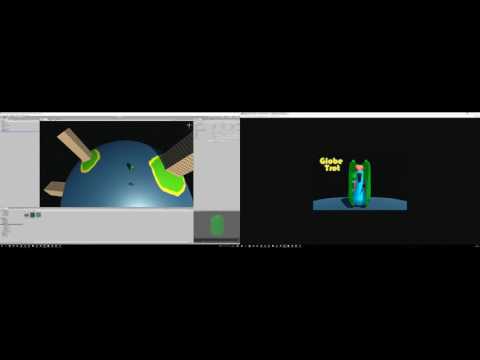
After 10 days of feedback the biggest problem I have with my game is the camera. (The other problem I have is instantiating too many sounds but that's another story.)
"Globe Trot" was created in Unity - here's a link to the game: https://ldjam.com/events/ludum-dare/38/globe-trot
The camera tracks the player object - if the distance from the player to the camera exceeds a certain amount then a force is added in the direction of the player. The further the camera is from the player, the larger this force will be. If the camera gets too close to being directly above the player (where gimbal lock would occur) then a force is added to repel it. The direction of this force is always to the "right" of the player object.
It's the issue of the camera being directly "above" the player (relative to the planet) when the problem occurs - because which way is up in that situation? To experience this - just move down as soon as the game starts and you will experience the camera rotation.
One solution would have been to keep the camera a fixed offset from the player (i.e. be in the player's local coordinate system) but I fear that would feel too rigid (it would be similar to those bits in movies when the camera is attached to the actor and they are supposed to be drunk).
Having gone back to re-play Geometry Wars 3 for the first time in a while...I am now wondering if the camera is actually moving around the globe at all - or if the globe is rotating (as well as the sky box) keeping the camera's up direction fixed. That would certainly make the camera orientation a lot simpler!
When the compo is over, I will re-visit "Globe Trot" and try different camera solutions to find something that works better - and I will fix the audio issue and any other problems reported. Until then, happy gaming!