bigosaur

LD27

Day 5: libGDX and graphics ideas

I selected the library I’m going to use. It’s Java, and it seems pretty complete. I managed to build and tweak a test application very quickly. I’m still confused whether to use Sceenes, Actors, and all the other features or build the stuff myself as I’m used to. The docs are lacking examples and explanation how to tie in some stuff, I guess I’ll have to google a lot. For example, there is no explanation how should you wire up the Actor and Sprite. And what if you have like 20 sprites with same graphics and stuff like that.

For this first project, I guess I’ll learn just enough to manipulate Sprites and then build the rest myself using my previous experience. For some future project I’ll probably be smarter and figure out which stuff did I build that was already there. I just hate learning so much up front and then figuring that framework/library is not flexible enough for some out-of-the-box ideas I might have in the future.

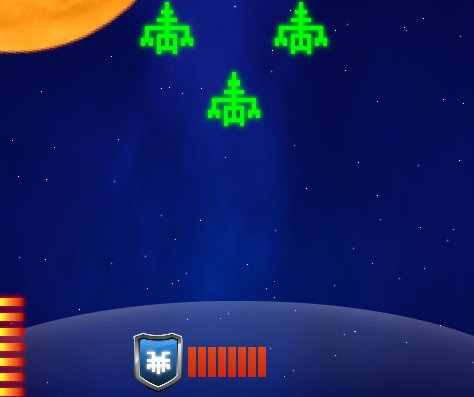
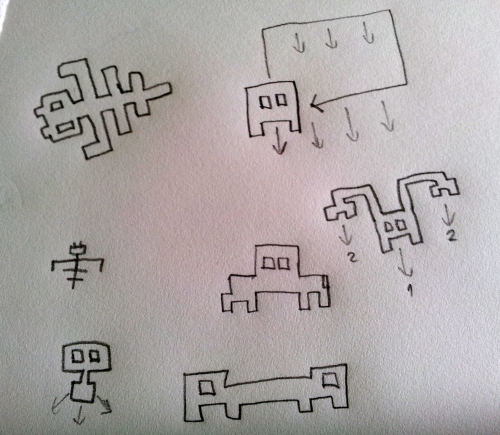
Here are some of my ideas for retro-graphic aliens. Most of the time I first draw stuff on paper. Maybe it’s just a habit, but it helps me concentrate when I’m away from keyboard and monitor:

(Copied from my blog)

Day 13: Shields, new Boss

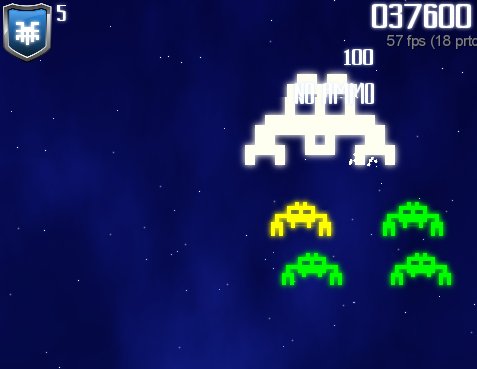
I added a new boss and now I have two of them. Here are the alien names so far: Worker, Eater, Hairy, Glider. Bosses are called Worker Boss (it looks like big Worker and spits small Workers) and Borg (it’s cube-shaped and destructs into big cubes).

I also added the shield. I have drawn this nice shield icon before. I drew it using Inkscape and got inspiration from a some YT tutorial. I tried to follow the tutorial (it was for Adobe Illustrator, not Inkscape), but failed. So I started to observe some shields that I like and noted how it’s just a bunch or curves and gradients. I slapped Hairy on it, it looks really nice. This might even become the application icon for Android.

Anyway, the shield can be invoked at any time. It lasts 20 seconds. There will be some powerups to upgrade the shield to last longer. If aliens hit the shield it loses energy much faster, so you should still try to shoot them down even if shields are up.

Shield graphics looks like force-field. It required some manual messing with Gimp to draw it nice as I wanted a nice circle-segment instead of straight line and casting a gradient shadow that way doesn’t seem to be supported. Maybe there’s some trick I don’t know. So I combined multiple linear gradients at a different angle. It turned out really nice.

I tried adding some glow to the shield icon, but then it stands out too much. I’ll leave the glowing for situation when powerup flies across the screen and you need to pick it up.

With these new graphics, it starting to look like a complete game. I’m still thinking where to place the score multiplier and whether the current wave should be shown.

I’m also thinking that player should be able to buy some powerups before playing, but this would require some coins or something like that, and with current, fast gameplay it simply would not fit. Maybe a some aliens could leave some crystals behind them or something like that or random powerups would show up. Or you would simply get as much coins as the number of waves you survived.

5

This entry was posted on Saturday, October 12th, 2013 at 4:20 am and is filed under October Challenge 2013. You can follow any responses to this entry through the RSS 2.0 feed. You can leave a response, or trackback from your own site.

Day 16: Recording a movie from libGDX game

I created a YouTube video showing some gameplay and first two bosses:

On my blog I wrote a detailed explanation how to make a YouTube video of libGDX game.

4

This entry was posted on Tuesday, October 15th, 2013 at 5:33 am and is filed under October Challenge 2013. You can follow any responses to this entry through the RSS 2.0 feed. You can leave a response, or trackback from your own site.

Day 19: Daily Challenge and Missions

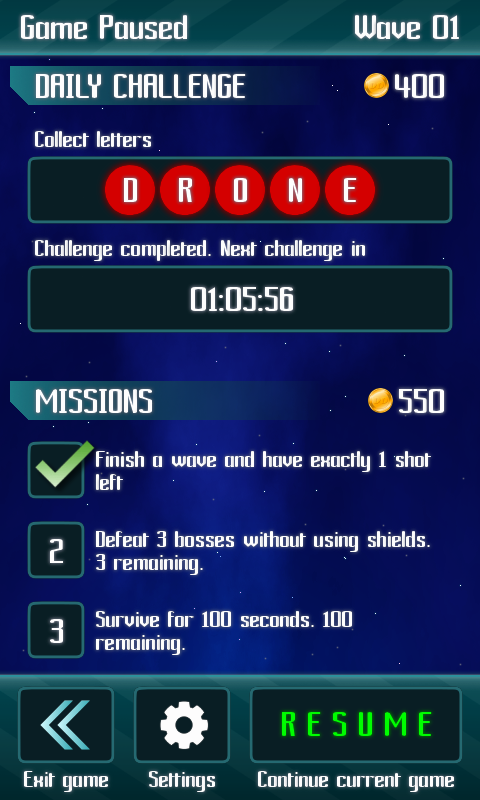
Daily challenge is to collect 5 letter which fly like powerups do. Once you collect them all, you get some coins to buy powerups. This is a way to get easy free coins just by playing the game. I was inspired by Subway Surfers when creating this.

Missions are various tasks for player to complete to earn coins. Coins are used to buy upgrades and expendable items like shields, bombs, etc. Missions come in sets of three, and you need to complete all three tasks to earn the reward.

For the missions I figured that it would be easiest to use the builtin multiline text wrapping. However, the line height is too big, and I could’n find a way to reduce it. At least, not from code. Then I edited the .fnt file generated by BMFont and just changed

lineHeight=33

to

lineHeight=23

I added 5 pixels of drop shadow around all letters after the bitmap was generated initially, so I’m now reducing height by ten (5 pixels above, and 5 below the glyph).

While searching the docs for this, I found something else I missed before: Depending on the font you choose for the game, numbers might not look very nice as glyph for digit “one” can we very slim, and numbers like 11 look odd. To solve this, you can fix some of the glyphs in the font to use fixed width:

font.setFixedWidthGlyphs("0123456789");

This looks really good, but I already did some design decisions that used the slim-glyphs “feature”, so I’m not going to use this.

Day 20: Weekly challenge. Persistent player data. Java date woes.

Weekly challenge will be to collect some amount of stars during a week and get some nice reward, like 8 atomic bombs, 5 shields or similar. I made a nice gold star in Gimp. I tried different particle effects on it and also some diffused star-light, but it did not look really good. So I went back to the particle effect used for powerups and tweaked that until I got something distinct for the star. Stars show up on their own pacing, so you can have both a star and a powerup on the screen at the same time.
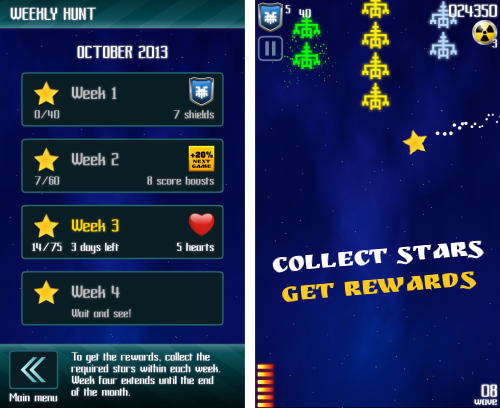
I also worked on loading and saving player data. It was much easier than I expected. I expected to have to learn some Android data storage API, but for simple key-value storage, libGDX provides the Preferences class. Just init with:

Preferences prefs = Gdx.app.getPreferences("DroneInvaders");

and then use get(“key”, defaultValute) and set(key, value) to read and write the values.

The only thing I had problems with are the dates. To keep track of daily and weekly challenges, the game stores the date of last play. When player launches the game, it compares that and resets some counters. Theoretically, I could prevent players from changing the system’s calendar to past date, but I don’t want to. What I am doing, is setting new set of daily and weekly challenges when day rolls over and resetting the counters for number of stars and letters picked up.

To make that work, I had to get the day difference between the previous play and current date. It matters whether it’s the same day, exactly one day apart or more than one day. Googling got me to various websites and StackOverflow questions. Answers are funny. Many programmers simply calculate difference in seconds and then divide by 60 * 60 * 24 to get the days, completely ignorant about issues with daylight savings and leap seconds. One could argue that it does not matter that much for a game, but still getting many bug reports twice a year doesn’t sound like fun to me. Some other guys simply count the days by adding one-by-one from start until they reach the end. While those loops might look correct, they still miss sometimes as they do not take the time out of the calculation. If one object stored 01.Jan at 5am, and you calculate it vs 02.Jan at 23pm, adding one day to first object is still less than the second, so they add two and get 2 day difference.

One of the tricks I use in this situation is to always set the time of the earlier Date to be something like 10am, and set the time for the later Date object to 5pm. Since daylight changes always happen at night, this is safe. And we also have 7 hours in between, just in case someone in future decides to do daylight saving changes in the middle of the day.

6

This entry was posted on Saturday, October 19th, 2013 at 10:41 am and is filed under October Challenge 2013. You can follow any responses to this entry through the RSS 2.0 feed. You can leave a response, or trackback from your own site.
LD30

I’m in!

Being a busy father of two never leaves enough time to do regular LudumDares. It’s almost impossible for me to dedicate 48 hours straight to anything. That’s why I love the October Challenge. Last year in October I participated in my first LudumDare OC. I made an Android Game called Drone Invaders, released it on Google Play, got about 3000 players and earned some trivial money (about $140). But I learned a lot, especially all about Android development.

This year I plan to build another Android game. Some (say, 60%) of the graphics will be outsourced to artists on Fiverr. Rest of the gfx, programming and sound effect I plan to do myself. I’m still not sure about music. I depends how much time is left when everything else is done.

Last time I used libGDX as bare-bones graphics library, only utilizing Sprite and BitmapFontCache classes. This time I plan to use Scene2D with Stages and Actors. Another big change is that I will make sure that devices with higher screen resolutions are properly supported and all the graphics are crisp clear.

As for the $1 goal, I will stay away from IAP this time. Google Wallet accounts are still not available in my country, and doing it through some friend abroad just complicates things and slows me down. I decided to try AdMod instead. It’s linked with my AdSense account, so there should be no problems with the payments.

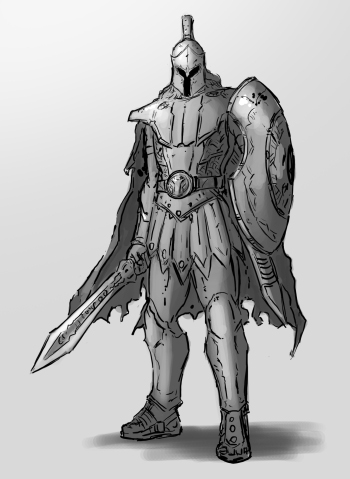
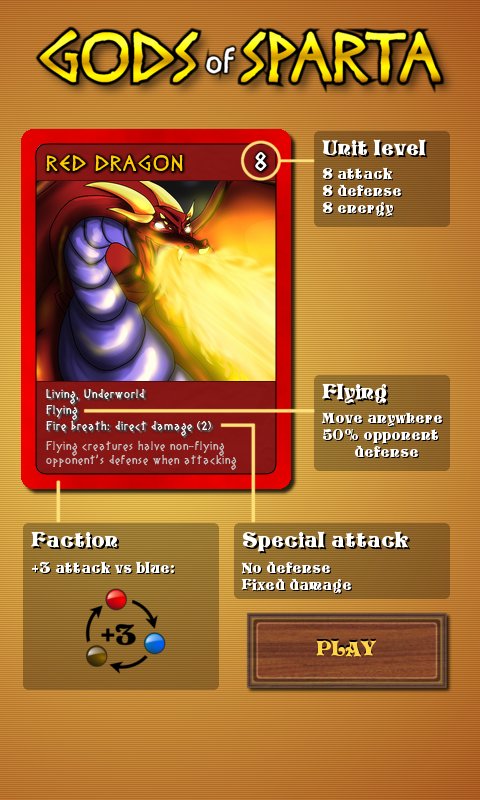
As for the game itself, I plan to revamp my Gods of Sparta strategy game. The main focus will now be local, hot-seat game for two players on Android devices. It will be completely free to play, supported by ads. I will reuse some old graphics, but more need to be drawn, especially higher resolution stuff for Nexus10 (2560×1600 pixel screen) I got recently. Also, UI needs to be drastically improved and game rules have to be simplified. To cut the long story short, I need to improve the player experience and make it feel more like computer strategy game and less like paper card game. Here’s some teaser graphics that will be included in the game…

Good luck everyone.

Handling different device resolutions for Android

For my first Android project I made a mistake of only testing on a single device. This time I decided to to extensive research to make sure my game looks great on all Android devices from 800×480 to 2560×1600 pixel screens. After two days of research and testing and made this guide for all the Android developers;

http://bigosaur.com/blog/31-android-resolutions-definite-answer

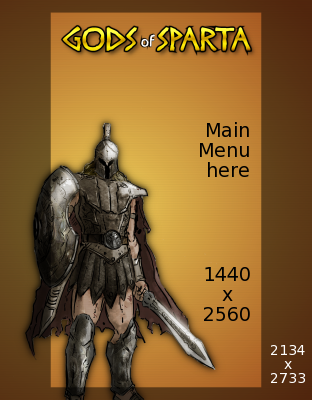
I’m making all the graphics in 6 different sizes, scaled from 100% for 800×480 screens to 320% for 2560×1600. I’m using letterboxing with 16:9 being the base resolution, but instead of plain black background I’m using a filler-background so the whole screen is full with some graphics. The “action” takes place only in the central 16:9 space though. It should cover 99% of devices out there. Here’s my main menu:

I plan to automate most of it with ImageMagick. The workflow would be like this:

1. draw everything for the largest resolution
2. scale images (svg where possible, jpg otherwise)
3. for any overlay text, use imagemagick to add it on the shrinked image using the appropriate font size

As you can see in my blog post 2134×2733 is needed if you simply want to scale the image down to any resolution. This enables you to use the single “scale” multiplier in entire game. Whenever you need a fixed coordinate, just multiply by the scale factor and you’re done. At least, for Sprites. If you’re using libGDX Stage, then you also need to offset each coordinate against the screen center, because libGDX Stage coordinates start in bottom-left corner which might be different on aspect ratios other than 16:9.

Well, I hope this helps anyone who makes 2D games for Android. I still see some very popular games not doing this right. For example I got CubeMen from the Humble Bundle and menus are so small on Nexus 10 that you can barely read text or touch the correct button.

Day 9: Picking cards and explaining how they work

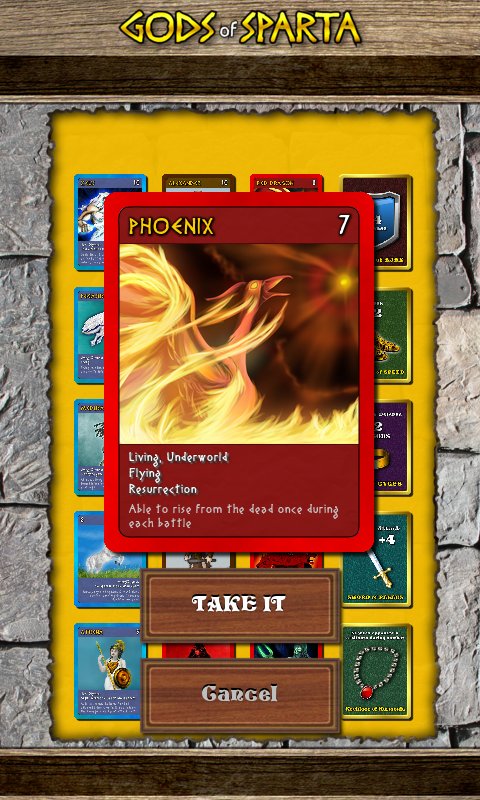
I know players hate reading complex rules, so I tried to make a screen that would explain how the cards work without getting too complicated. Here are the basic rules:

At the start of each game, the players are presented with a deck of 20 cards and they take turns picking one by one until each has 10 in their hand. After that the battle starts.

When the first player picks the card, all the other cards rotate 180 degrees to face the player sitting across. It’s a two-player local duel game.