Handling different device resolutions for Android
For my first Android project I made a mistake of only testing on a single device. This time I decided to to extensive research to make sure my game looks great on all Android devices from 800×480 to 2560×1600 pixel screens. After two days of research and testing and made this guide for all the Android developers;
http://bigosaur.com/blog/31-android-resolutions-definite-answer
I’m making all the graphics in 6 different sizes, scaled from 100% for 800×480 screens to 320% for 2560×1600. I’m using letterboxing with 16:9 being the base resolution, but instead of plain black background I’m using a filler-background so the whole screen is full with some graphics. The “action” takes place only in the central 16:9 space though. It should cover 99% of devices out there. Here’s my main menu:
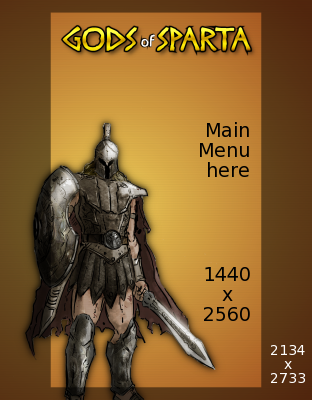
I plan to automate most of it with ImageMagick. The workflow would be like this:
1. draw everything for the largest resolution
2. scale images (svg where possible, jpg otherwise)
3. for any overlay text, use imagemagick to add it on the shrinked image using the appropriate font size
As you can see in my blog post 2134×2733 is needed if you simply want to scale the image down to any resolution. This enables you to use the single “scale” multiplier in entire game. Whenever you need a fixed coordinate, just multiply by the scale factor and you’re done. At least, for Sprites. If you’re using libGDX Stage, then you also need to offset each coordinate against the screen center, because libGDX Stage coordinates start in bottom-left corner which might be different on aspect ratios other than 16:9.
Well, I hope this helps anyone who makes 2D games for Android. I still see some very popular games not doing this right. For example I got CubeMen from the Humble Bundle and menus are so small on Nexus 10 that you can barely read text or touch the correct button.