Preparing Your GitHub Repository for Ludum Dare 57
I am excited for Ludum Dare 57, I had no time to prepare though until now. For the previous edition I had made an effort to clean my github repositories, have a clean and uniform readme across the several editions I participated. I try to put all the information I have gathered in order to help the community (disclaimer an LLM helped me clean the english for the rest of that post)

My goal is to have a repository that people are keen to visit to look at my code, share, star, or fork it to elaborate on. I also try to do the same while reviewing other compo game to look at their repo, add a star to my personal collection of game I have played
1. Repository Setup
Start by creating a repository on GitHub. I first name the repository LD57, I'll update the name later on when I am finishing the project. Github keeps the links active. (you can reach my previous entry by both of the links :
https://github.com/dhmmasson/lilyFrogs
https://github.com/dhmmasson/LD56
I like to update the name afterward because it makes it easier to identify in list (see : https://github.com/topics/ludumdare56). Add a short but description that explain in very few word what's the game is about (on the top right of the main page in the about section)
56 Lilypads is a turn-based game where frogs leap between lilypads to catch flies and lotuses, but each lilypad disappears once left behind! Compete for the highest score in this strategic battle before movement options run out
Consider using these topics to make your Ludum Dare entry more discoverable:
- game
- game-development
- ludum-dare
- ludumdare
- ludumdare57
- ludum-dare-57
- ld57
In the repository setting you can also add a cover image, that github will display in list and while sharing the repository on social media.
2. README.md: First Impressions Matter
A well-structured README.md file is crucial. It should include:
- A brief introduction to your game
- Screenshots or GIFs (if possible)
- Installation and running instructions
- A link to your Ludum Dare submission page
- Credits and acknowledgments
3. Use Badges for cool look
Badges help make your repository visually appealing and informative at a glance.
Using shields.io I have created some shield for ludumdare, one for the edition and two for the compo/jam using the ludum dare color palette.
md




You can also use badges for what stack you use, what platform you support, the license used...
md

[](https://opensource.org/licenses/MIT)
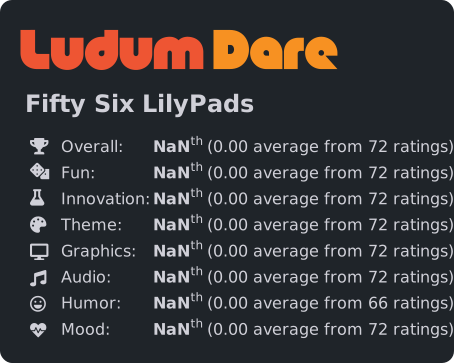
Once the event is over, you can use this excellent website https://badges.jaxs.onl/ a rating badge like this:
md
4. Choose a License
Adding a license is essential if you want others to use or contribute to your code. Popular choices include: - MIT: Permissive, widely used - GPL: Requires derivative works to also be open-source
Use choosealicense.com to help pick the right one.
5. Add a CITATION.cff File
If you are an academic and you’d like others to properly cite your work, include a CITATION.cff file. Example:
yaml
cff-version: 1.2.0
title: Fifty Six Lilypads!
message: >-
  If you use this software, please cite it using the
  metadata from this file.
type: software
authors:
  - given-names: Dimitri
    family-names: Masson
    orcid: 'https://orcid.org/0000-0002-7072-3146'
    email: ...
repository-code: 'https://github.com/dhmmasson/LD56'
url: 'https://dhmmasson.github.io/lilyFrogs'
license: MIT
version: v1.0.0
date-released: '2024-10-06'
6. Engage with the Community
Ludum Dare is not just about making games but also about interacting with fellow developers. Here are some ways to engage: - Star and watch other participants' repositories - Give and request feedback on GitHub Discussions - Fork the games you like to try your spin on it - Use Issues and Pull Requests to track progress
7. Share Your Repository
Once your repo is ready, share it on social media, the Ludum Dare website, and relevant forums. Encourage others to star and fork your project!
Are you using GitHub for Ludum Dare 57? What best practices do you follow? Share your thoughts below!