Loopin' Dungeon by Itskdog
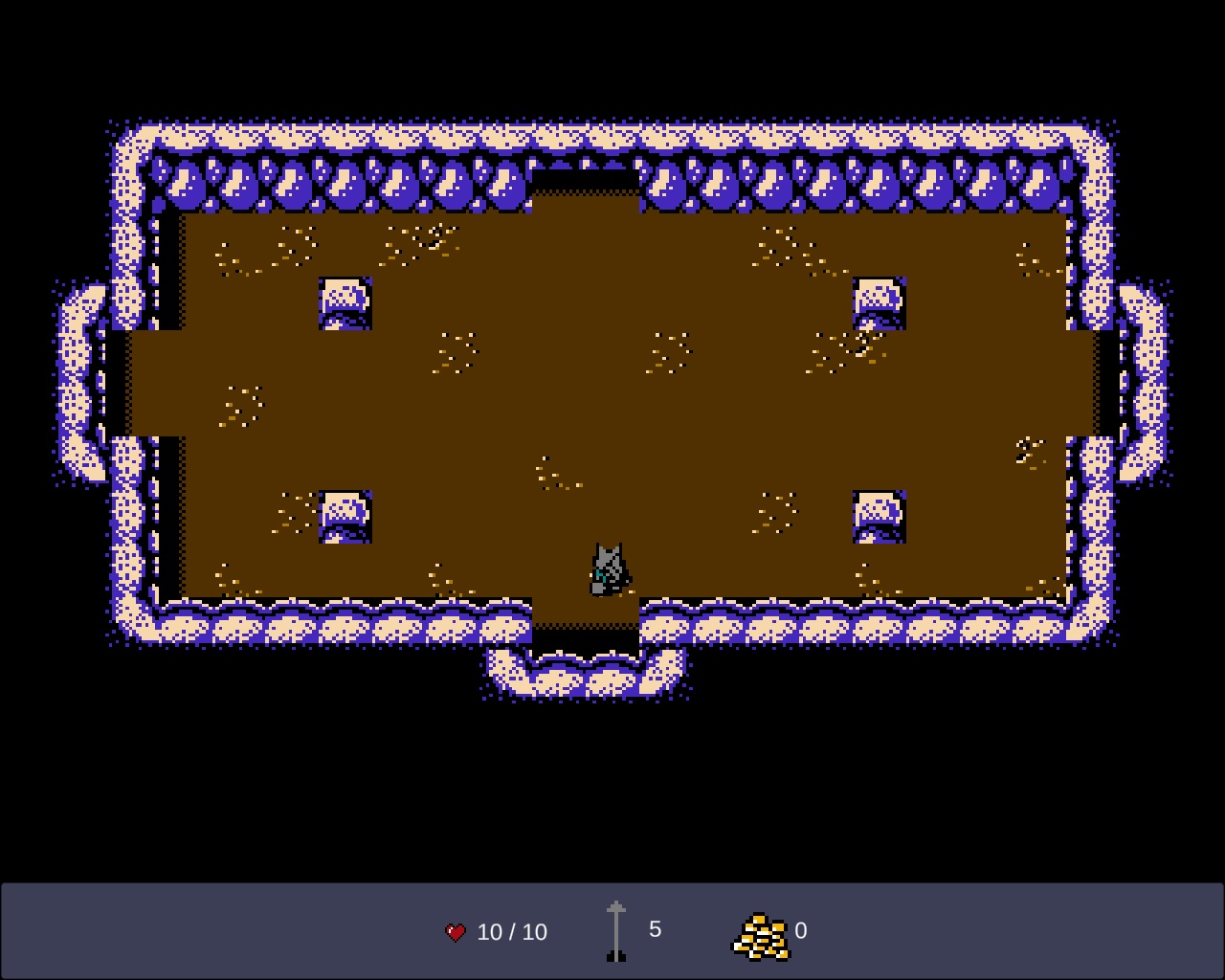
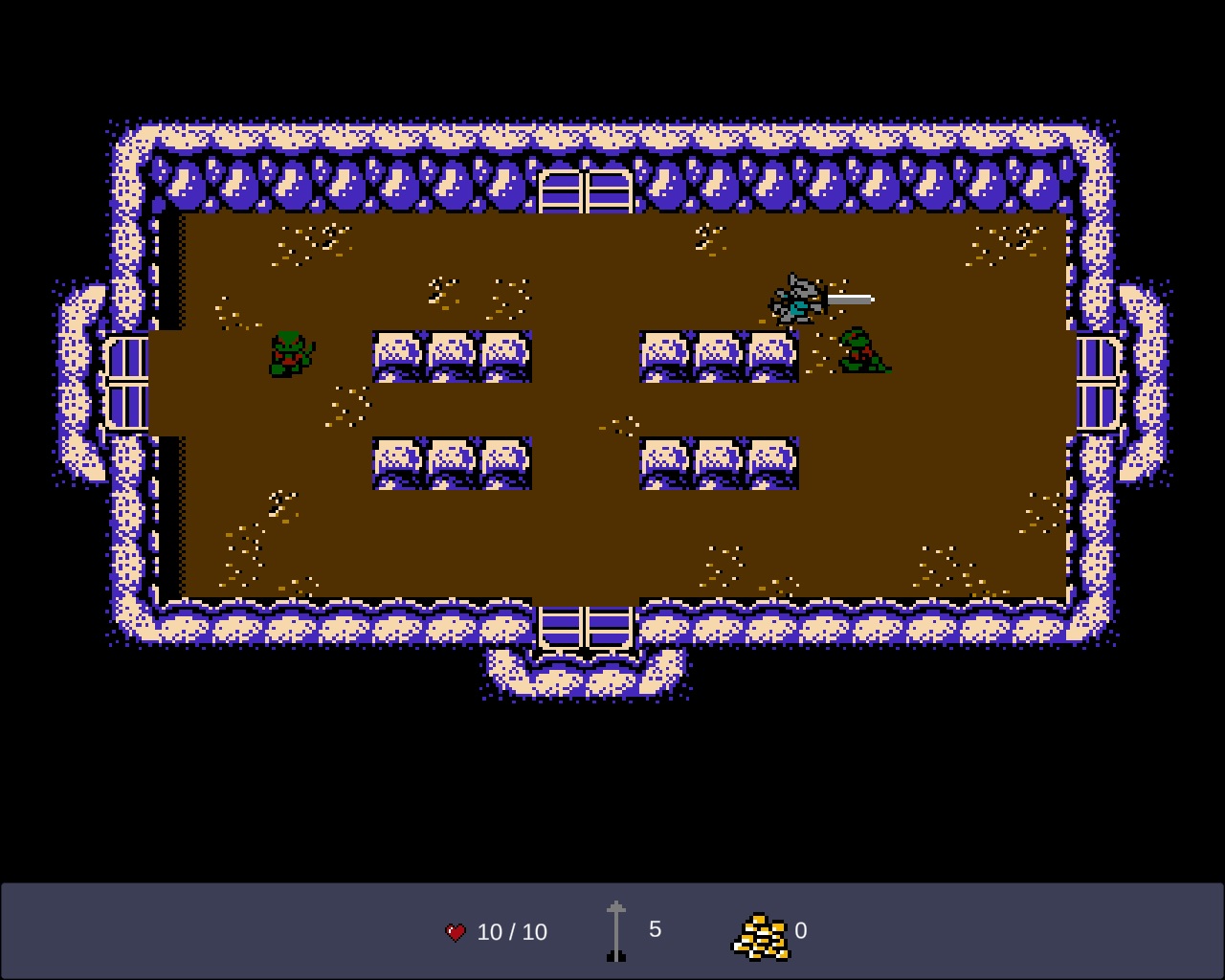
Loopin' Dungeon is my second Ludum Dare game. Heavily inspired by Zelda. I was going to make a room where you could buy items with the gold, but ran out of time. So, the gold is worthless!
UPDATE FIXED CONTROLS! Checked a flag that allowed for diagonal movement. Original is at the bottom- https://drive.google.com/file/d/1YyfYIqfX91p56xeJ-xhth-UCS1aaZYZS/view?usp=sharing
Ratings
| Overall | 395th | 3.269⭐ | 28🧑⚖️ |
| Fun | 483th | 2.865⭐ | 28🧑⚖️ |
| Innovation | 500th | 2.827⭐ | 28🧑⚖️ |
| Theme | 340th | 3.519⭐ | 28🧑⚖️ |
| Graphics | 238th | 3.577⭐ | 28🧑⚖️ |
| Audio | 344th | 2.942⭐ | 28🧑⚖️ |
| Humor | 406th | 2.13⭐ | 25🧑⚖️ |
| Mood | 307th | 3.16⭐ | 27🧑⚖️ |
| Given | 38🗳️ | 29🗨️ |
Nice work!
But overall a solid game.
Text on the main menu was really hard to read from being blurry, would be better if it's nice, crisp pixel art text or something.
When I slash the pushable block it seems to move in a random direction, makes those room pretty frustrating.
Controls didn't feel great, mostly because I could not change direction or attack until I fully stopped moving, I guess.
Visuals are great!
Great job! You clearly have great taste. =P
It looks very nice, and the sounds are solid, too. The concept is nice, and fits the theme, and there is a huge variety of enemies and obstacles for a compo game. Really nice work, in a lot of ways.
The controls are a huge drawback, unfortunately. It's not a problem that I cannot go diagonal. The problem is that I cannot switch direction until after the deceleration of my previous direction finishes stopping me, which feels like there's just a huge lag in turning. To experience this in a straightforward way, hold D to move right. While holding D, press S. You keep moving right, all that is fine. Then release D. You think the character would immediately switch to down movement, but there is a huge delay.
Most of combat was dominated by this delay. Original-Zelda-style combat is about quickly reacting to the changes in direction of the semi-predictable AI, and spiking your sword shot onto them without getting so close you get hit. That very often requires an instant switch of direction immediately before the swing, and I just can't do that in this game.
I know others mentioned the controls so maybe I'm repeating, but I'm a big believer that control feel is the #1 thing in these jams, so I hope the extra detail is constructive.
Glancing at your code, I think the problem might be an unintended interaction between PlayerController.ProcessInputs() and CharacterMove.GroundMovement()
In ProcessInputs you do:
horizontal += Input.GetAxis("Horizontal");
And then in CharacterMove.GroundMovement() you have:
xVelocity = speed * input.horizontal;
//...
if (xVelocity == 0)
{
yVelocity = speed * input.vertical; //Set up and down movement
}
If you read the documentation for that "GetAxis" function you're using, here: https://docs.unity3d.com/ScriptReference/Input.GetAxis.html
You will see a tiny note at the bottom:
> Note: The Horizontal and Vertical ranges change from 0 to +1 or -1 with increase/decrease in 0.05f steps. GetAxisRaw has changes from 0 to 1 or -1 immediately, so with no steps.
So my best guess is that the GetAxis step feature creates a "cooldown" when the horizontal walk is released by your player. That cooldown takes several moments to get all the way to zero.
While it is still not zero, your "if (xVelocity == 0)" check returns FALSE even though the user is not pressing any x-direction movement button. And this is why the player cannot instantly turn down.
My experience is that I hate this smoothing that GetAxis does, and I usually just read raw Input.GetKeyDown. You can use GetAxisRaw instead. By accessing the raw input, you can take more direct control of the game feel and get it just right.
Hope that helps!
Anyway, this one unfortunate thing in the controls aside, the rest of your entry is really strong and well-done for a compo. There's an ambitious amount of scope here, with nice art and sound and design. I look forward to seeing what you come up with next!
(EDIT: I tried the fixed-controls version and it's a lot better. I still think it's a tiny bit mushy and if you are still using the smoothed GetAxis I suggest trying GetAxisRaw, but it's a big improvement already.)