ICBM by psilon


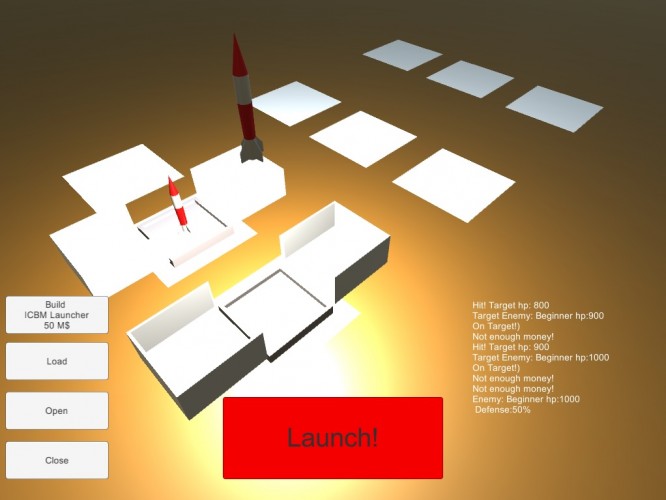
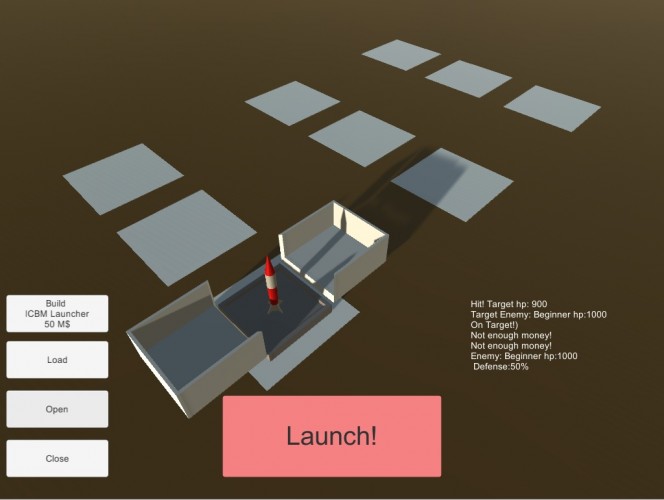
First Ludum Dare entry.
Start missiles, destroy your enemy!
Theme: Shapeshifting launchers!
Tutorial:
- Click build ICBM launcher
- select the new launcher
- load the launcher
- open the launcher
- select the Missile
- Launch the Missile
- Close launcher
- ???
- Profit
Tools:
- Unity
- Blender
Features:
- day/night cycle
- basic "gameplay"
Missing features:
- advanced gameplay (Enemy fire back)
- defensive structures
- more levels
- more enemys
- main menu
- sound, music
2016.04.18. Added webgl version
Start missiles, destroy your enemy!
Theme: Shapeshifting launchers!
Tutorial:
- Click build ICBM launcher
- select the new launcher
- load the launcher
- open the launcher
- select the Missile
- Launch the Missile
- Close launcher
- ???
- Profit
Tools:
- Unity
- Blender
Features:
- day/night cycle
- basic "gameplay"
Missing features:
- advanced gameplay (Enemy fire back)
- defensive structures
- more levels
- more enemys
- main menu
- sound, music
2016.04.18. Added webgl version
Ratings
| Coolness | 49% | 1160 |
| Overall | 2.21 | 942 |
| Fun | 1.92 | 925 |
| Graphics | 2.48 | 751 |
| Humor | 2.00 | 534 |
| Innovation | 2.25 | 876 |
| Mood | 2.05 | 784 |
| Theme | 1.83 | 927 |
It'd be really useful to have something to indicate which launcher is selected at the moment (like a colour change, arrow above it or highlight).
Also I found quite often I was clicking the buttons first, then thinking "ok, I've clicked open, now I want to click on this, this and this launcher to open them all at once". Rather than having to click individually back and forth between button and launcher. Also that way around, I can instantly see the result of my action (perhaps negating the need to have selection highlighting).
The bad: It was impossible to know when something was selected, so that leads to a lot of confusion. I eventually figured out that you needed to select a box, then close, load, open, then click the rocket, and launch... but if there was a way to highlight the selection, that would help greatly.