Delving by kakuremino
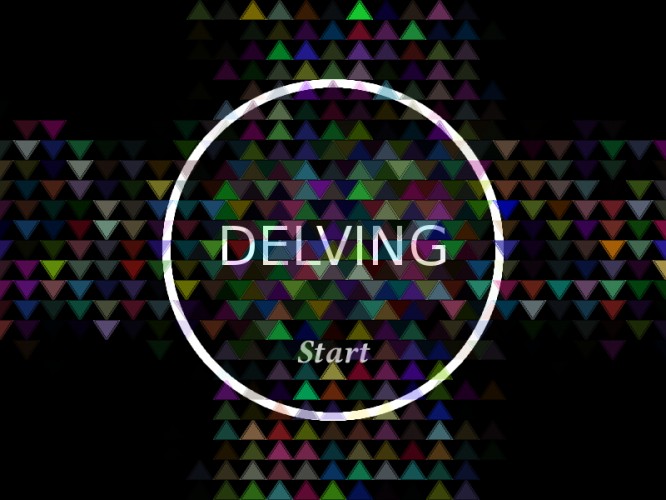


This is a game about identifying items. To play, download the zip file and extract the contents to the desired location. Run delving.exe.
To the people not using Windows: You might be able to run the game from source. What is needed is Ruby 1.9.3 (the game might also run in previous, or later versions) and the Gosu gem (see http://www.libgosu.org/), which is available for Mac, Windows, and Linux. Please tell me if it works (or if it doesn't).
The game was made using Ruby with Gosu and Ocra. Gimp and Paint were used for the graphics. Audacity and MilkyTracker for sounds and music.
Controls:
The game is completely mouse driven. When trying to match the melody, holding left mouse button raises pitch, and releasing left mouse button lowers pitch. To finalize the melody, press right mouse button (without pressing/releasing left mouse button). There is a short tutorial.
(Possibly not very) clarifying information about symbols:
When naming an entity, pay attention to symbols and the affinities of the entities you know. If you want to play it safe, always choose to disconnect when you are unsure. This way you will at least gain one point of knowledge. However, correctly identifying an entity will give you a much larger boost. You may encounter entities that you do not know (yet). Incorrectly naming an entity slows down learning (you lose one point of knowledge).
The numbers displayed in the lower right corner while serving customers represent current knowledge and the amount needed until some new information is gained. When not serving customers, the numbers represent the expected knowledge boost if you correctly identify an entity (including possible multipliers for good performance). It is a bit of a mess.
To the people not using Windows: You might be able to run the game from source. What is needed is Ruby 1.9.3 (the game might also run in previous, or later versions) and the Gosu gem (see http://www.libgosu.org/), which is available for Mac, Windows, and Linux. Please tell me if it works (or if it doesn't).
The game was made using Ruby with Gosu and Ocra. Gimp and Paint were used for the graphics. Audacity and MilkyTracker for sounds and music.
Controls:
The game is completely mouse driven. When trying to match the melody, holding left mouse button raises pitch, and releasing left mouse button lowers pitch. To finalize the melody, press right mouse button (without pressing/releasing left mouse button). There is a short tutorial.
(Possibly not very) clarifying information about symbols:
When naming an entity, pay attention to symbols and the affinities of the entities you know. If you want to play it safe, always choose to disconnect when you are unsure. This way you will at least gain one point of knowledge. However, correctly identifying an entity will give you a much larger boost. You may encounter entities that you do not know (yet). Incorrectly naming an entity slows down learning (you lose one point of knowledge).
The numbers displayed in the lower right corner while serving customers represent current knowledge and the amount needed until some new information is gained. When not serving customers, the numbers represent the expected knowledge boost if you correctly identify an entity (including possible multipliers for good performance). It is a bit of a mess.
| Windows | http://goo.gl/GPDB3g |
| Source | http://goo.gl/vF2bRl |
| Original URL | https://ludumdare.com/compo/ludum-dare-30/?action=preview&uid=8853 |
Ratings
| Coolness | 100% | 1 |
| Overall | 2.78 | 964 |
| Audio | 3.23 | 265 |
| Fun | 2.35 | 1067 |
| Graphics | 2.78 | 766 |
| Humor | 1.92 | 832 |
| Innovation | 3.64 | 205 |
| Mood | 3.03 | 523 |
| Theme | 2.40 | 1032 |
The sound effects and the plot are good, the gameplay is original
But i couldn't play in windows 7 32 , after the "tutorial" i get a black screen , i press left nothing i press right some bars start to grow i press left a bar begins to grow and...."let's try again"
confusing
Chrome reporting the file as a virus is annoying, but there isn't much I can do about that except tell you that Chrome is just being overzealous and assure you that the file contains nothing malicious. I've seen similar comments on other entries.
Sadly it seems the game does not do a good job of explaining what to do. I've written some hopefully helpful tips in the description that might clear things up.
In essence, the bulk of the game consists of two minigames, one where you are supposed to listen to a "melody" and then match it by alternating between holding/releasing the left mouse button for the appropriate amount of time and pressing the right mouse button when you have replicated the entire melody (remembering not to release the left mouse button before this if the melody ends on a rising pitch). After pressing the right mouse button, three sets of bars will appear, the purple bars represent the actual melody, the green bars represent your attempt, and the red bars represent the difference (i.e. errors) for each part of the melody (thus, in each set there should be an equal number of bars as there were rising/descending parts of the melody). The goal is to get a small enough total error.
The second minigame has to do with connecting symbols with entities. This part can be very confusing. I wrote some tips about this in the description. Short(ish) version: if none of the entities seem to fit the symbol (i.e. if the symbol does not seem to match any of the keywords mentioned under "Associated with:"), the safest bet is to choose the disconnect option. This will give you a point or two (see the numbers in the lower right corner while serving customers). An incorrect guess will result in losing a point. After your points reach certain levels you unlock identification options. The first unlock occurs when you have 3 or more points.
Back to the game:
Really interesting concept. It was a bit hard for me but I still like it a lot. :)
There is no music and right click seems to be useless as it does nothing.
I didn't rate the game and I'll be back later to give i a second shot.
FOR CHROME USERS : Download the game, go to personalize and control > downloads and there you have an option to keep the file you downloaded and therefore avoid the virus blocking system.
Marcellus: The game is definitely unplayable if there is no sound at the screen before the bars appear (or after the "Let's try again"). The sound is quite low (the pitch of it that is). Is the game outputting any sound at all (i.e. does the volume mixer in Windows indicate any sound being played)? If not, then there is definitely something wrong.